Seleccionar una organización
Salesforce Field Service (SFS) Error "Required Fields Missing: Type" Error When Using Book Appointment or Candidates Actions
Fecha de publicación: Jan 31, 2026
Descripción
When using the "Book Appointment" or "Candidates" actions in Salesforce Field Service, users may encounter the error message: "Required Fields Missing: [Type]." This error typically occurs because the "Type" picklist field on the Resource Absence object does not have a default value assigned. This field is required for certain actions, and without a default value set, the system is unable to process the request properly.
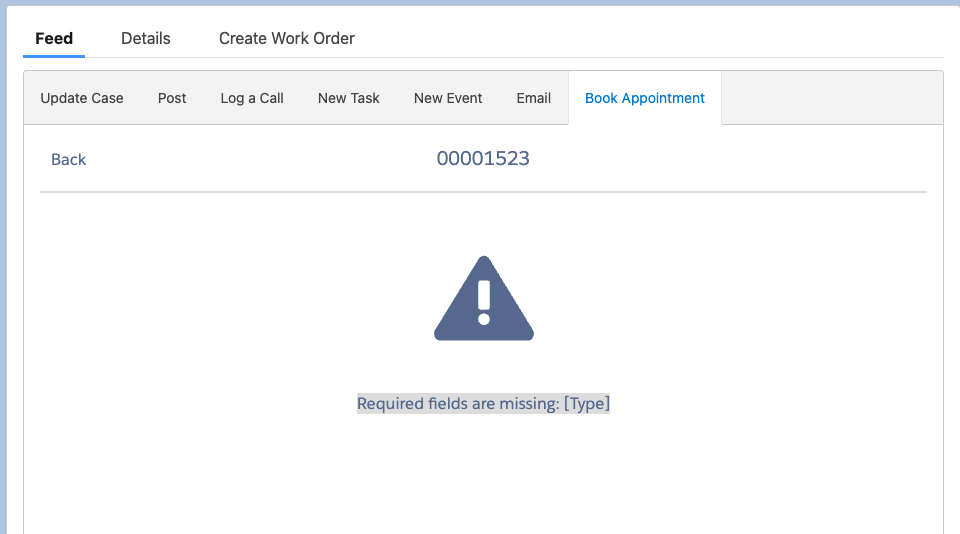
The error is caused by the absence of a default value for the "Type" picklist across various record types on the Resource Absence object, such as "Break" or "Non-Availability." To resolve this, a default value needs to be assigned to the "Type" field for each applicable record type.
Solución
When using the "Book Appointment" or "Candidates" actions in Salesforce Field Service and an error occurs that the "Required fields are missing: [Type]", you need to assign a default value to the "Type" picklist field on the Resource Absence object. Follow the steps below to configure this:
-
Navigate to Object Manager:
- Go to Setup and use the Quick Find bar to search for Object Manager.
- In Object Manager, search for and select Resource Absence.
-
Access Record Types:
- Under the Resource Absence object, click on Record Types.
- Select the record type, such as Break or Non-Availability.
-
Edit the Type Picklist Field:
- On the selected record type page, locate the Picklists Available for Editing section.
- Find the Type picklist and click Edit.
-
Set the Default Value:
- In the edit screen, you will see two columns: Available Values and Selected Values.
- Scroll to the bottom of these columns to find the Default picklist.
- Choose an appropriate default value for the "Type" field.
- Click Save to confirm the changes.
-
Repeat for Other Record Types:
- Repeat the process to set a default value for each record type.
By setting a default value for the "Type" picklist in the relevant record types, you can prevent the "Required Fields Missing: Type" error from occurring when using book appointment or get candidates in Salesforce Field Service.
Número del artículo de conocimiento
002772140
¿Resolvió este artículo su problema?
¡Háganos saber cómo podemos mejorar!
