Выбрать организацию
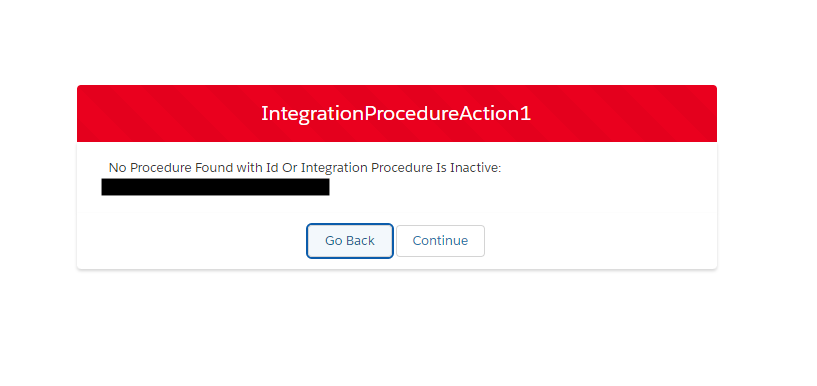
Error: "No Procedure Found with Id Or Integration Procedure Is Inactive"
Дата публикации: Dec 5, 2025
Описание
Common Causes of This Exception Include:
1. Insufficient Permissions:
-
The exception may occur if the user lacks the required system permission that allows business users to execute OmniScripts, DataRaptors, Cards, etc., in employee-facing applications.
-
Missing Sharing settings, Object Access and Field-Level Access for the OmniProcess object and its related objects.
2. Integration Procedure Complexity:
-
A large number of elements within the Integration Procedure
-
A smaller number of elements with complex mappings.
-
Large Input Size: Passing an excessively large data as input to the Integration Procedure can also trigger this exception.
Решение
1. Insufficient Permissions:
- Ensure the appropriate system permissions are enabled in the user's permission set:
-> For internal users: Enables business users to execute OmniScripts, DRs, Cards, etc, in employee facing apps
-> For external users: Enables consumers and partners to execute Omniscripts, DRs, Cards through a Community or off platform - Ensure that sharing settings are properly configured for the OmniProcess object. Also, verify that Object Access and Field-Level Access are granted for the OmniProcess object and related objects.
For details about objects access, please refer: OmniStudio and Vlocity Access FAQ
2. Integration Procedure Complexity:
-
Optimize the Integration Procedure by reducing the number of elements used.
-
Simplify complex mappings within elements.
-
Minimize input data size to reduce load and prevent performance-related exceptions.
Номер статьи базы знаний
002888844
Эта статья решила вашу проблему?
Оставьте свой отзыв, чтобы мы могли стать лучше!
