組織を選択
How to check MuleSoft Java 17 Connector Compatibility
公開日: Oct 23, 2024
説明
MuleSoft is adopting Java’s long-term-support (LTS) release cadence, beginning with Mule runtime 4.6, which adds support for Java 17 LTS. Upgrading to Java 17 provides many benefits, including improved performance, language-level enhancement, increased security, and extended APIs and libraries.
Many third-party vendors are discontinuing support for Java 8, which impacts the MuleSoft product stack. Adopting the new LTS release cadence provides greater security, compliance, and performance.
Note: Standard support for Java 8 and 11 ends with the Mule runtime 4.9 release in February 2025.
解決策
The Connector compatibility can be checked for Java 17 compatibility using the following 2 ways:
1. Studio
-
- Open the Project in Studio (v7.17 onwards)
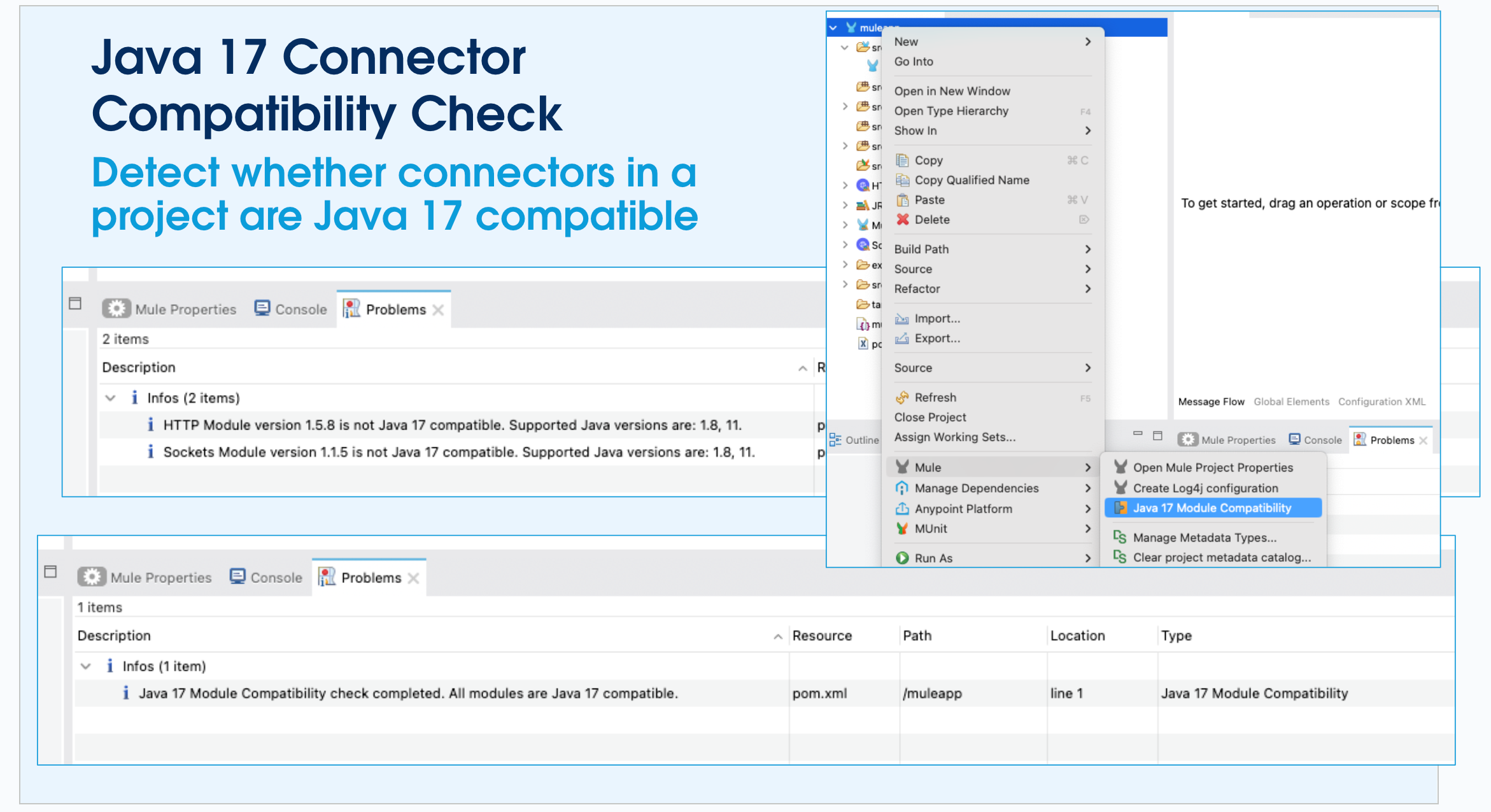
- Right Click on the project → Select “Mule” → Select “Java 17 Module Compatibility”
- If the connectors are Java 17 compatible, the “Problems” tab displays the message “Java 17 Module Compatibility check completed. All modules are Java 17 compatible.”. Else, it would display a message similar to “HTTP Module version 1.8.0 is not Java 17 compatible. Supported Java versions are: 1.8, 11.”.
2. Exchange
-
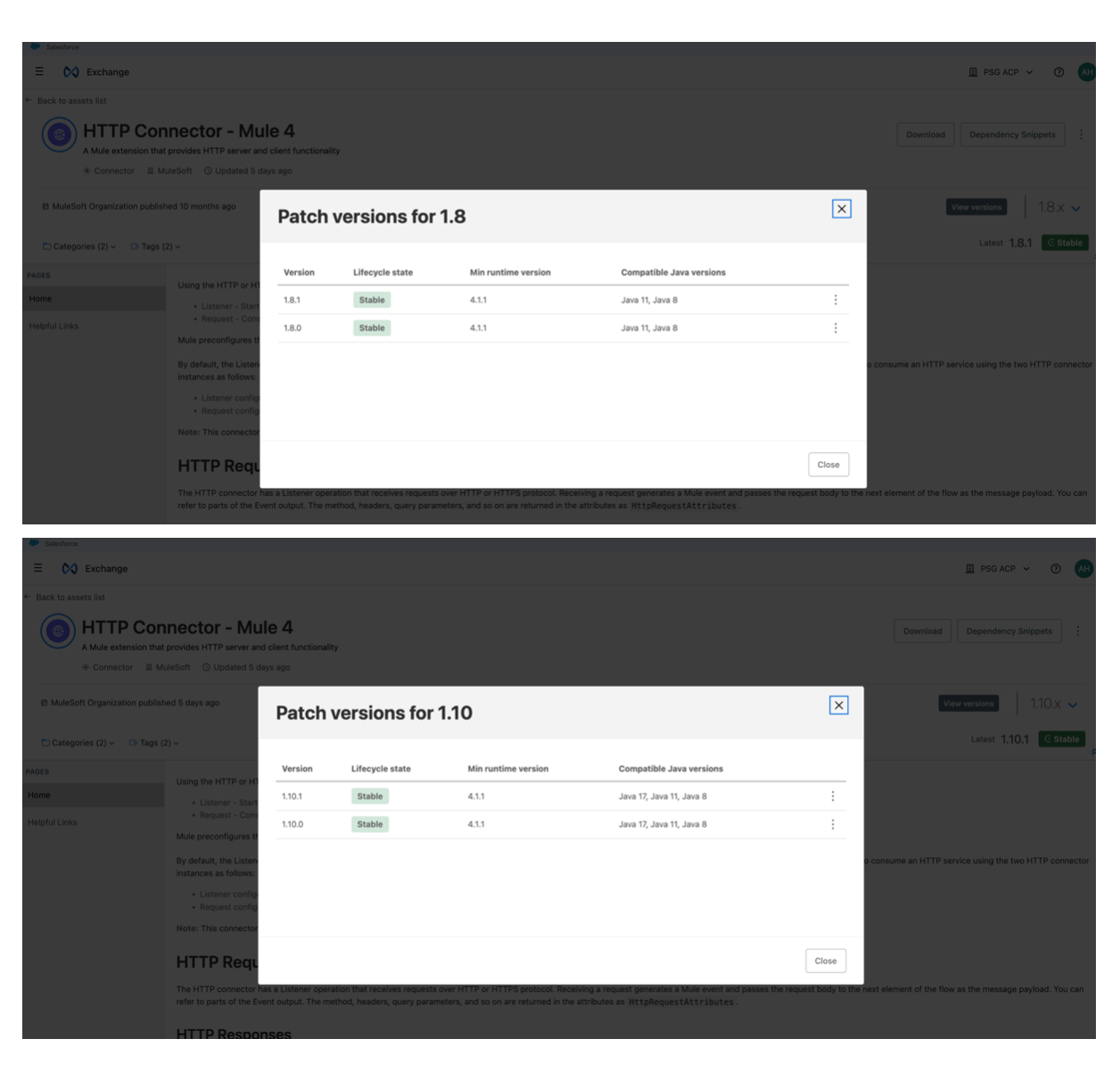
- Login to “Exchange” and navigate to “Asset” list
- Type the Connector needed and select the version in order to check the compatibility
ナレッジ記事番号
003037551
この記事で問題は解決されましたか?
ご意見をお待ちしております。
