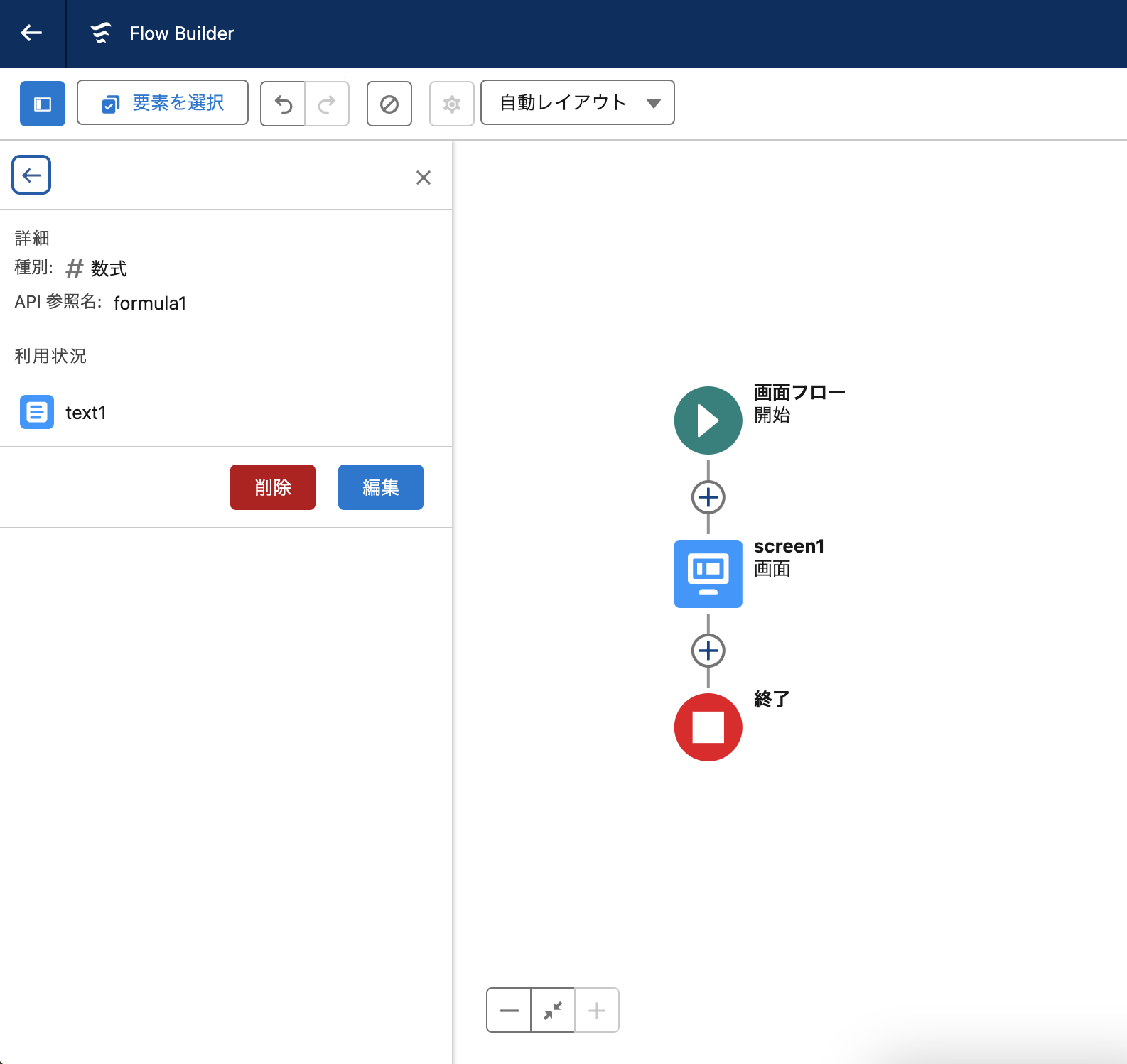
フロービルダー画面で左上にある[ツールボックス]の数式タブから、対象の数式リソース名を選択すると、作成した数式リソースを確認できます。
作成した数式リソースの確認方法
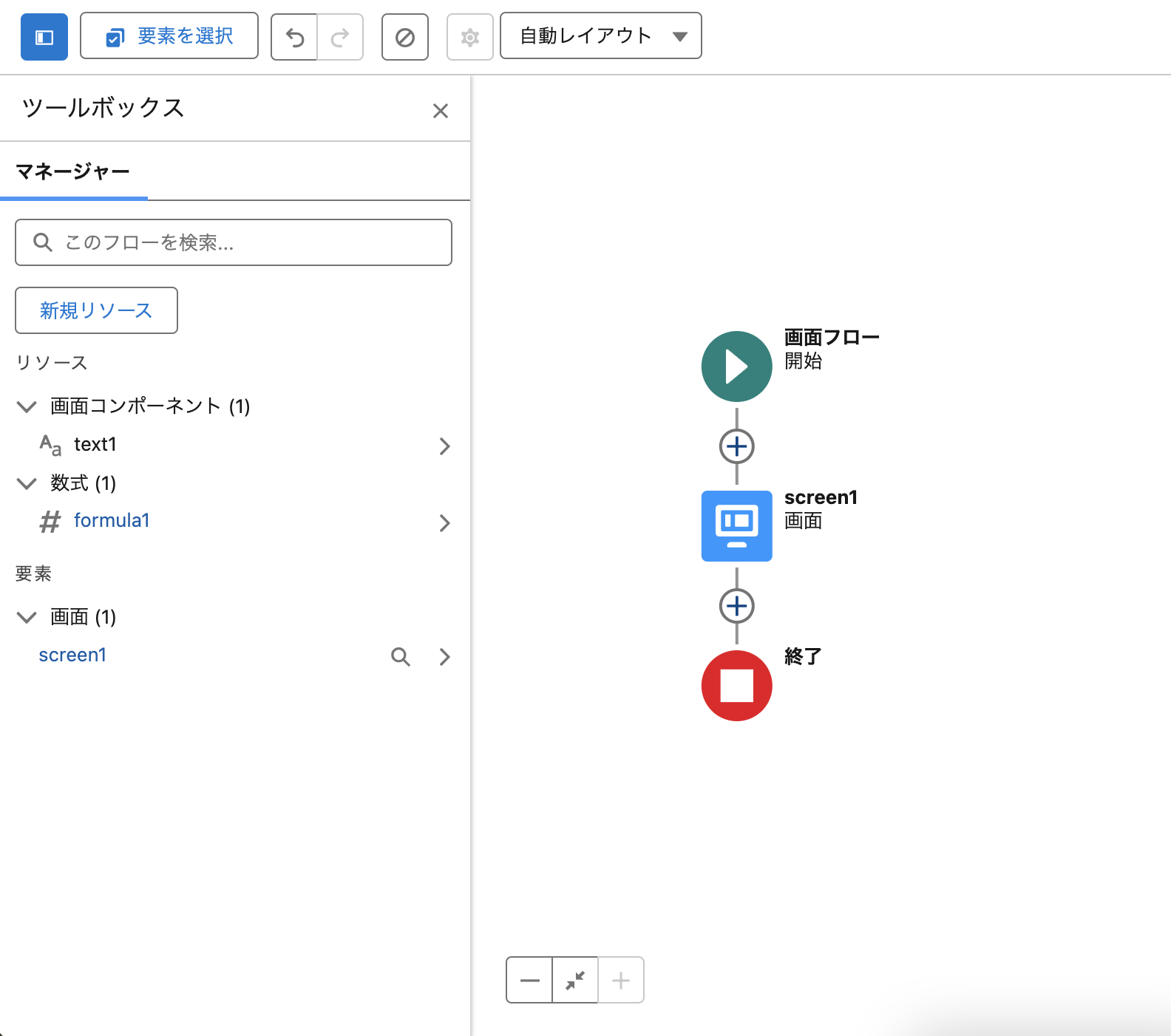
フロービルダー画面で左上にある[ツールボックス]の数式タブから、対象の数式リソース名を選択して内容を確認できます。
<手順>
1. 対象フローのフロービルダー画面を開きます。
2.画面左上の [要素を選択] の左にある四角いボタンをクリックします。これは[ツールボックス]と呼ばれます。
3. 下に表示されるリソースセクションの [数式] タブの中から対象の数式リソース名をクリックして内容を確認します。
・対象の数式リソース右横の「>」をクリックすると数式の詳細が表示されます。対象の数式リソースの利用状況(数式リソースが使用されている箇所)を確認できます。ここから対象の数式リソースを [編集] / [削除] することも可能です。
参考:Flow Builder の概要
https://help.salesforce.com/s/articleView?id=sf.flow_builder.htm&type=5&language=ja
003834002

We use three kinds of cookies on our websites: required, functional, and advertising. You can choose whether functional and advertising cookies apply. Click on the different cookie categories to find out more about each category and to change the default settings.
Privacy Statement
Required cookies are necessary for basic website functionality. Some examples include: session cookies needed to transmit the website, authentication cookies, and security cookies.
Functional cookies enhance functions, performance, and services on the website. Some examples include: cookies used to analyze site traffic, cookies used for market research, and cookies used to display advertising that is not directed to a particular individual.
Advertising cookies track activity across websites in order to understand a viewer’s interests, and direct them specific marketing. Some examples include: cookies used for remarketing, or interest-based advertising.