Vælg en organisation
Data Action Target For Marketing Cloud Missing Business Unit
Udgivelsesdato: Dec 4, 2025
Beskrivelse
Sometime, customer would reach out to support engineers in regards to why when creating a Data Action Target for Marketing Cloud, user cannot see any Business Unites populated to allow the user to select.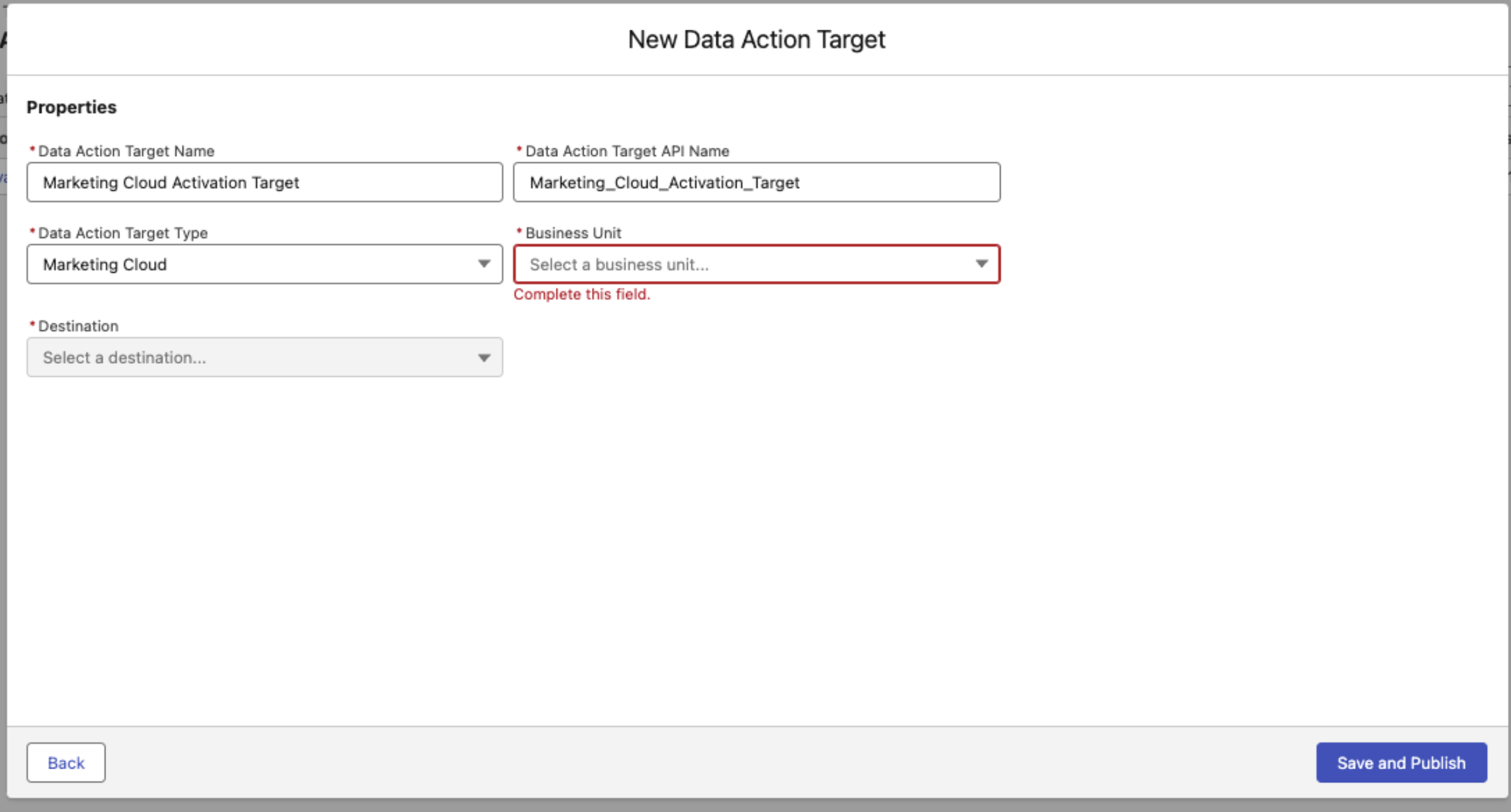
This help article here: Create a Marketing Cloud Engagement Data Action Target - Provides foundational prerequisite needed to be completed in order to start creating Data Action Target with Marketing Cloud. What is missing from the help article, on the first bullet point: "The Engagement connection is set up in Data 360." - This steps require user to follow: Set Up a Marketing Cloud Engagement Connection in Data 360 (Step 11) must be completed in order for user to see Business Units when creating a Marketing Cloud Data Action Target. 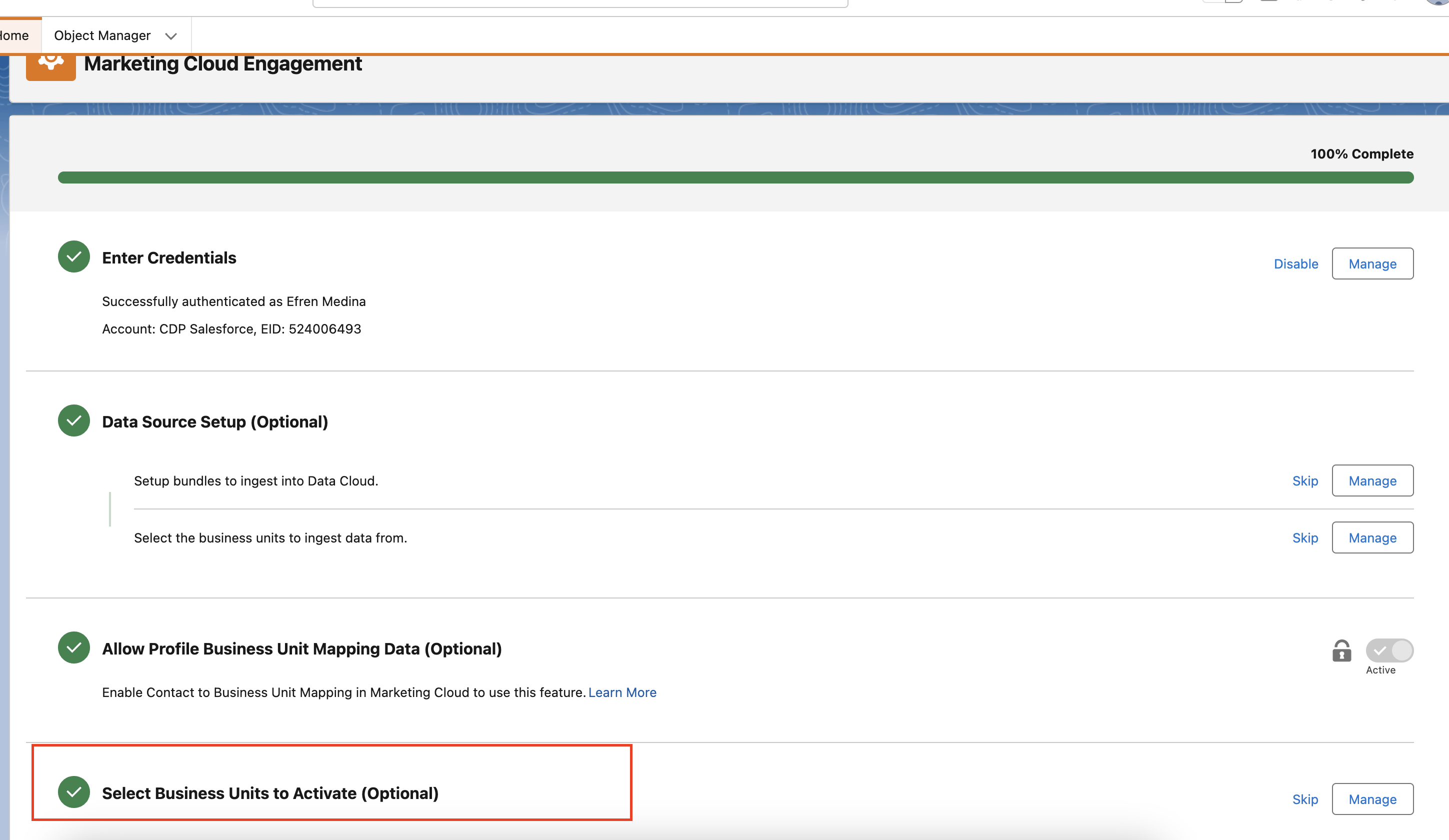
Sometimes, user will report that this (optional) step 11 " Select Business Units to Activate (Optional)" is not visible within their org. This is because the org is missing a Segment/Activation Add On License. Learn more about the Segment/Activation Add On License here:
Data 360 Standard Permission Sets - This license will provide the org with additional permission sets like "Data 360 Marketing Admin" which will allow user to see and complete step 11 in Marketing Cloud Connector Setup.
Løsning
If the organization currently does not have Segment/Activation Add On License, Please contact your AE (Account Executives) or ask support to reach out to your Account Executives internally to discuss quotes in regards to provisioning the add on license.
Vidensartikelnummer
003834020
Løste denne artikel dit problem?
Giv os besked, så vi kan forbedre os!
