Выбрать организацию
Partner Learning Camp (PLC) Exams and Credentials
Дата публикации: Dec 12, 2024
Описание
Accredited Professional Credentials & Examity
Accredited Professional are credentials earned in Partner Learning Camp. Please see Accredited Professional Guide (External) or visit the Accredited Professional page on Partner Community for further details of how credentials count toward your company’s knowledge check requirement for certain Navigator distinctions, what credentials are currently available in Partner Learning Camp, and provide answers to frequently asked questions.
With Accredited Professional credentials you can:
- Deepen Product & Industry Expertise with Curricula: Over 200 new courses are available exclusively in PLC to deepen your understanding of Salesforce products and industries
- Be Recognized for Your Full Scope of Capabilities through Exams: When you pass an exam, you're recognized as an Accredited Professional.
- Earn Credit toward Navigator Distinctions (coming soon): Navigator distinctions are the only Salesforce-approved way to market your expertise to customers. Now there'll be two ways to earn credit toward the Navigator knowledge requirement: Trailhead certifications and Accredited Professional credentials earned in PLC.
From the Credentials Tab, learners can browse credentials, view details and recommended exam preparation, and register for the credential exam. On the Profile Tab, learners view recommended credentials and see their earned credentials.
Please note: By taking an Accredited Professionals exam, you accept the Program Terms for Learning and Credentials, subject to the Salesforce Program Agreement (collectively, “Program Agreement”). Failure to comply with the Program Agreement, Exam Rules, proctor instructions, or any other test-taking requirements provided by Salesforce or Examity (exam vendor) will result in disciplinary action.
Решение
Browse & View Credentials
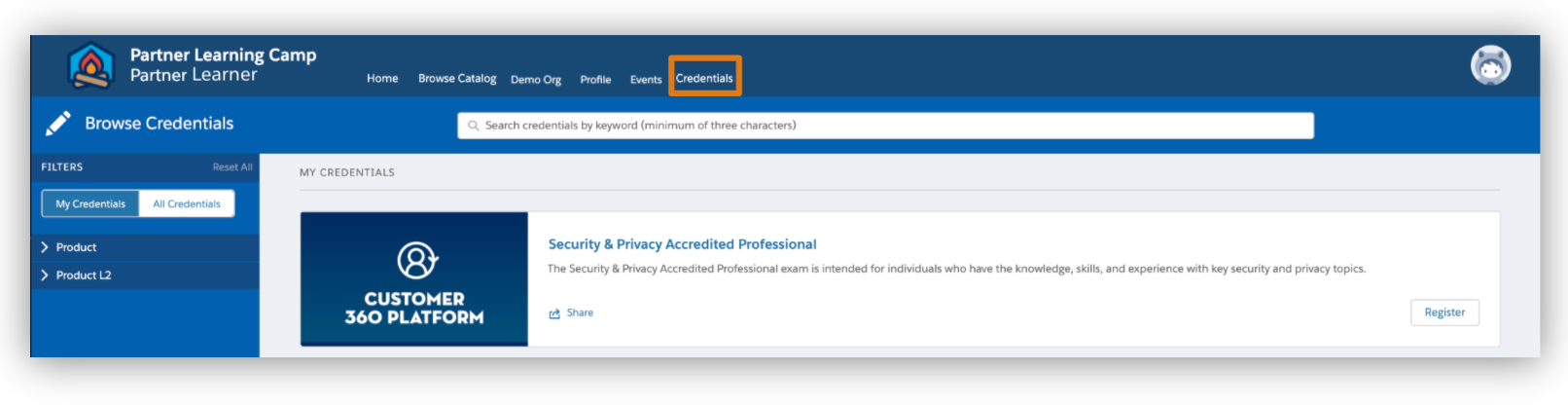
- Click the Credentials tab to find Accredited Professional credentials. The page defaults to the “All Credentials” view. Search by keyword to find the credential or filter by Products.
- Filter by “My Credentials” to see the credentials exams for which you've registered or completed. To see your earned credentials, go to the Profile tab>My Achievements>Credentials.
- Click the Accredited Professional credential name to see details, including the Exam Guide and the Exam prep curriculum.
- Register for the credential exam from the view details modal or Enroll in and complete the exam prep curriculum before registering.
Caution: Do not click register unless you're ready to start and complete this exam.
Register for a Credential Exam
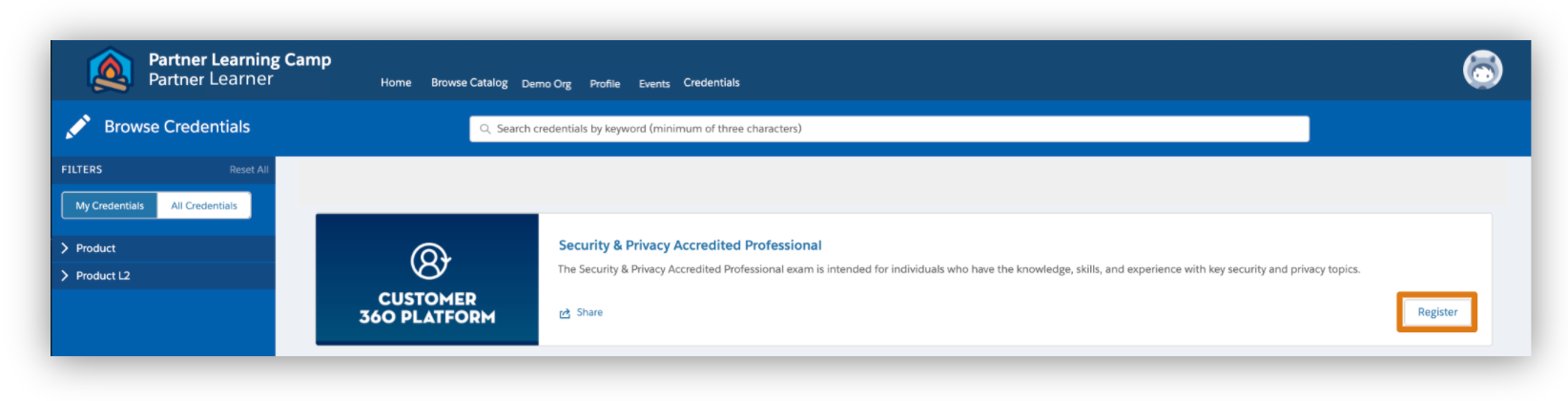
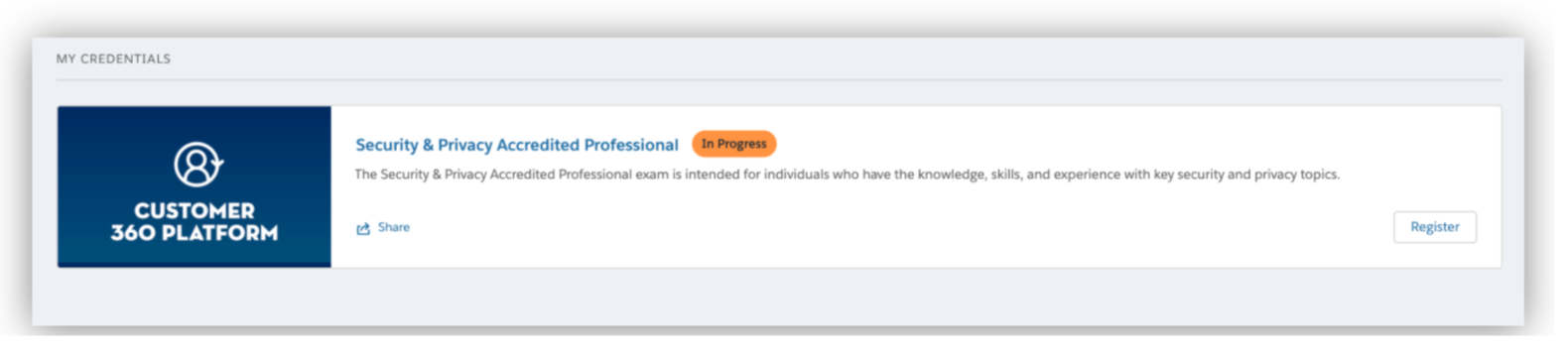
When you are ready to start and complete an exam, click “Register” which will take you to Examity, our exam proctoring partner. For registered exams, an “In Progress” pill will appear next to the Accredited Professional credential name.
Complete Your Profile & Exam Registration on Examity
When you click Register in Partner Learning Camp, you'll be taken to Examity, our exam proctoring partner. In Examity, follow the prompts to complete your profile.
Note: You must use the Google Chrome browser to install the proctoring Google extension and take the exam.
Once done, you can either schedule your exam at your convenience or start the exam.
Caution: Do not click “Start Exam” unless you are ready to start and complete the exam. You will be charged the exam fee at this point. Do not exit out of the exam.
Дополнительные ресурсы
For more informatiuon, see Partner Learning Camp User Manual.
Номер статьи базы знаний
003960807
Эта статья решила вашу проблему?
Оставьте свой отзыв, чтобы мы могли стать лучше!
