組織を選択
How to find the data sources embedded in the workbook from the navigation menu
公開日: Jan 18, 2025
タスク
How to show the data sources embedded in the workbook via the Tableau Server or Tableau Cloud web user interface (UI)?
ステップ
1. Sign in to Tableau Server or Tableau Cloud.
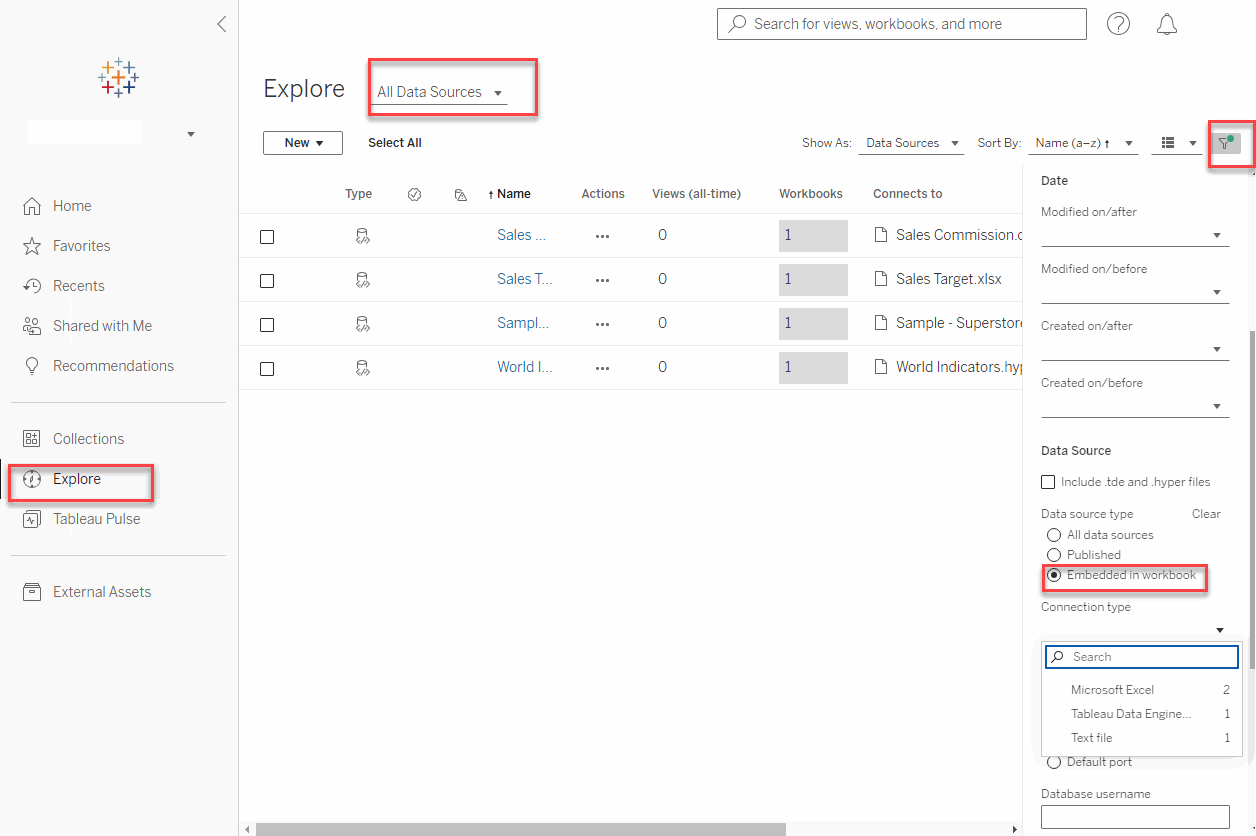
2. Click Explore, then select All Data Sources.
3. Click the Filter located in the upper right section of the screen.
4. Select Embedded in workbook under Data source type.
Any embedded data sources that reference the published data sources will also be displayed.
5. Select any option except Tableau Server under Connection type to display only embedded data sources.
ナレッジ記事番号
004141412
この記事で問題は解決されましたか?
ご意見をお待ちしております。
