Välj en organisation
How to find the data sources embedded in the workbook from the navigation menu
Publiceringsdatum: Jan 18, 2025
Uppgift
How to show the data sources embedded in the workbook via the Tableau Server or Tableau Cloud web user interface (UI)?
Steg
1. Sign in to Tableau Server or Tableau Cloud.
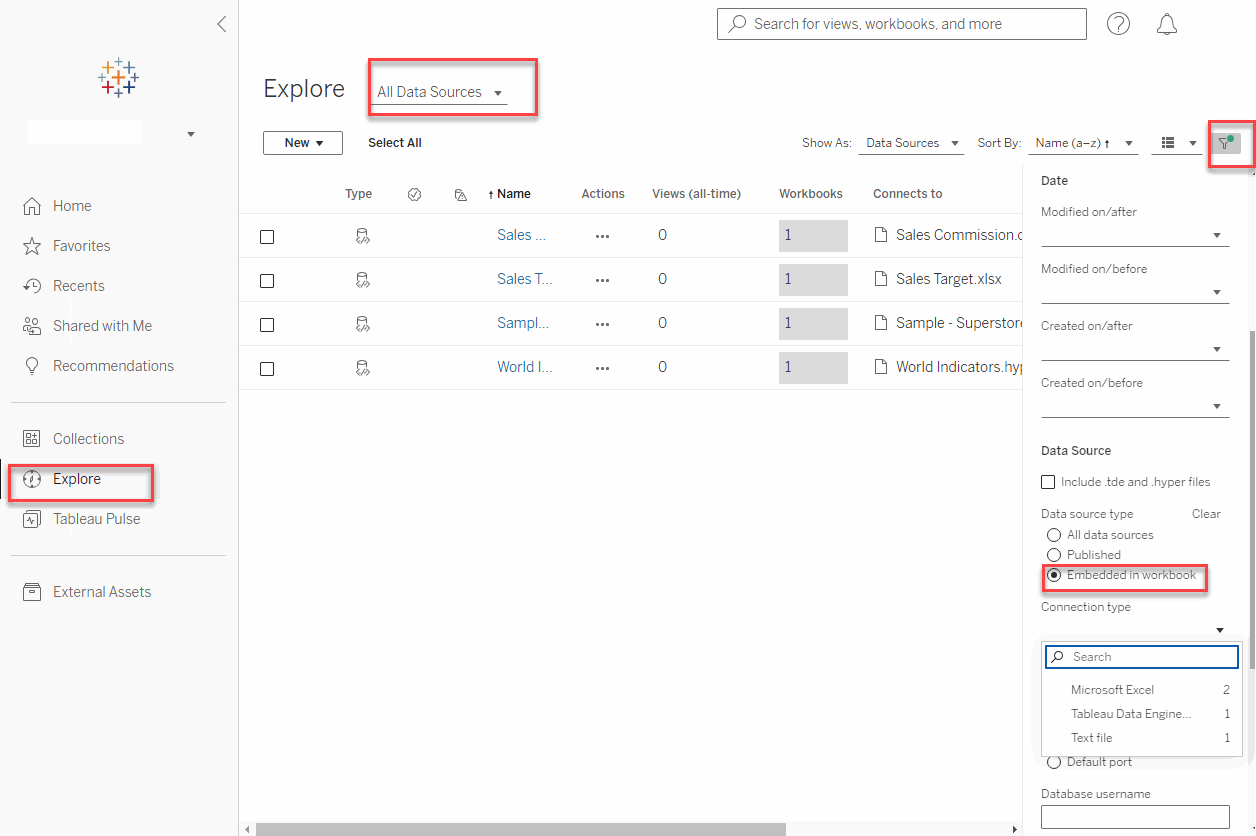
2. Click Explore, then select All Data Sources.
3. Click the Filter located in the upper right section of the screen.
4. Select Embedded in workbook under Data source type.
Any embedded data sources that reference the published data sources will also be displayed.
5. Select any option except Tableau Server under Connection type to display only embedded data sources.
Knowledge-artikelnummer
004141412
Löste denna artikel ditt problem?
Berätta för oss vad vi kan förbättra!
