Seleziona un'organizzazione
How to Close Flexcard's flyout Modal from LWC
Data pubblicazione: Apr 8, 2026
Descrizione
When closing a Flexcard's Flyout Modal from a custom LWC, there may be a requirement to close the modal based on user interaction within the LWC (for example, after a button click or successful action).
This can be achieved by publishing a PubSub event from the LWC and configuring the FlexCard to listen for that event and close the modal accordingly.
Risoluzione
- Import PubSub in LWC - In the LWC JavaScript file, import the PubSub module:
import pubsub from 'omnistudio/pubsub';
- Publish Close Event from LWC - Trigger a PubSub event when the modal needs to be closed (for example, on button click):
pubsub.fire('closelwc', 'event', {});
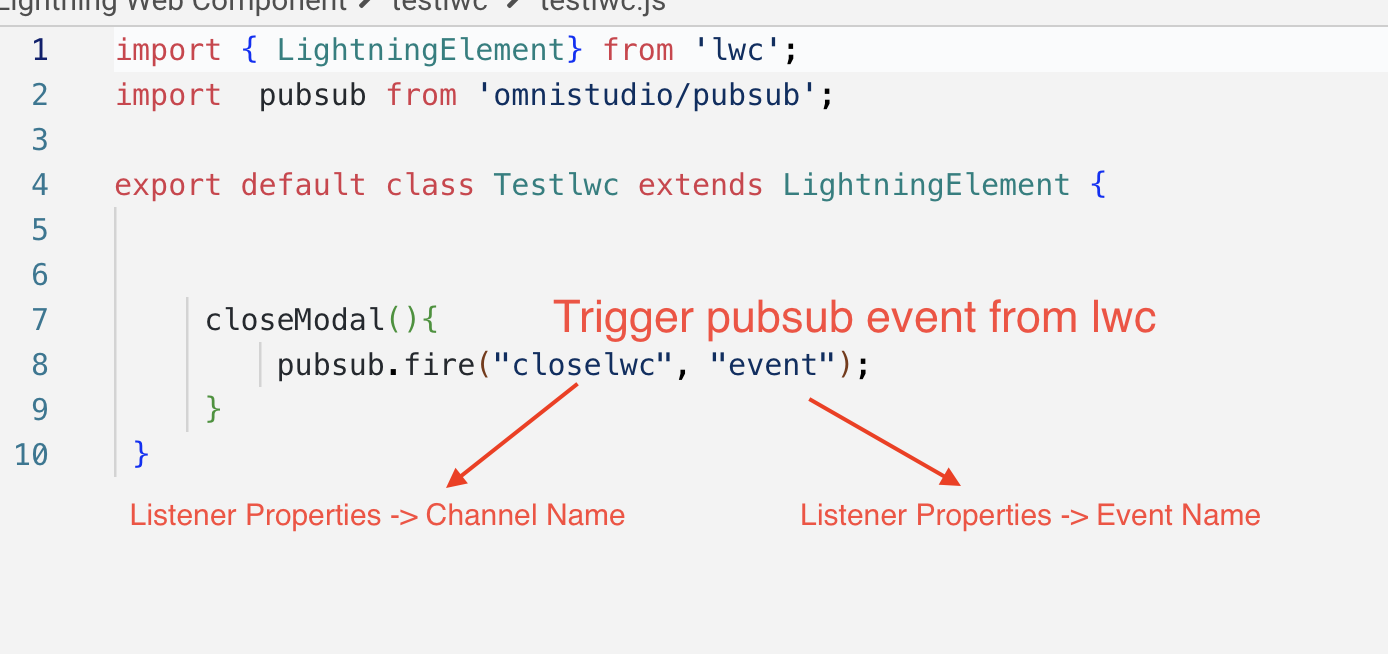
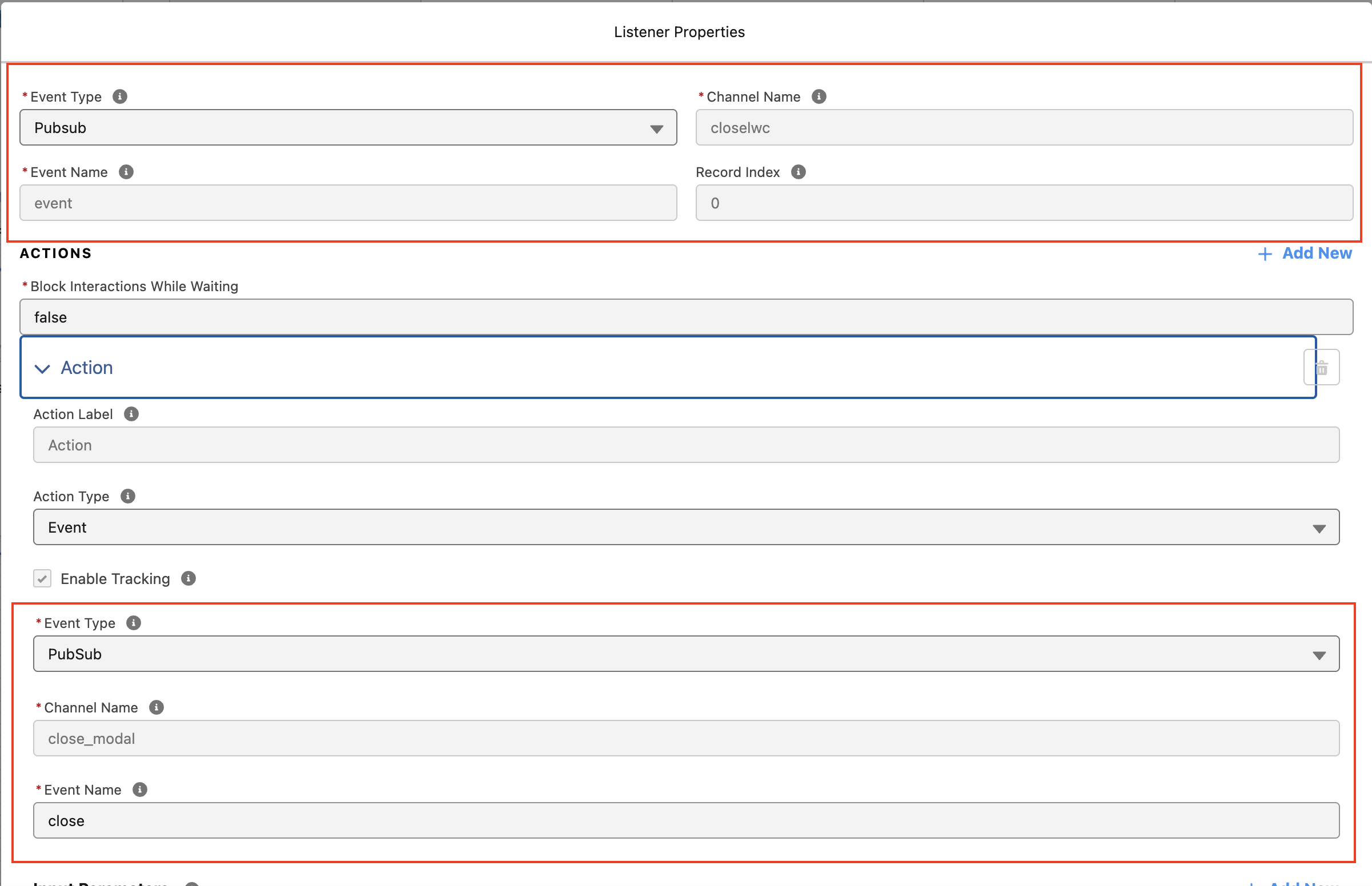
- Configure Event Listener in FlexCard - In the FlexCard, add an Event Listener and configure:
- Channel Name:
close_modal - Event Name:
close
- Channel Name:
- Configure Flyout Action - Set Action Type to Flyout, select the custom LWC as the flyout type
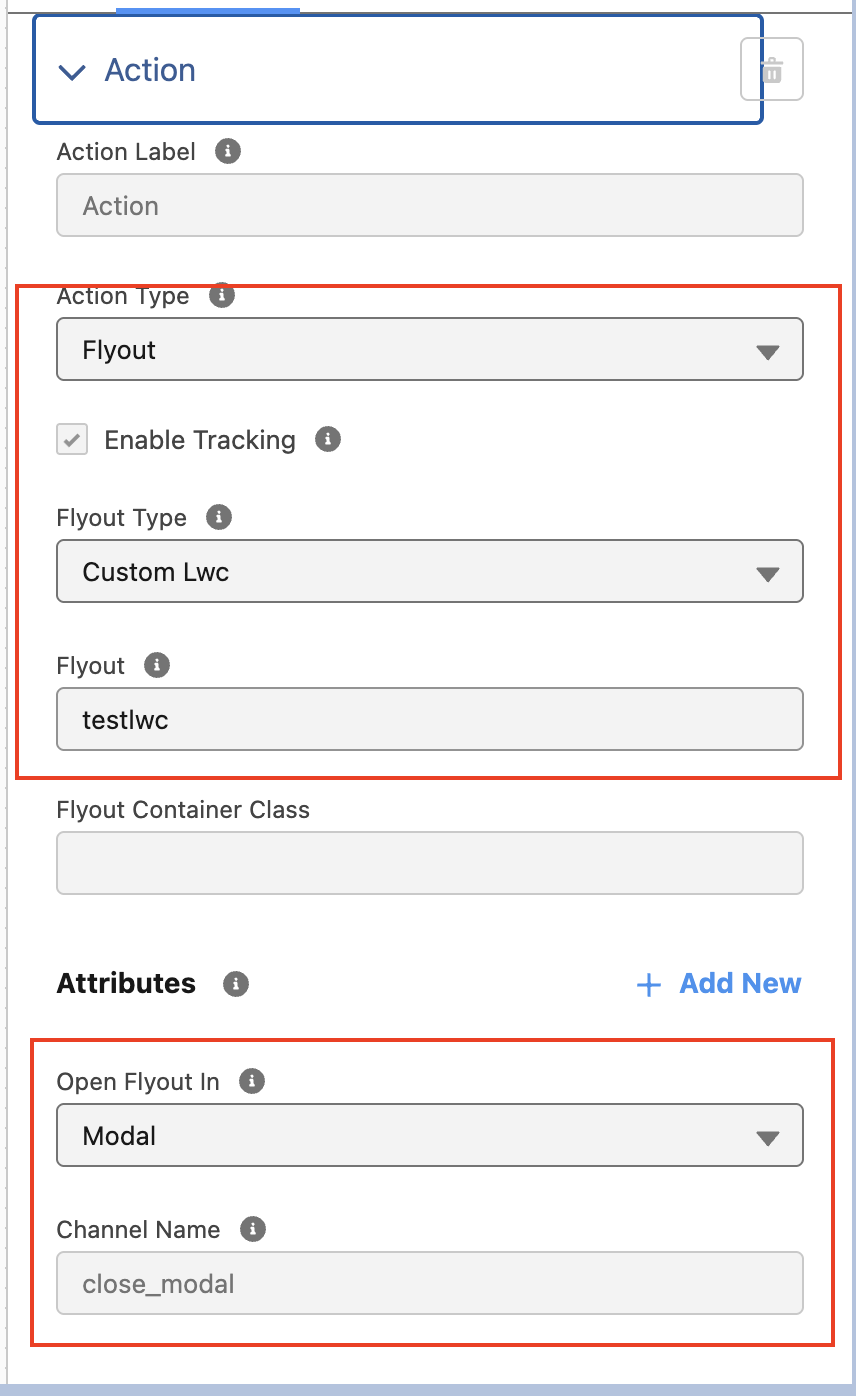
When the event is triggered from the LWC, the FlexCard listens to the event and automatically closes the Flyout Modal.
Numero articolo Knowledge
004518713
Questo articolo ha risolto il problema?
Facci sapere, così possiamo migliorare!
