조직 선택
How to Close Flexcard's flyout Modal from LWC
게시 일자: Apr 8, 2026
상세 설명
When closing a Flexcard's Flyout Modal from a custom LWC, there may be a requirement to close the modal based on user interaction within the LWC (for example, after a button click or successful action).
This can be achieved by publishing a PubSub event from the LWC and configuring the FlexCard to listen for that event and close the modal accordingly.
솔루션
- Import PubSub in LWC - In the LWC JavaScript file, import the PubSub module:
import pubsub from 'omnistudio/pubsub';
- Publish Close Event from LWC - Trigger a PubSub event when the modal needs to be closed (for example, on button click):
pubsub.fire('closelwc', 'event', {});
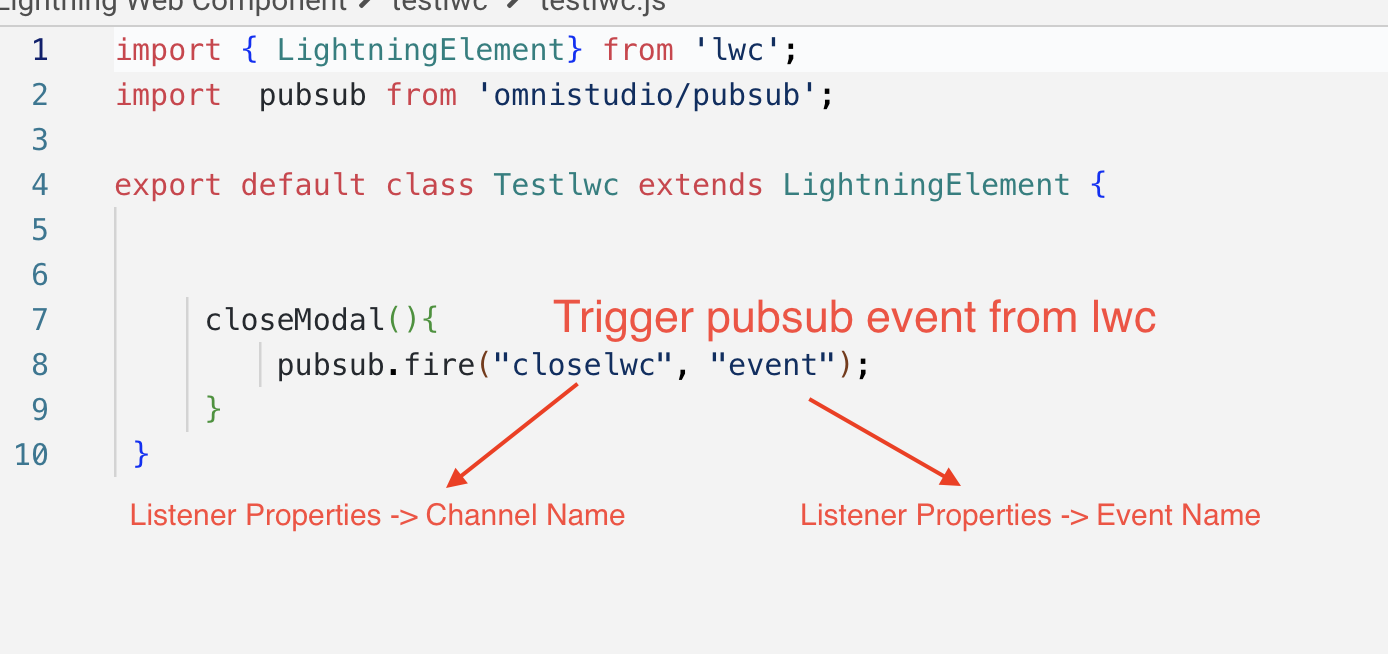
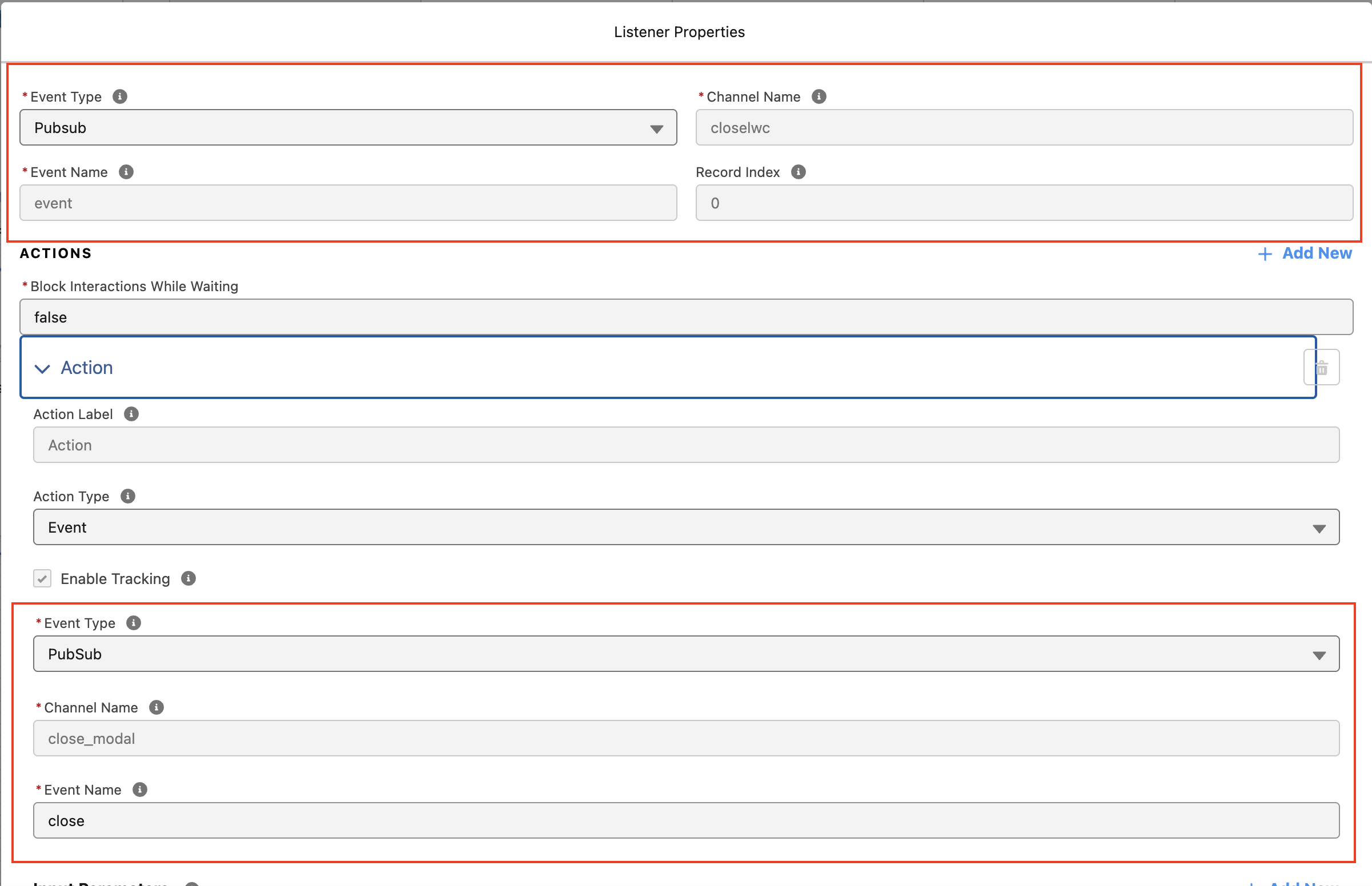
- Configure Event Listener in FlexCard - In the FlexCard, add an Event Listener and configure:
- Channel Name:
close_modal - Event Name:
close
- Channel Name:
- Configure Flyout Action - Set Action Type to Flyout, select the custom LWC as the flyout type
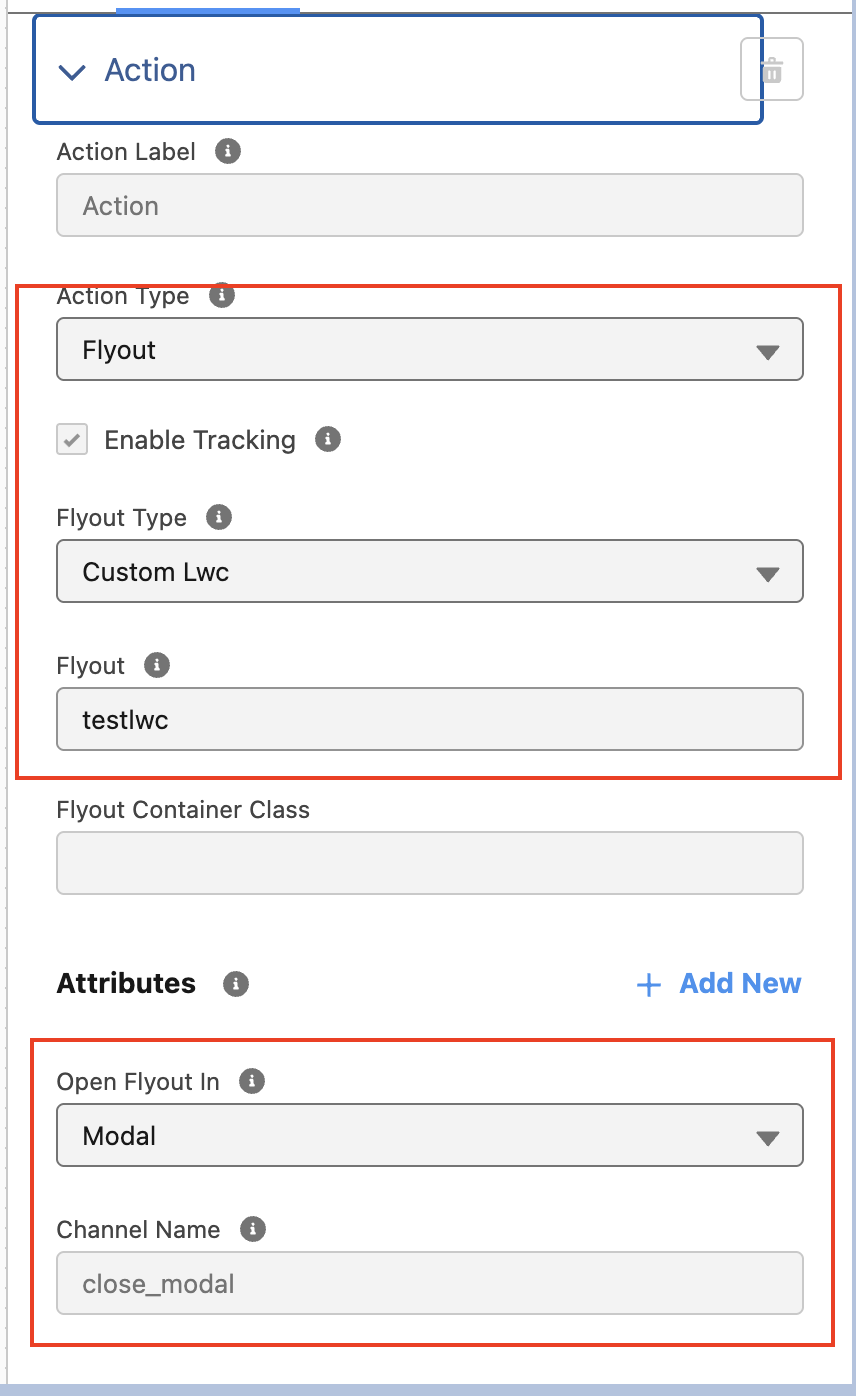
When the event is triggered from the LWC, the FlexCard listens to the event and automatically closes the Flyout Modal.
Knowledge 기사 번호
004518713
이 기사를 통해 문제를 해결했습니까?
개선을 위한 의견을 보내주세요.
