組織を選択
Change Font Size to 7 or Below in a Tableau Workbook
公開日: Mar 28, 2025
タスク
Adjust the font size in a Tableau workbook to 7 or below to improve data label visibility.
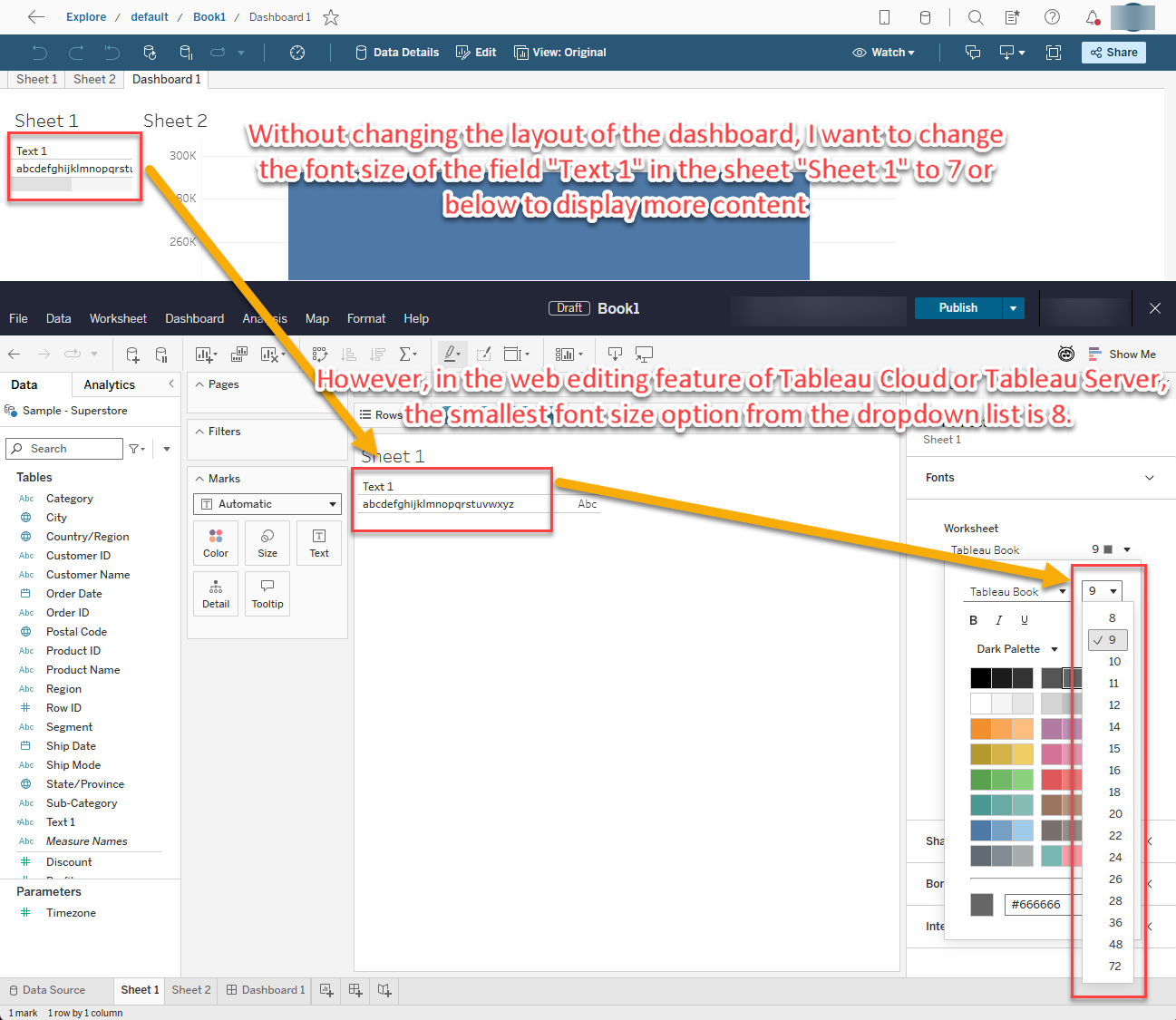
For example, for a space-constrained dashboard, without changing the layout of the dashboard, I want to change the font size of the field "Text 1" in the sheet "Sheet 1" to 7 or below to display data label correctly. However, in the web editing feature of Tableau Cloud or Tableau Server, the smallest font size I can select from the dropdown list is 8.
ステップ
By following these steps, you can change the font size to 7 or below in a workbook via Tableau Desktop, to ensure that the data label are displayed correctly, even in a space-constrained dashboard.
Note:
• Some fonts cannot be set to a size below 8.
• In this example, using the default font in Tableau products, Tableau Book, allows you to set the font size below 8.
Steps:
1. Open the Workbook:
• Launch Tableau Desktop and open the workbook where you need to adjust the font size.
2. Navigate to the Sheet:
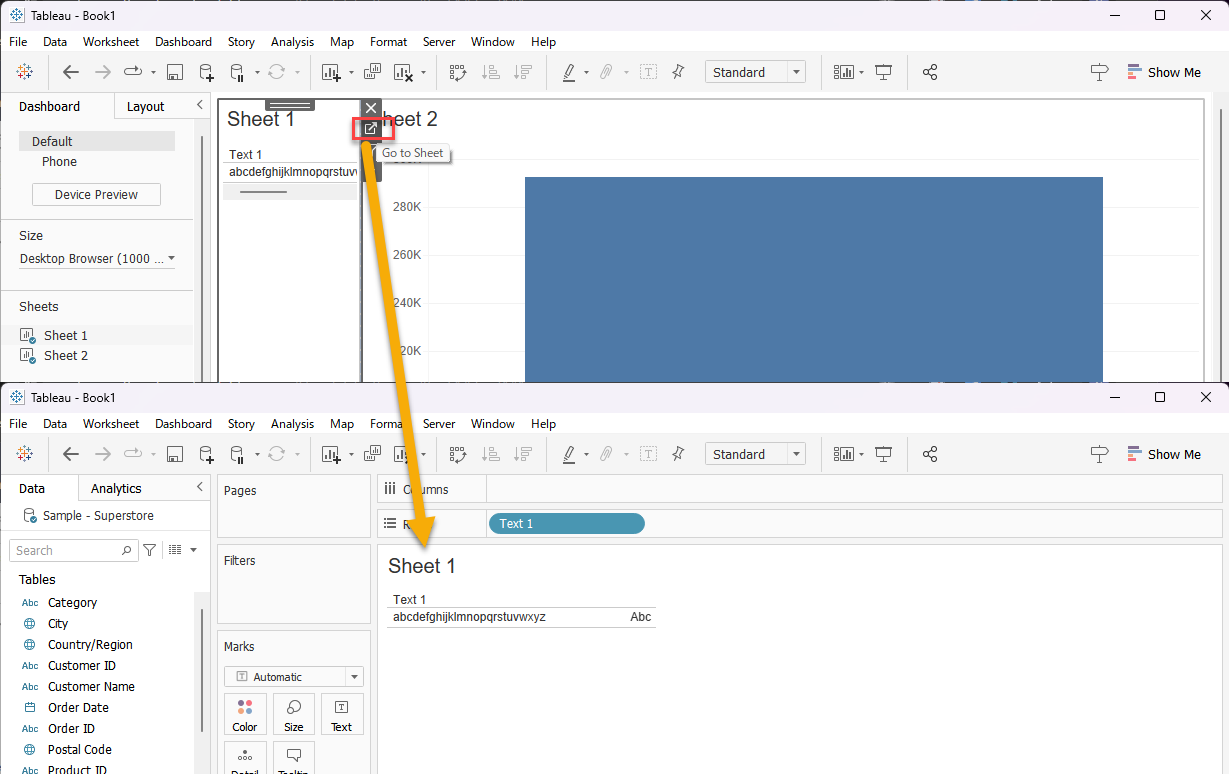
• In the dashboard, click on the sheet where you need to change the font size.
• Click on the "Go to Sheet" button to navigate to the specific sheet (e.g., "Sheet 1").
3. Access Font Settings:
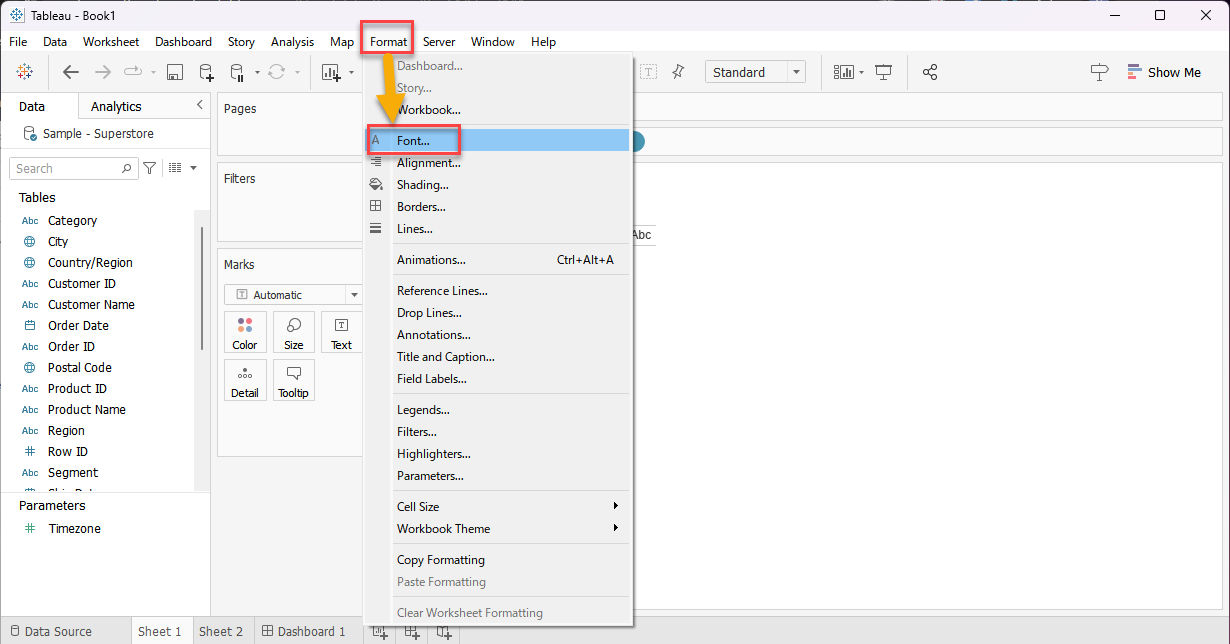
• From the menu bar, select "Format" and then click on "Font".
4. Select the Field:
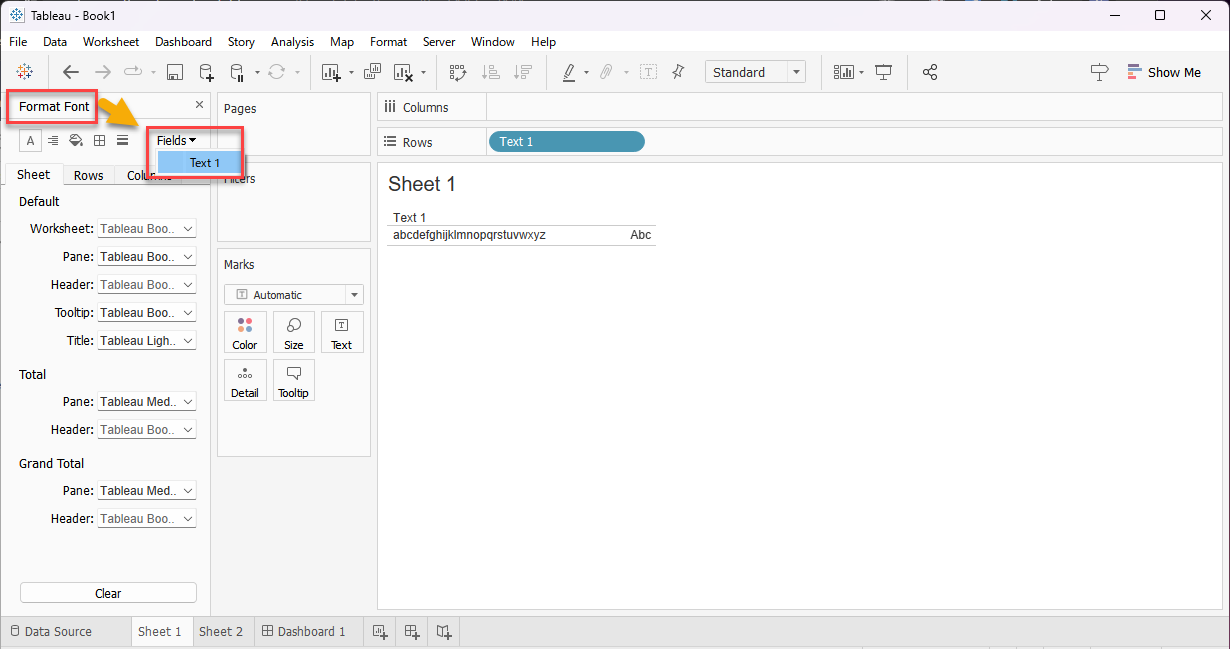
• In the "Format Font" pane, go to the "Field" dropdown and select the field you want to adjust (e.g., "Text 1").
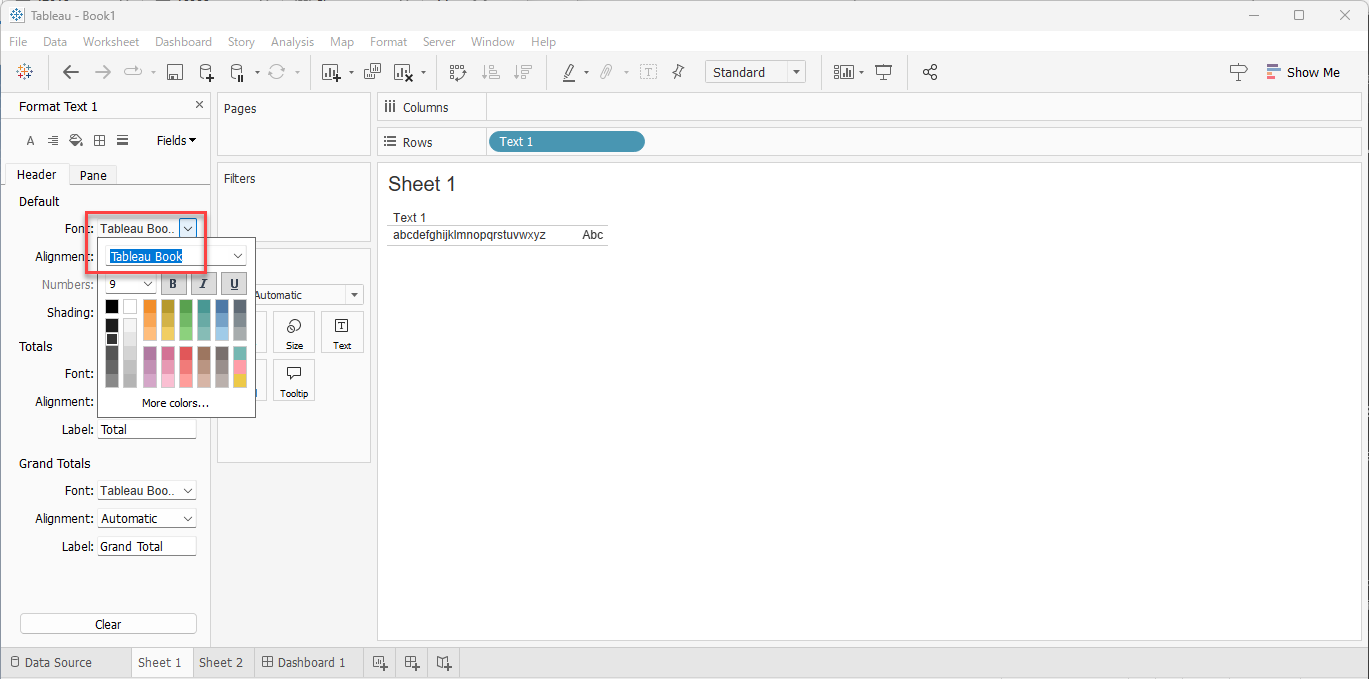
5. (Option) Change the Font:
• Select the font you want to use from the list of available fonts. In this example, select "Tableau Book".
6. Adjust the Font Size:
• In the "Format: [Field]" pane, under "Header", manually enter "7" in the font size box (since size 7 may not be available in the dropdown).
• Press the Enter key to apply the change.
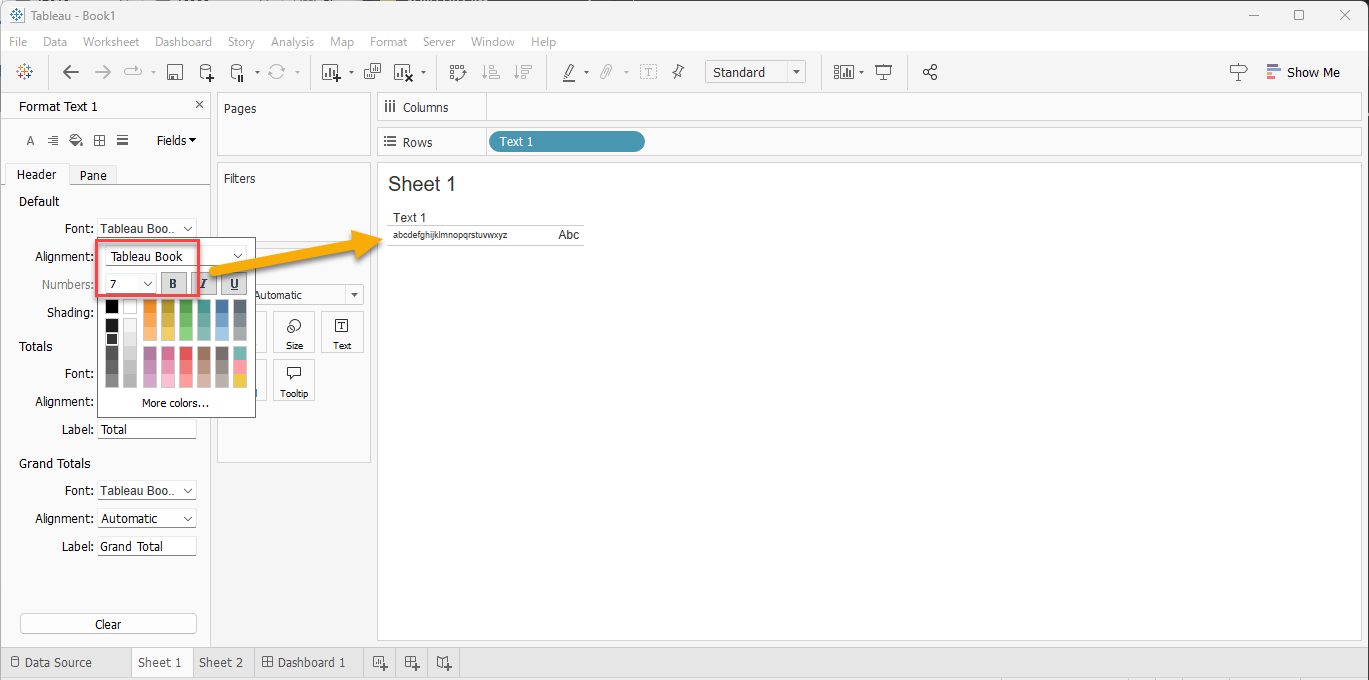
7. Verify the Changes:
• Click on a blank area to ensure the changes are applied.
• Reopen the "Format: [Field]" pane to confirm that the font and size settings are retained.
8. Save the Workbook:
• Save the workbook to ensure all changes are preserved.
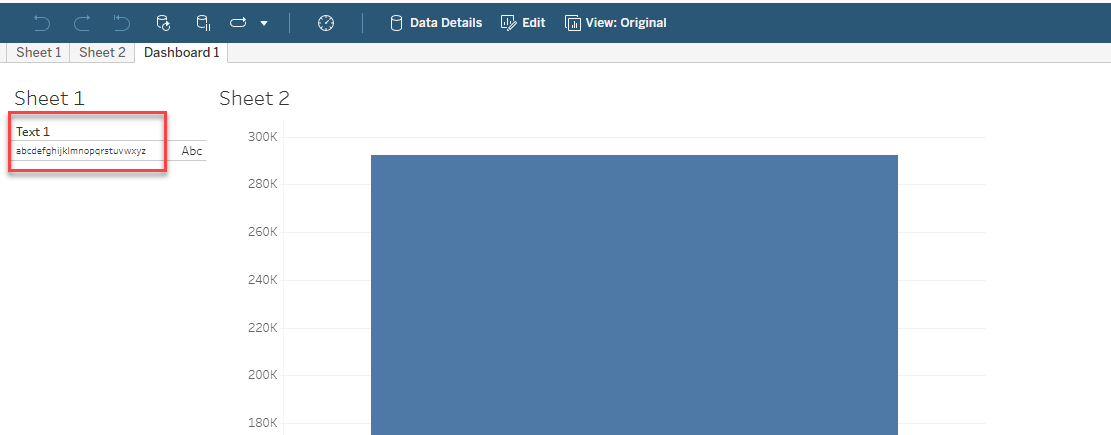
9. Publish the Workbook:
• Publish the updated workbook to Tableau Cloud or Tableau Server and verify that the font size adjustments are reflected correctly.
ナレッジ記事番号
004575673
この記事で問題は解決されましたか?
ご意見をお待ちしております。
