組織を選択
Sharing Enhanced Notes in Salesforce: Limitations with Group Visibility
公開日: Jul 9, 2026
説明
Overview:
Salesforce Enhanced Notes provide users with a more robust and flexible way to create and manage notes related to records.
Steps to Reproduce:
-Open the note you want to share.
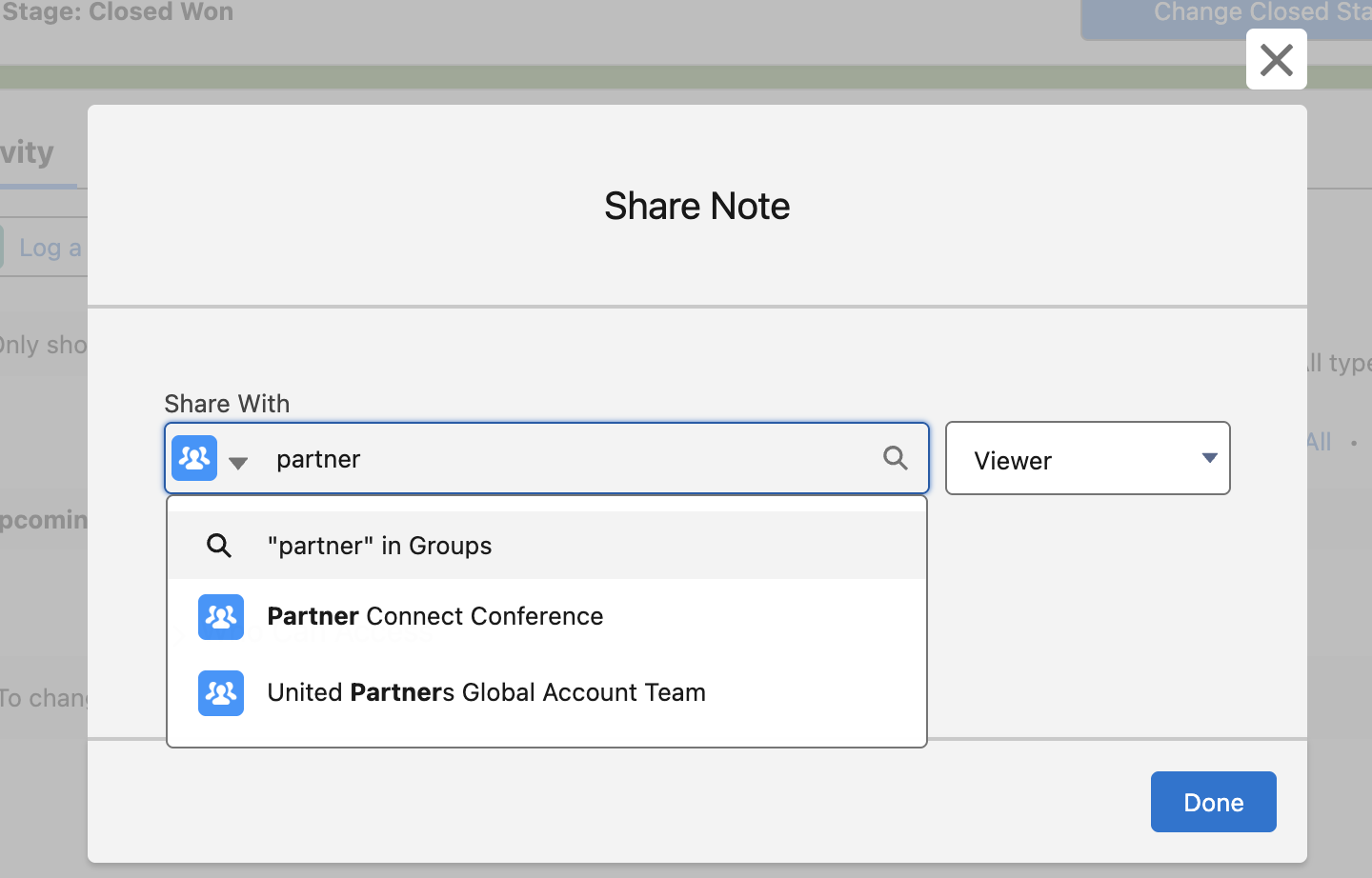
-Click on Share and select either "Share with people" or "Share with groups".
-You will see that internal Chatter Groups are available and visible in the sharing options.
解決策
Observed Behavior:
A common query arises when users attempt to share Enhanced Notes with groups: Why are public groups not visible when trying to share an Enhanced Note?
Explanation:
This behavior is working as designed. Enhanced Notes can only be shared with Chatter (Collaboration) Groups, not with Public Groups. This is due to the way Salesforce’s sharing model for Enhanced Notes integrates with the Chatter framework, which is designed for real-time collaboration and threaded conversations.
Why This Happens
-Chatter Groups are part of the collaborative layer in Salesforce and are designed to support content like files, posts, and notes.
-Public Groups, on the other hand, are primarily used for record-level sharing rules and workflow-based actions. They do not support direct collaboration features like threaded discussions or file/note feed tracking.
-Since Enhanced Notes are considered a type of content (like files), they inherit the sharing capabilities of content-based collaboration tools — which is limited to Chatter Groups.
ナレッジ記事番号
004634119
この記事で問題は解決されましたか?
ご意見をお待ちしております。
