Sélectionner une organisation
Input Text, Formula, and Text Area Blocks Not Greyed Out in OmniScript Preview in Standard Runtime
Date de publication: Apr 29, 2025
Résolution
To ensure Input Text, Formula, and Text Area Blocks are greyed out in the OmniScript Preview within Standard Runtime, verify that the "Turn on an enhanced Lightning user interface" setting is disabled under OmniStudio Settings.
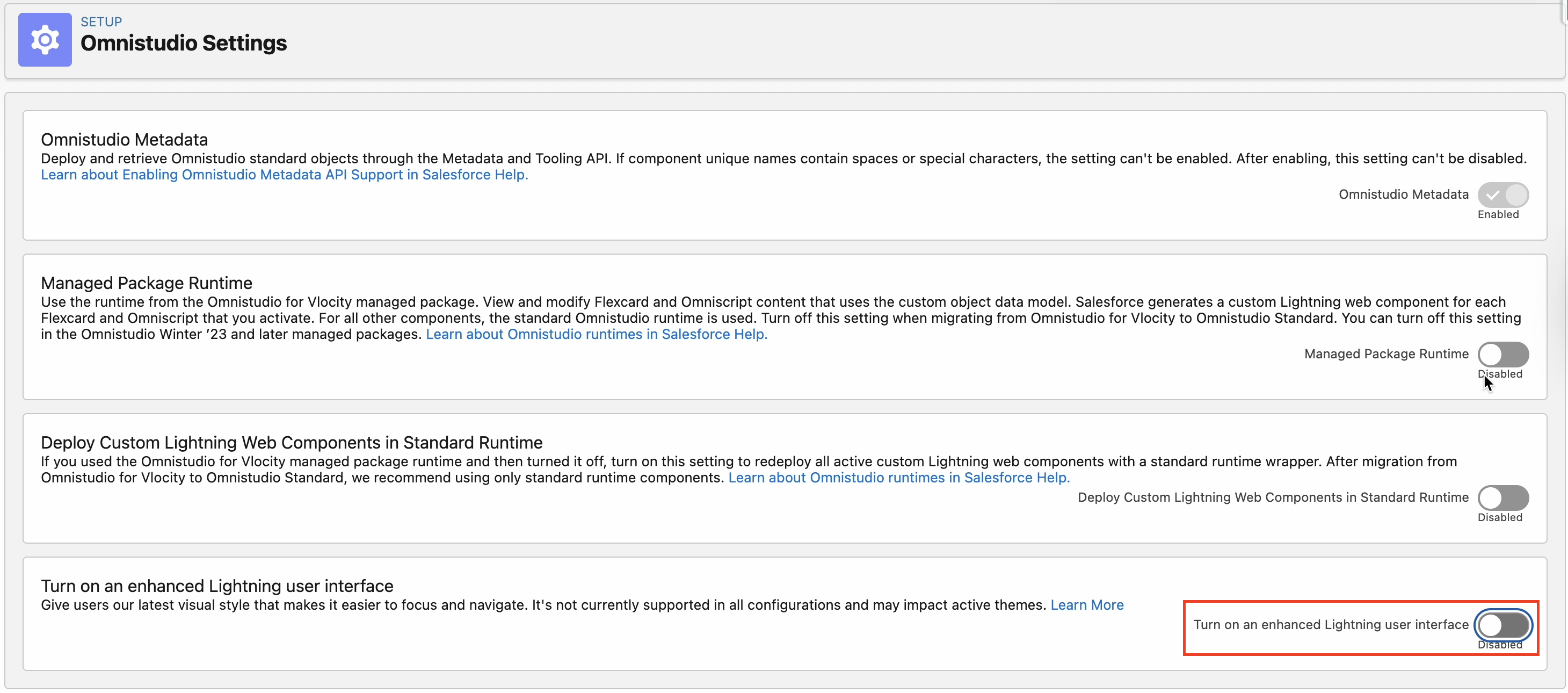
1) When this setting is disabled → The input Text, Formula and Text blocks appears greyed out
2) When this setting is enabled → The Input Text, Formula, and Text blocks are not greyed out.
Numéro d’article de la base de connaissances
004637107
Cet article a-t-il résolu votre problème ?
Dites-nous ce que nous pouvons améliorer !
