Organisation auswählen
Use the Get Conversation Transcript Invocable Action (Generally Available)
Veröffentlichungsdatum: Apr 30, 2026
Beschreibung
Get more out of your customer conversations with the Get Conversation Transcript invocable action. For example, you can automate record updates and risk escalation, generate team recaps, or schedule post-call coaching sessions based on information from voice and video call conversations. The action can be accessed in Flow Builder, including Prompt Template-Triggered Flows. Contact your Salesforce account executive about getting access to this feature.
This Einstein Conversation Insights feature is available in Service Cloud Voice and Video Calls.
Lösung
To retrieve conversation transcripts from voice or video calls for use in automation, follow these steps in Salesforce Flow Builder.
You can use Get Conversation Transcript as a standard action in Flow Builder.
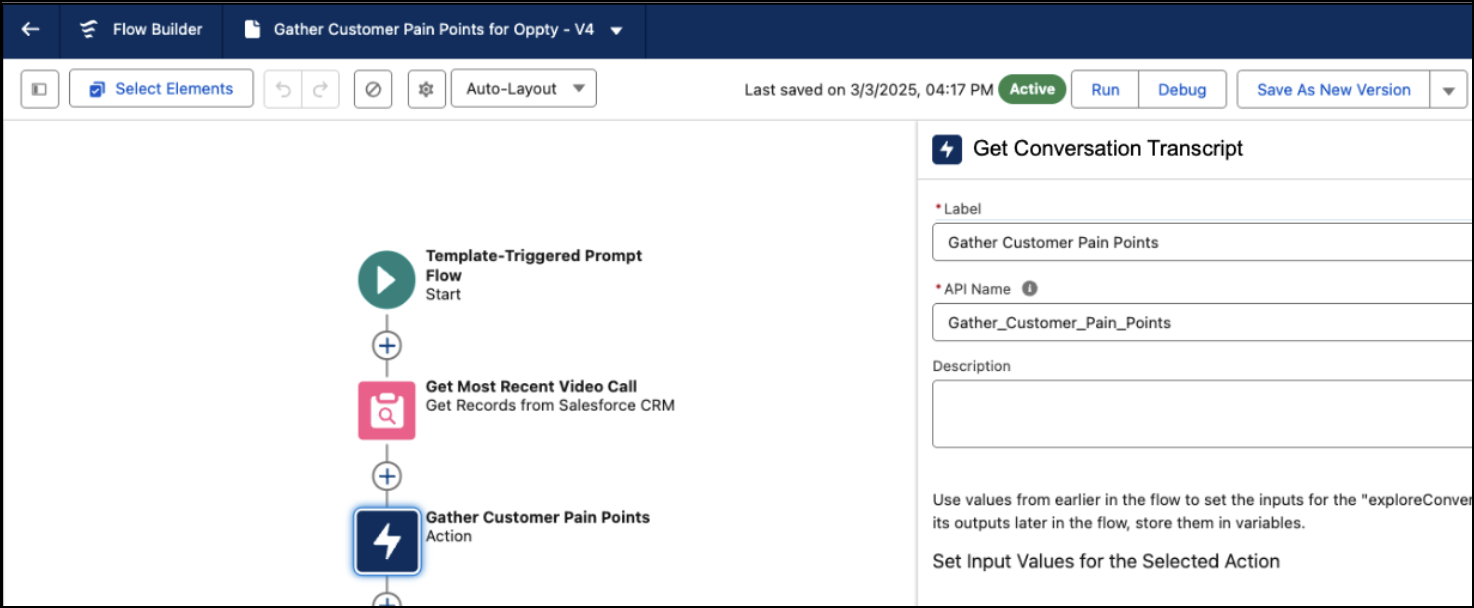
All flows are supported, including screen flows, scheduled flows, and record-triggered flows. Use flows to utilize transcript data in other places such as Prompt Builder.
|
Input Parameters Required Fields | ||
|
Label |
Data Type |
Description |
|
Record ID |
String |
The ID of the voice call or video call record to get the transcript for. |
|
Output Parameters Required Fields | ||
|
Label |
Data Type |
Description |
|
Structured Transcript |
Apex Type ConversationTranscript |
An Apex ConversationTranscript record that contains the full conversation transcript. |
|
Unformatted Text Transcript |
String |
The conversation transcript in plain text format. |
Zusätzliche Ressourcen
Nummer des Knowledge-Artikels
004693452
Konnten Sie Ihr Problem mithilfe dieses Artikels lösen?
Geben Sie uns Feedback, damit wir uns verbessern können.
