組織を選択
Salesforce Action Launcher: New Note Quick Action Gets Stuck in an Infinite Loop
公開日: Oct 9, 2026
説明
In Salesforce, when the "New Note" quick action is added to an Action Launcher deployment, clicking it does not open the expected note dialog. Instead, the pop-up becomes stuck in an infinite loop.
解決策
This article explains why the "New Note" action gets stuck in an infinite loop when launched from the Action Launcher in Salesforce, and what to use instead.
Steps to Reproduce
- Navigate to Setup → Action Launcher → Deployments.
- Click New Deployment.
- Add a label and click Next.
- Add it to any object and click Next.
- Under "Select actions to add," select New Note and click Next.
- Add the action to the launcher and click Save.
- Add the Action Launcher to the object's Lightning page.
- Test the New Note action on the object where it was added.
The pop-up generated by clicking "New Note" gets stuck in an infinite loop, as shown below.
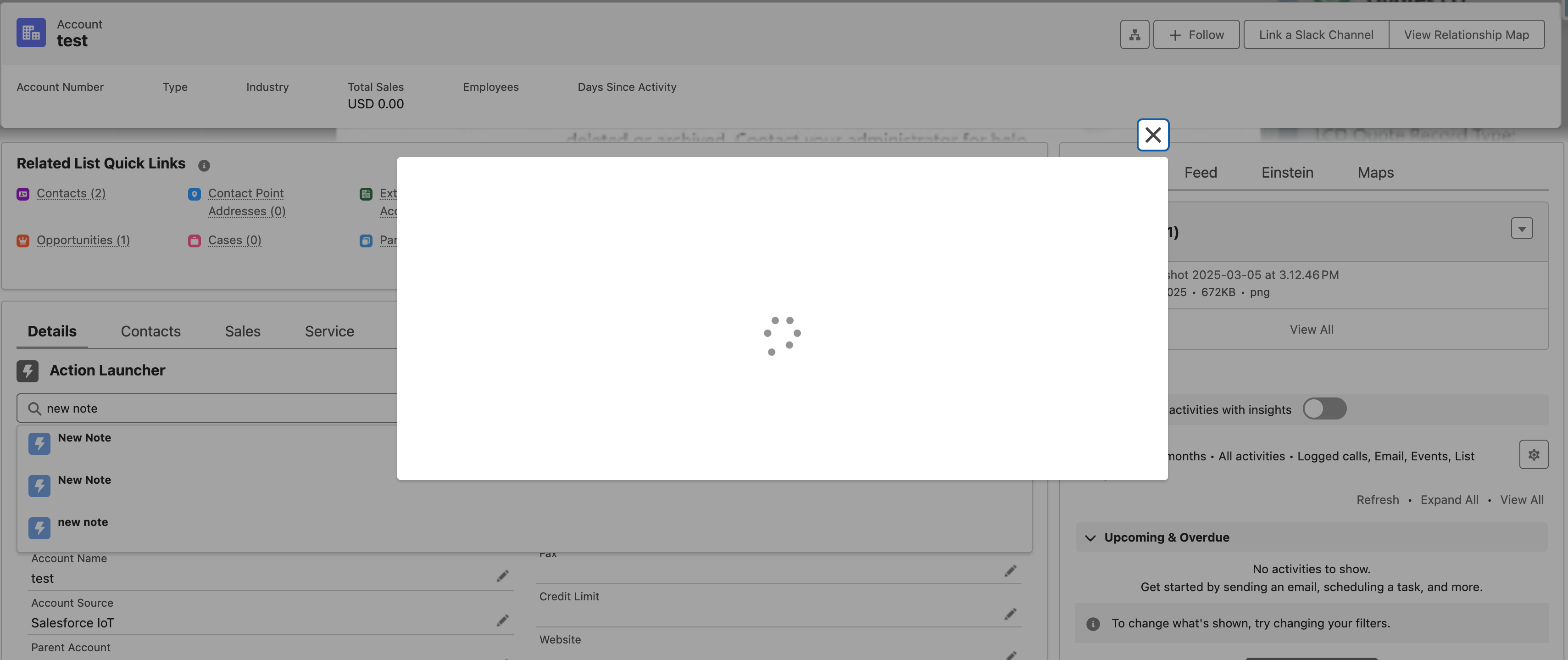
Why This Happens
When you follow the reproduction steps and click "New Note" from the Action Launcher, the pop-up gets stuck in an infinite loop. This behavior occurs because the "New Note" quick action does not open in a modal window, which deviates from the standard modal launch behavior. As a result, the Action Launcher fails to launch successfully, since it only supports modal quick actions.
Available Workaround
As a workaround, users can create notes directly from the standard Quick Actions menu in the record header, or add the New Note action to the page layout's Quick Actions section instead of the Action Launcher.
ナレッジ記事番号
004693696
この記事で問題は解決されましたか?
ご意見をお待ちしております。
