Välj en organisation
How to Bulk Add a multi-line list of values for "Custom Value List" Filter in Tableau Cloud
Publiceringsdatum: Nov 19, 2025
Beskrivning
In Tableau Desktop, when specifying a "Custom Value List" during filter editing, a copied multi-line list of values can be pasted directly into the field.
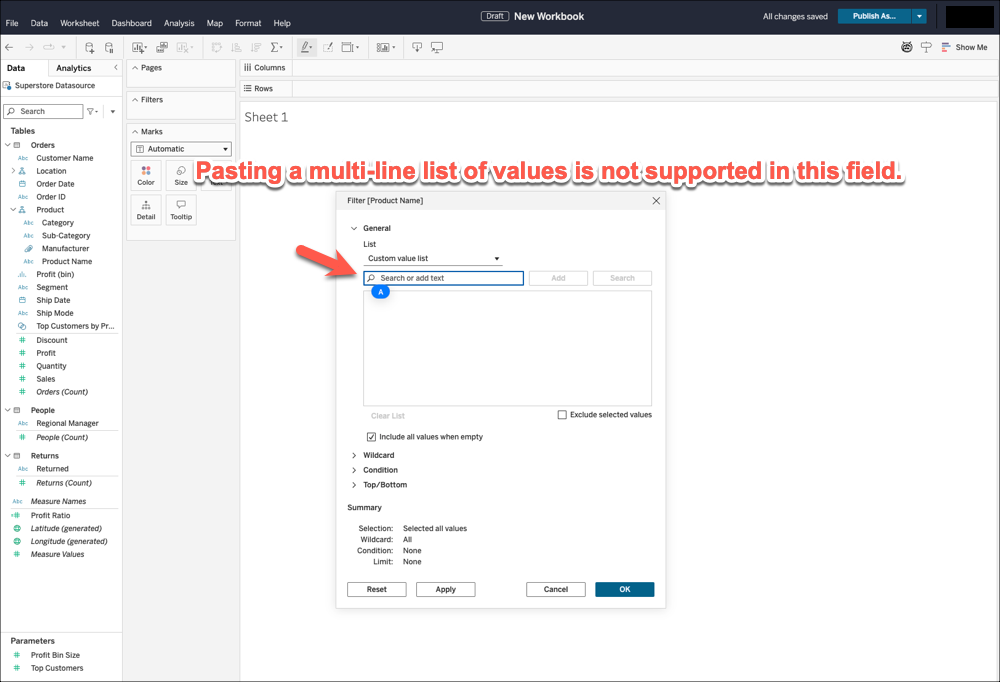
However, when the same paste operation is performed within the filter editing screen of Tableau Cloud, all the values are concatenated into a single line.
A method for properly pasting a copied multi-line list of values in Tableau Cloud is required.
Lösning
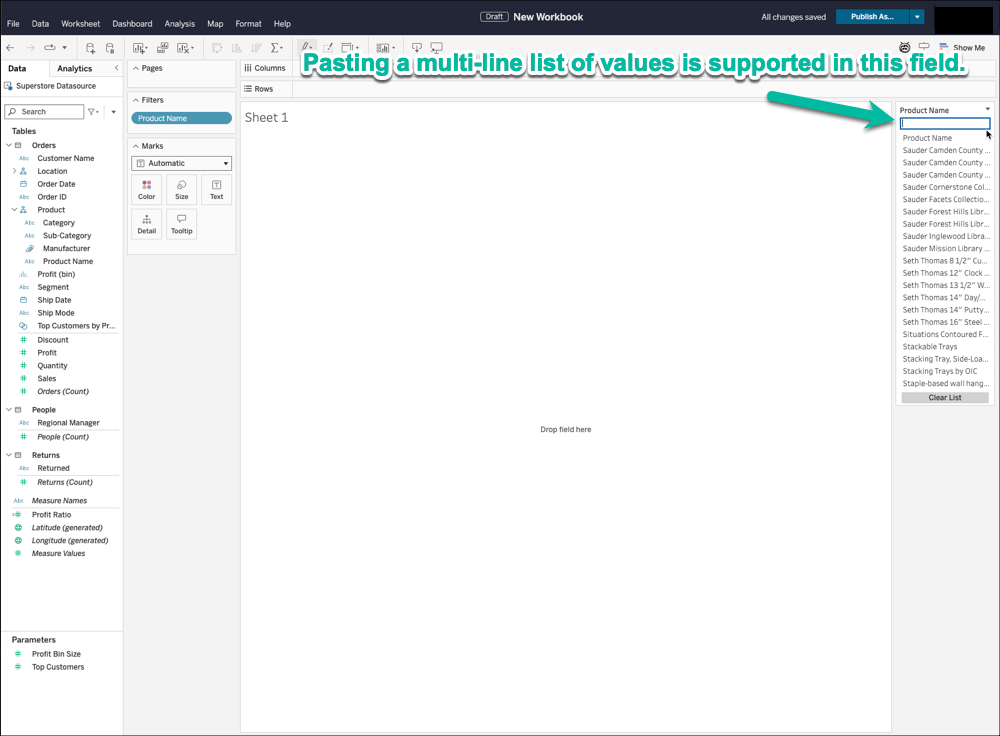
In the Tableau Cloud web editing screen, multiple values can be registered in bulk by first displaying the filter and then pasting the copied multi-line list of values directly into the displayed filter card.
Example: Filtering by [Product Name] in the Sample Superstore dataset
- Open the web authoring screen in Tableau Cloud.
- Drag [Product Name] to the view, select [Custom Value List] in the filter options, and then close the filter editing dialog.
- Right-click [Product Name] and select Show Filter.
- In the displayed filter card, paste the multi-line list of values that you have copied from an Excel sheet, text file, or similar source into the input box.
- Open the [Product Name] filter editing screen again, confirm that the pasted values are now registered under [Custom Value List], and then hide the filter if needed.
Sample Screenshots:
Knowledge-artikelnummer
004693769
Löste denna artikel ditt problem?
Berätta för oss vad vi kan förbättra!
