Välj en organisation
Workaround for Email Signature Character Limit.
Publiceringsdatum: Feb 2, 2026
Beskrivning
Before you begin, make sure your Salesforce username has the 'View Setup and Configuration' permission, read our documentation to find out more about permissions.
In Salesforce Classic: Signatures will be added to all personal emails and emails that use text templates.
In Lightning Experience: Signatures will be added to all personal emails automatically, but inserting any template into email sent from non-case records will overwrite current email and signature. Inserting a template into email sent from case records will not overwrite the current email and signature.
Lösning
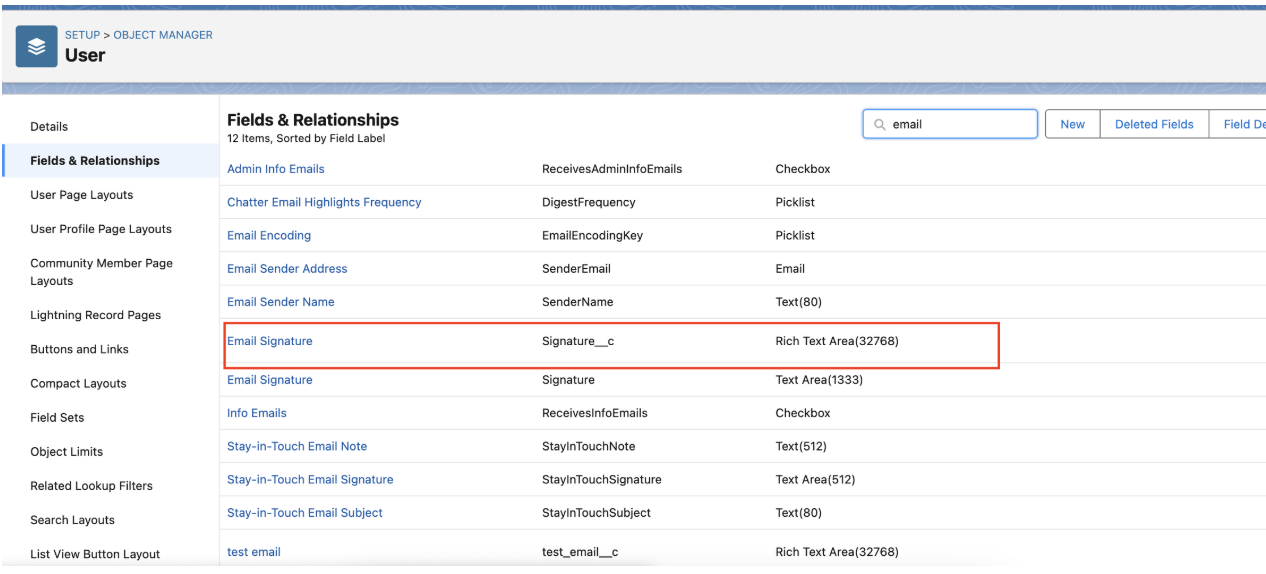
Go to the user object and create a Rich-Text Field and name it "Email Signature"
Add the content of the email signature to the field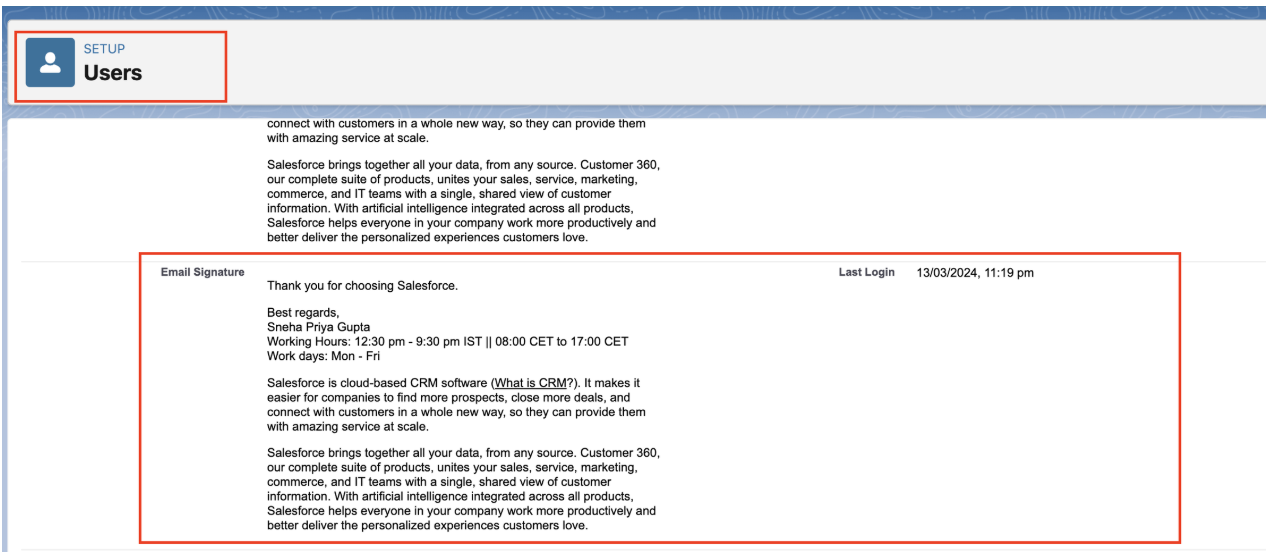
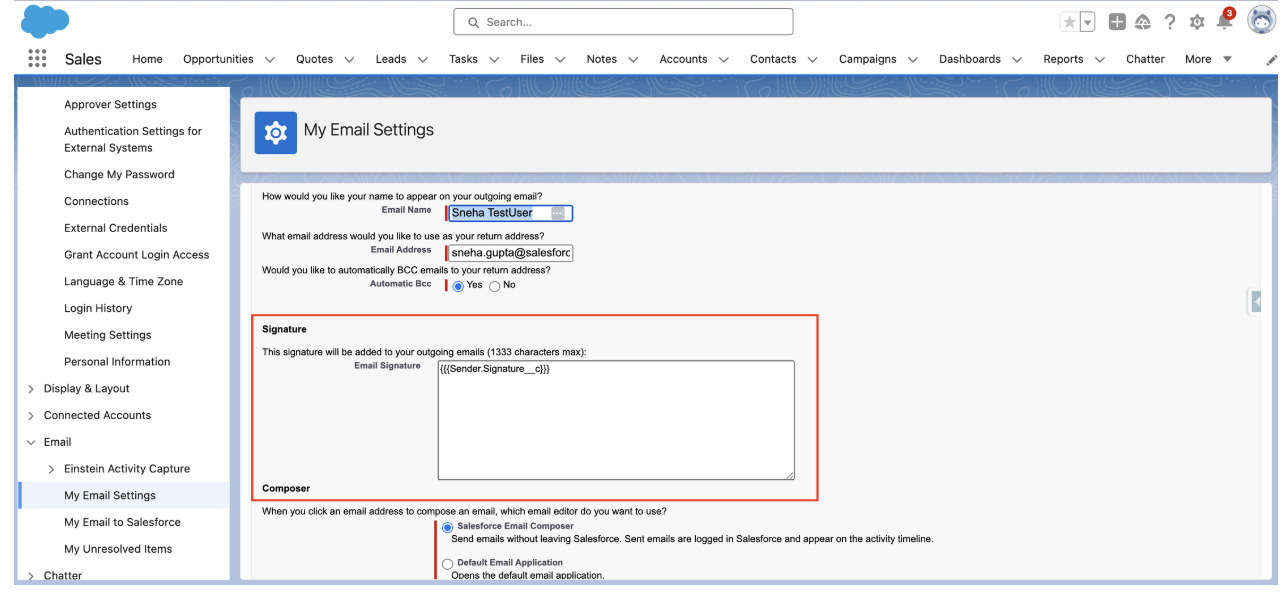
Navigate to Profile > Settings > Email Signature and include {{{Sender.Signature__c}}}
Ytterligare resurser
Knowledge-artikelnummer
004693790
Löste denna artikel ditt problem?
Berätta för oss vad vi kan förbättra!
