Selecionar uma organização
Calculating the Duration of Months Based on a Picklist Value in Salesforce
Data da publicação: Apr 3, 2026
Descrição
This knowledge article walks you through creating a formula field in Salesforce that calculates the number of months between a start date and today, but only when your desired picklist value is selected. Once the picklist value changes, the calculation stops, ensuring accuracy and preventing outdated data from displaying.
Resolução
To calculate the duration in months from a start date to today when a specific picklist value is selected, follow the steps below :
Step 1:
- Navigate to Setup > Object Manager
- Select the object where you want to add this formula field
- Click on Fields & Relationships
- Click New to create a new custom field
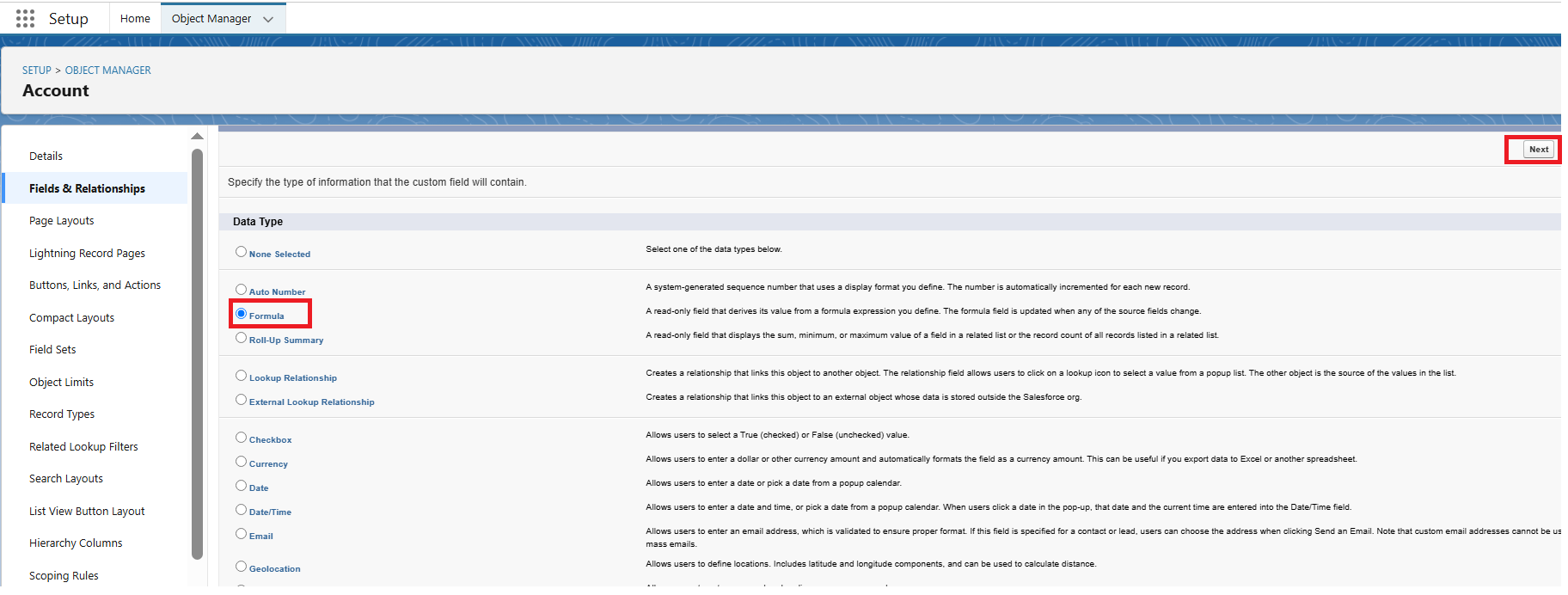
- Select Formula as the field type and click Next
Step 2:
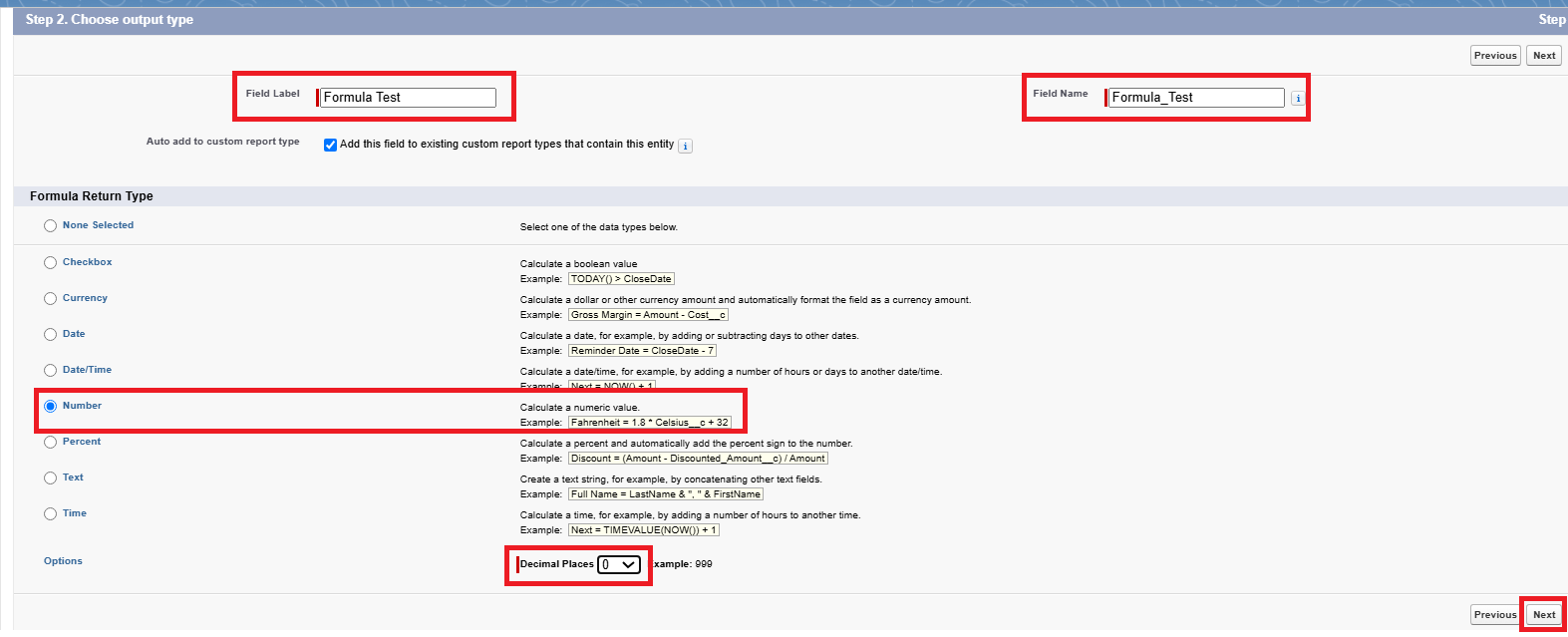
- Enter a Field Label and Field Name, then select Number as the Formula Return Type
- Set the Decimal Places to 0 for whole months or as needed
- Click Next
Step 3:
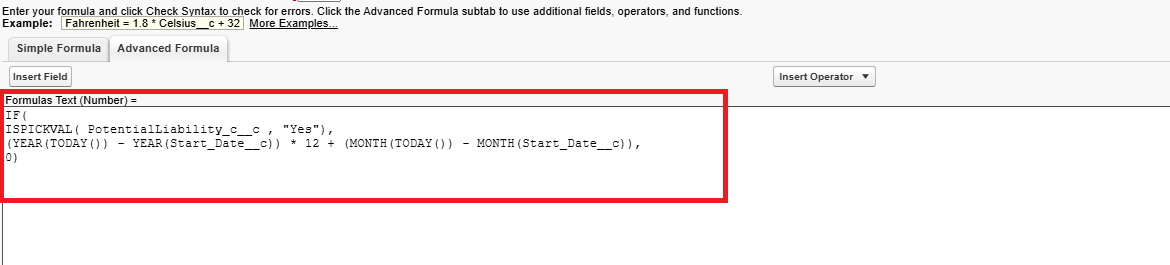
- In the Formula editor, enter the following Formula
IF(
ISPICKVAL(PotentialLiability__c, "Yes"),
(YEAR(TODAY()) - YEAR(Start_Date__c)) * 12 + (MONTH(TODAY()) - MONTH(Start_Date__c)),
0)
Step 4:
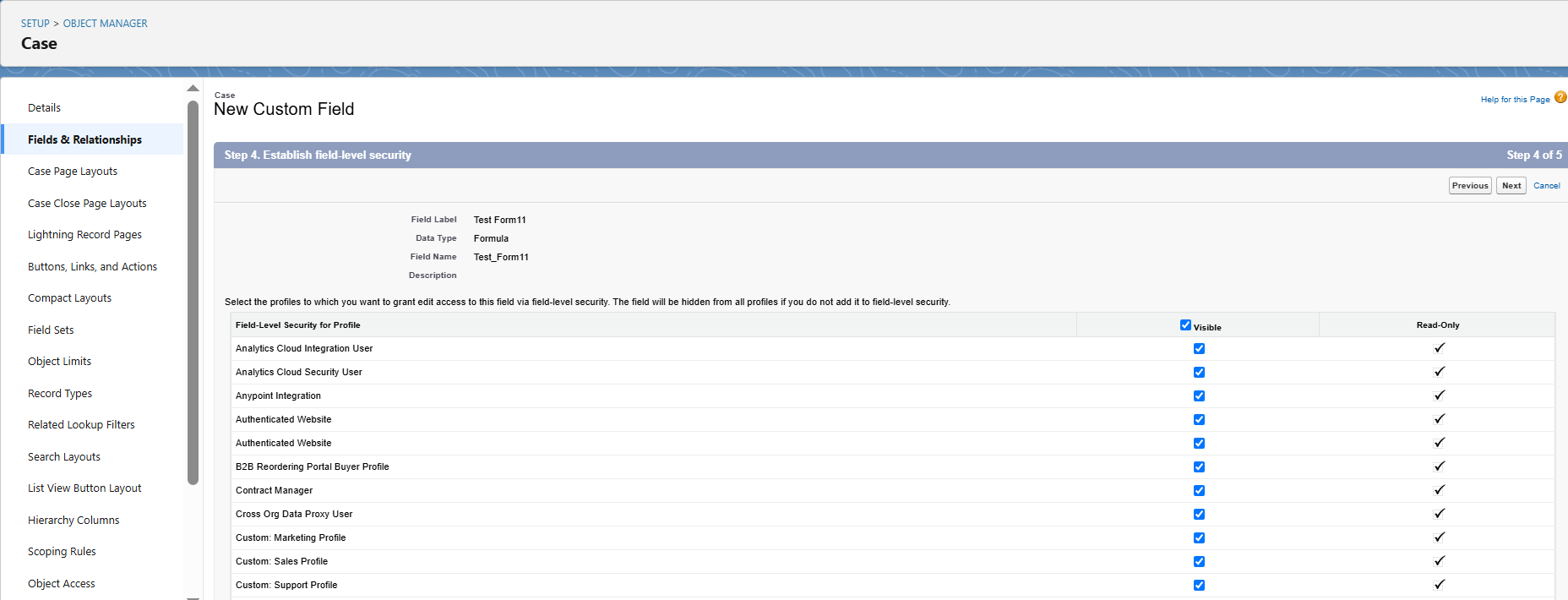
- Click Next and set field level security
- Click Next and add the field to appropriate page layouts
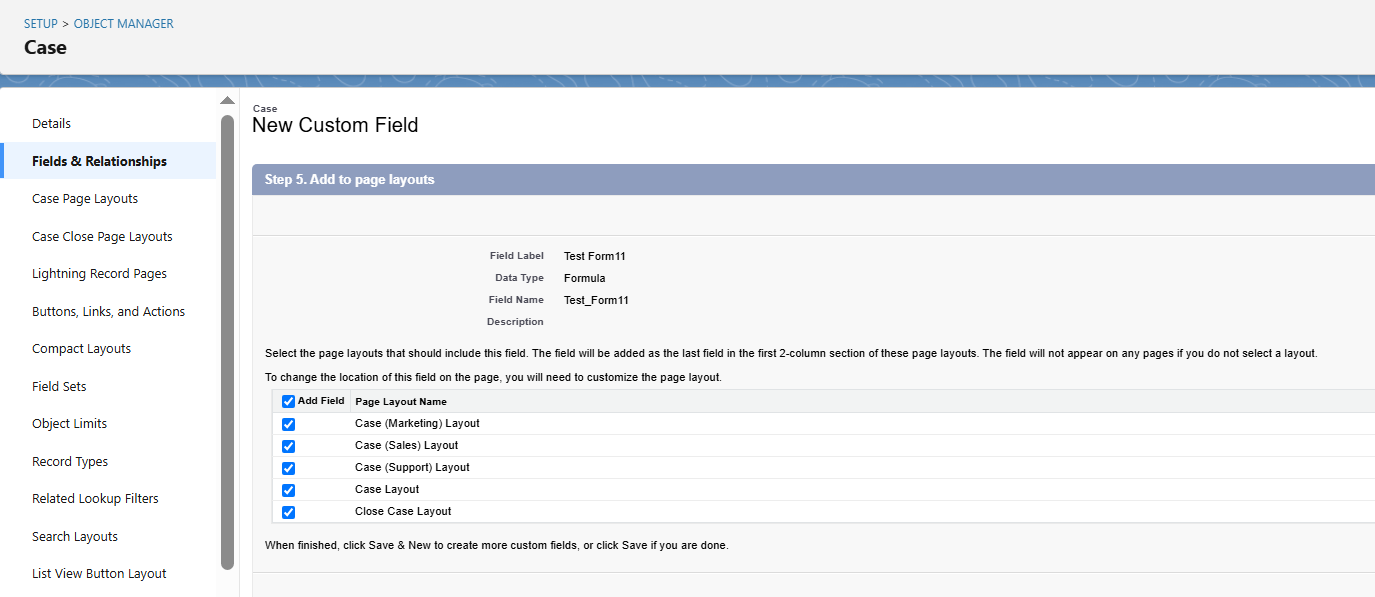
- Click Save to complete the process
Note : For more complex requirements, such as handling multiple picklist values or including partial months in the calculation, the formula can be further customized. You may also consider using a validation rule to ensure the start date is not in the future if that's a business requirement. Remember that formula fields are calculated at runtime and do not store data, so they're ideal for this type of dynamic duration calculation.
Recursos adicionais
Número do artigo do Knowledge
004695734
Este artigo resolveu seu problema?
Diga-nos para podermos melhorar!
