Vælg en organisation
CSV file in Tableau Desktop sees null data for currency value.
Udgivelsesdato: May 8, 2025
Beskrivelse
The user reported that Tableau Desktop is not properly picking up data connected to CSV data sources, showing incorrect data grand total for the column from CSV files. Users may also see in Tableau Desktop Data source tab that some of these values in that column are marked as NULL.
Løsning
++ In Microsoft Excel, open the CSV file and right click on the column header for the row that is showing the incorrect grand total and select Format Cell. Then choose Currency.
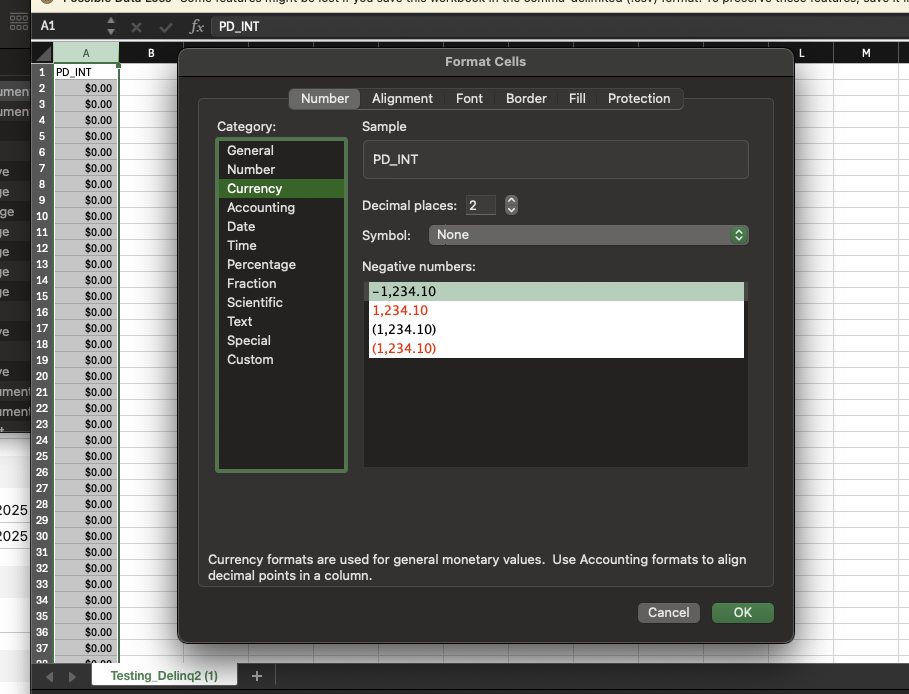
++ Save the CSV file and add it back to Tableau Desktop as a new connection to verify the column grand total is correct.
Vidensartikelnummer
004754263
Løste denne artikel dit problem?
Giv os besked, så vi kan forbedre os!
