Select An Org
Reference ID : W-18357928
OmniStudio Components Not Visible in Core Designers List Views After Summer '25 (256) Release
Status
Solution Deployed
Deployed Date
Winter '26
Created
May 12, 2025
Found in Release
Summer '25
Last Updated
Jan 19, 2026
Reports
26
Get status updates by email and tell Salesforce this issue impacts you or your business

Platform/OmniStudio
Summary
Following the 256 upgrade, users are unable to view OmniStudio components from their respective tabs. The issue affects all OmniStudio component tabs, and the only available list view is "Recently Viewed," which appears empty.
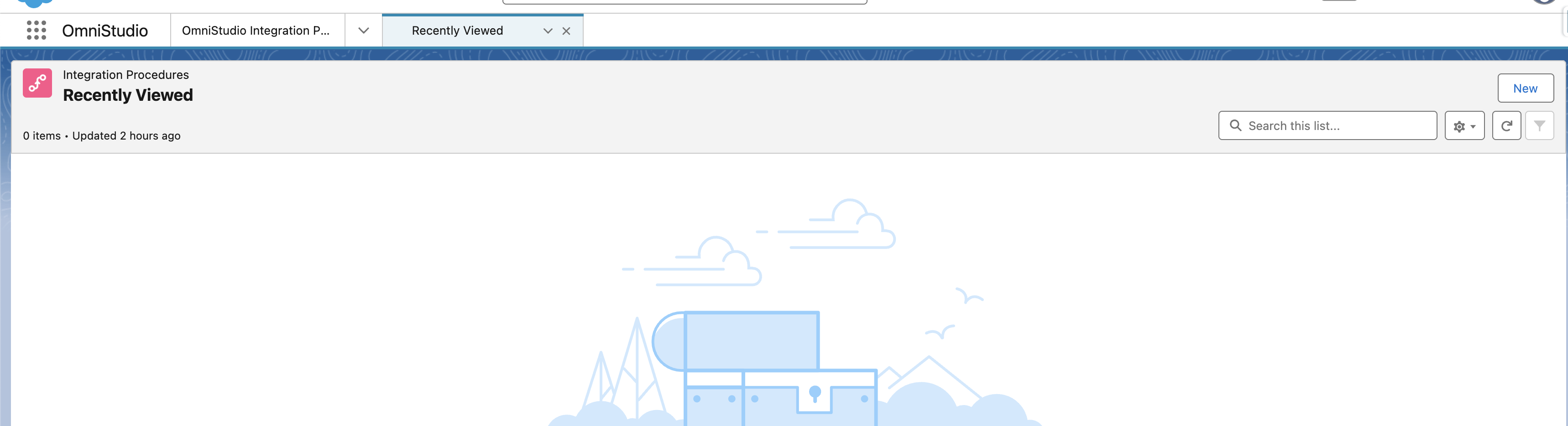
Steps to Reproduce
- Navigate to OmniStudio
- Select Integrated Procedures
- None are shown on the list view
- Only recent viewed list comes up
Workaround
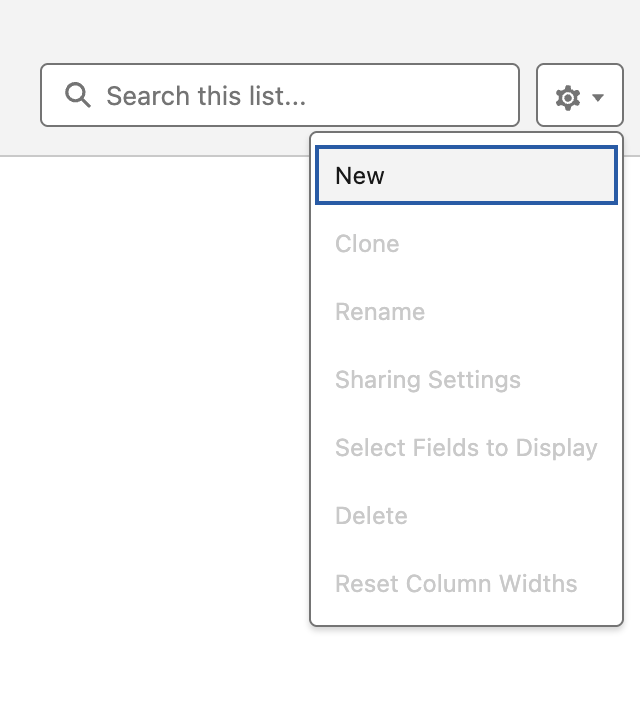
You can mitigate the issue by manually creating a new list view for each OmniStudio component type. Please follow the below steps:
- Create a new list view.
- Click on the dropdown next to Gear Icon, and click on 'New'
- Use "All" as both the Name and Unique Name of the list view.
- This ensures you won't encounter a conflict when the product fix is deployed.
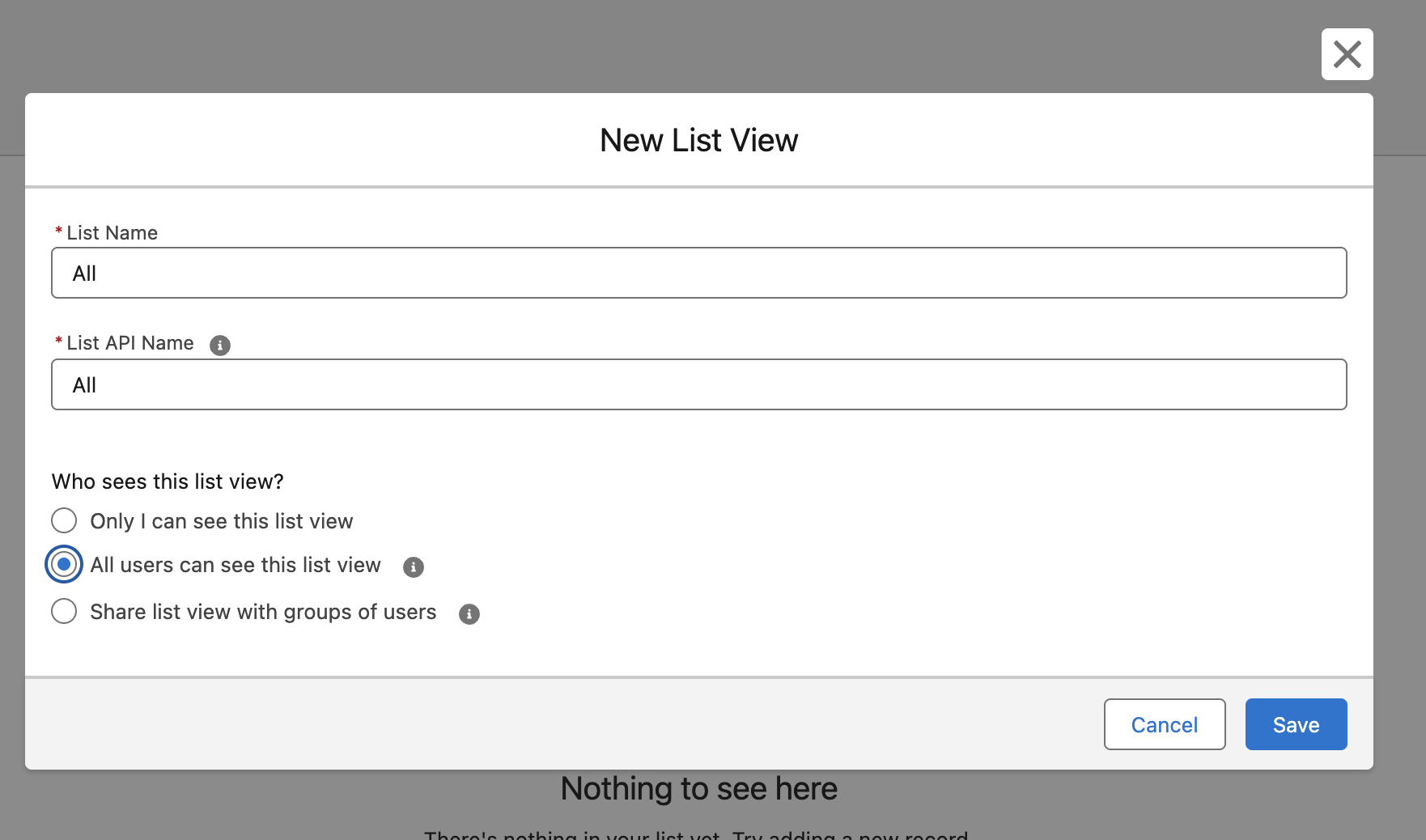
Note: Do not use the following values as the Unique Name for your custom list views:
- All_Omniscripts (OmniScripts)
- All_Flexcards (FlexCards)
- All_DataMappers or All_Data_Mappers (DataMappers)
- All_Integration_Procedures (Integration Procedures)
These names will be used by the Product team in their fix and may cause duplicate name errors when the fix is released.
