조직 선택
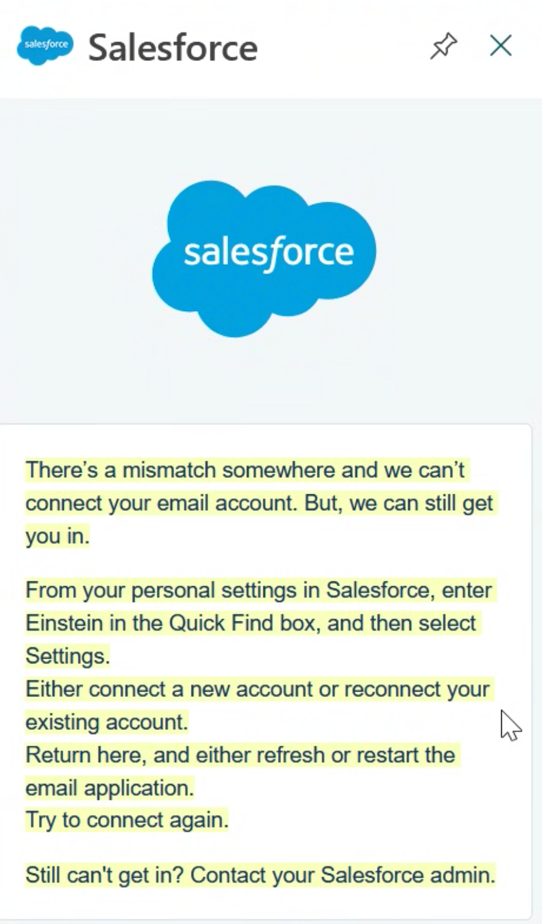
Outlook Integration Error "There's a mismatch somewhere and we can't connect your email account..."
게시 일자: Sep 9, 2026
상세 설명
Users may see an error stating "There's a mismatch somewhere and we can't connect your email account, but we can still get you in..." when using the Salesforce Outlook Integration.
솔루션
This article explains why the Outlook Integration mismatch error occurs and how to fix it by enabling API access.
Why This Happens
The Outlook Integration with Salesforce Inbox requires "API Enabled" on the user's profile. This is because the Salesforce Inbox backend implementation uses non-Lightning servers to fetch and process email and calendar events, and uses API access to communicate back to the Lightning server. Salesforce Inbox also previously had a mobile app, which also required API access.
If users use only the Outlook Integration (without Salesforce Inbox), API access is not required.
Outlook Integration vs. Salesforce Inbox
The base Outlook Integration supports viewing related Salesforce records, and logging an email message or calendar event to Salesforce.
Salesforce Inbox adds additional productivity features on top of that:
- Email and link tracking
- Viewing "Engagement" for an email message logged in Lightning (Email Opened, Link Clicked, Reply, etc.)
- Adding a "Meeting Link" to an email message, letting a recipient schedule a meeting
Enable API Access in Salesforce by User Profile
- Click Setup.
- Go to Manage Users and click Profiles.
- Click Edit on the specific profile you're updating.
- Scroll down to Administrative Permissions and check the API Enabled box.
- Click Save.
추가 자원
- Manage API Access
- Create a Permission Set and Grant API Enabled Access (Optional)
- Outlook Integration - "To manage this record's associations*"
- Login to the Outlook Integration with Custom Login Flow Enabled
- Salesforce Outlook Integration Side Panel Shows "You're Logged into Microsoft with More than One Account"
Knowledge 기사 번호
004754342
이 기사를 통해 문제를 해결했습니까?
개선을 위한 의견을 보내주세요.
