組織を選択
Tableau Cloud で Salesforce Authenticator からのプッシュ通知が使用できない場合のログイン方法
公開日: May 28, 2025
前提条件
タスク
Tableau Cloud へのログインで多要素認証の認証方法として Salesforce Authenticator を利用されている場合、プッシュ通知が使用できないときの代替手段を教えてください。
ステップ
方法1 - Salesforce Authenticator のワンタイムパスワードを使用する方法:
1.Tableau Cloud のログイン画面(https://sso.online.tableau.com/)で Tableau ID(Tableau Cloud のユーザー名)とパスワードを入力します。
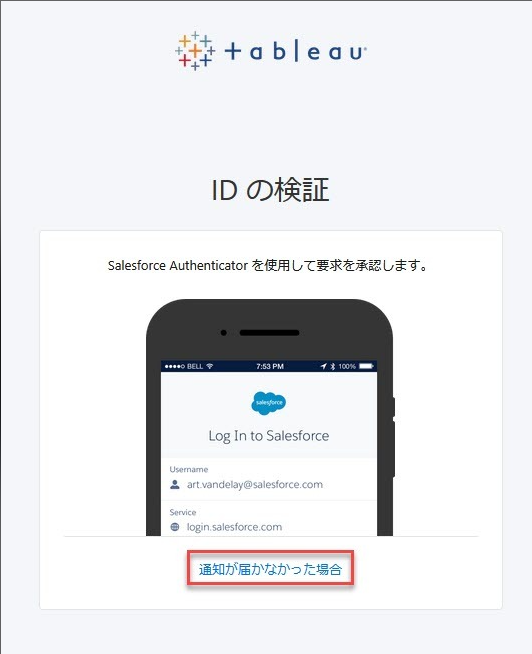
2.入力後に遷移する「ID の検証」画面で、「通知が届かなかった場合」をクリックします。
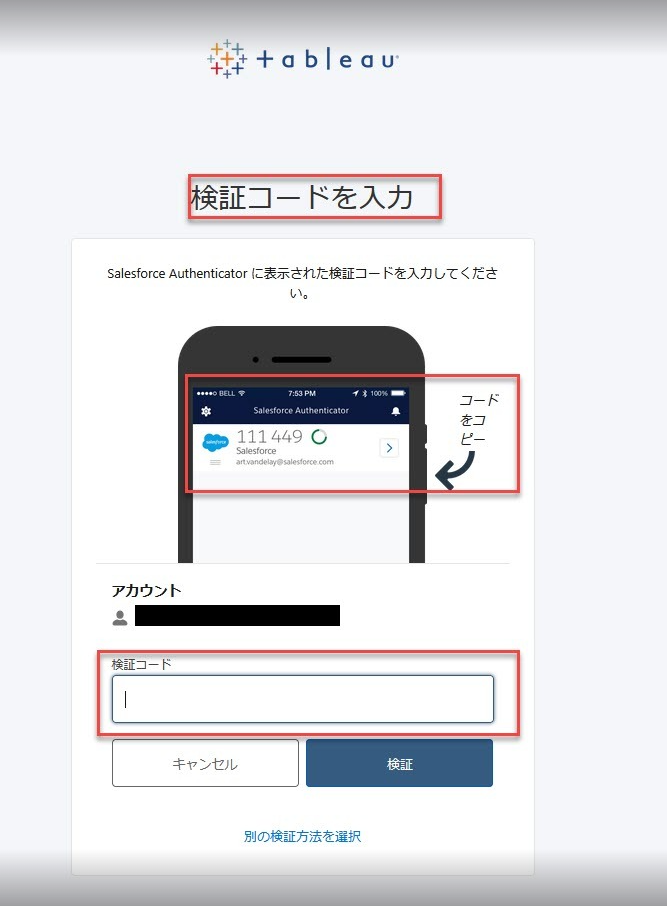
3.「検証コードを入力」の画面が表示されたら、Salesforce Authenticator を開いてアカウントリストを表示します。ログインする Tableau Cloud アカウントで表示される6桁のコードを入力します。
方法2 - リカバリーコードを使用する方法:
注意: この方法を実行するにはリカバリーコードが必要です。ユーザーは MFA 登録後、バックアップとしてリカバリ コード オプションを追加することが推奨されています。
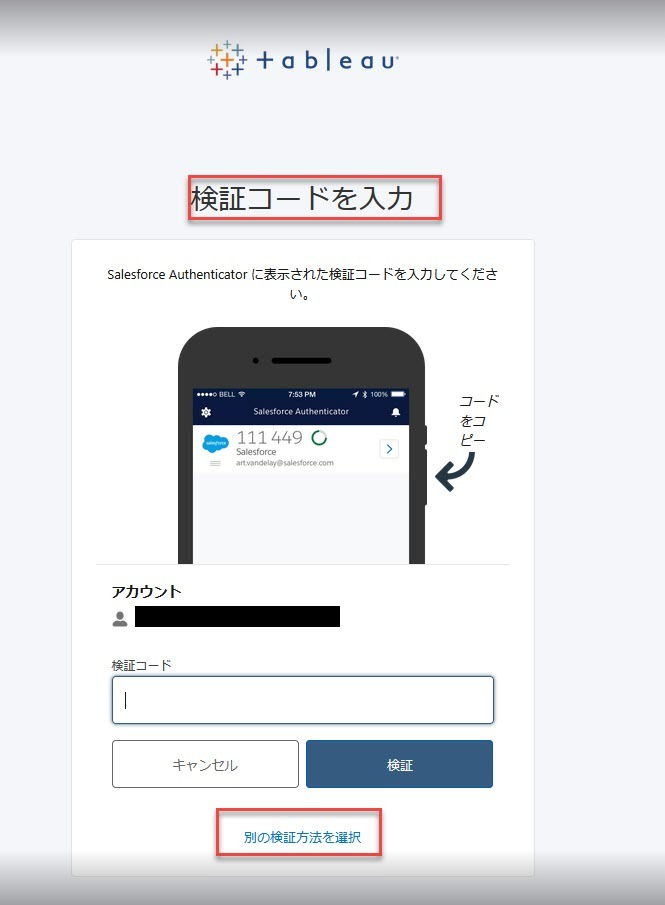
1.Salesforce Authenticator の「検証コードを入力」画面で、「別の検証方法を選択」をクリックします。
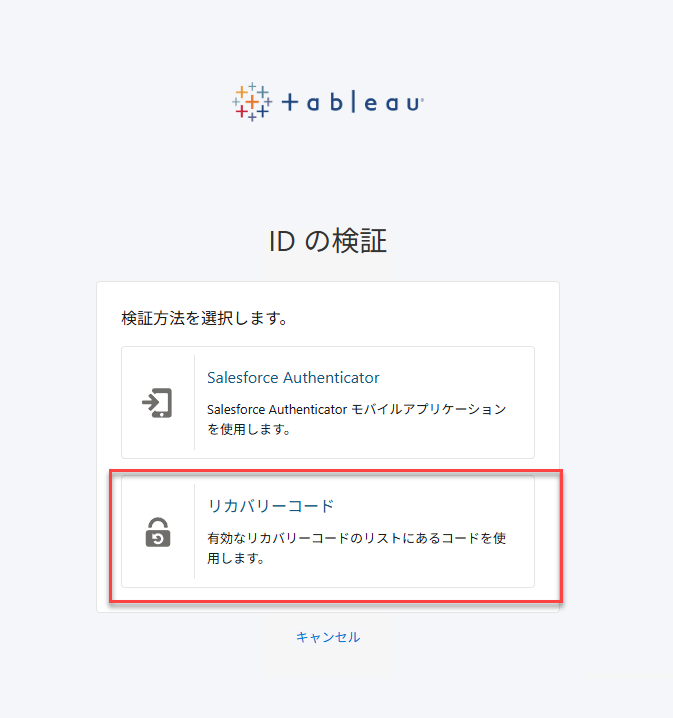
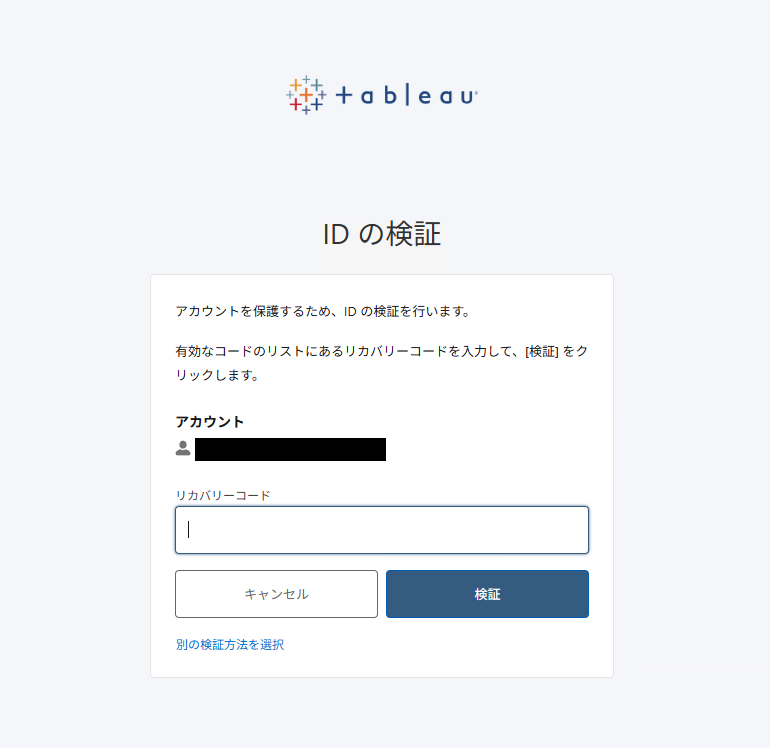
2.「ID の検証」画面で、「リカバリーコード」を選択します。
3.リカバリーコードの検証画面で有効なリカバリーコードを入力します。
その他のリソース
オフラインまたはプッシュ通知が使用できない場合の Salesforce Authenticator TOTP コードの使用
ナレッジ記事番号
004867891
この記事で問題は解決されましたか?
ご意見をお待ちしております。
