Seleccionar una organización
Zero Copy Data Federation Acceleration Additional Info
Fecha de publicación: Jul 27, 2026
Descripción
This article will highlight some minor UI/Functionalities differences for accelerated / non accelerated zero copy data stream from (BigQuery | Snowflake | Redshift | Data bricks).
Refresh History:
If a Data Stream has NEVER enabled acceleration before (meaning it was ALWAYS Stream Type="Direct Access" ) you will not see a refresh history, metadata for Last Refreshed, Last Processed Records or Total Records. This is because no data are being cached in Data 360 (formerly Data Cloud) locally, therefore no data is processed via stream. Every time this stream gets used/referenced downstream, we will query the data directly from its source (Snowflake, BQ, Redshift, Databricks).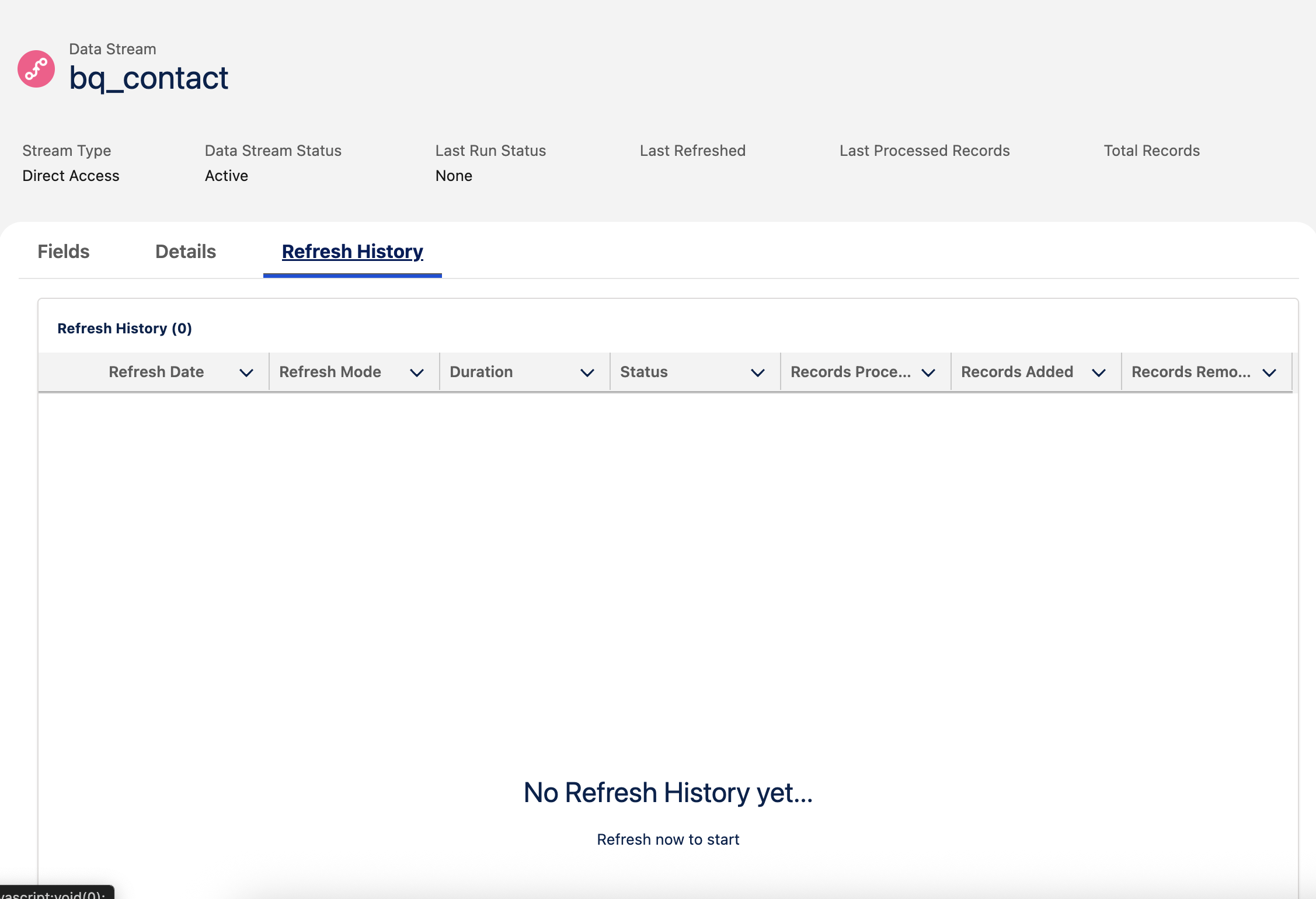
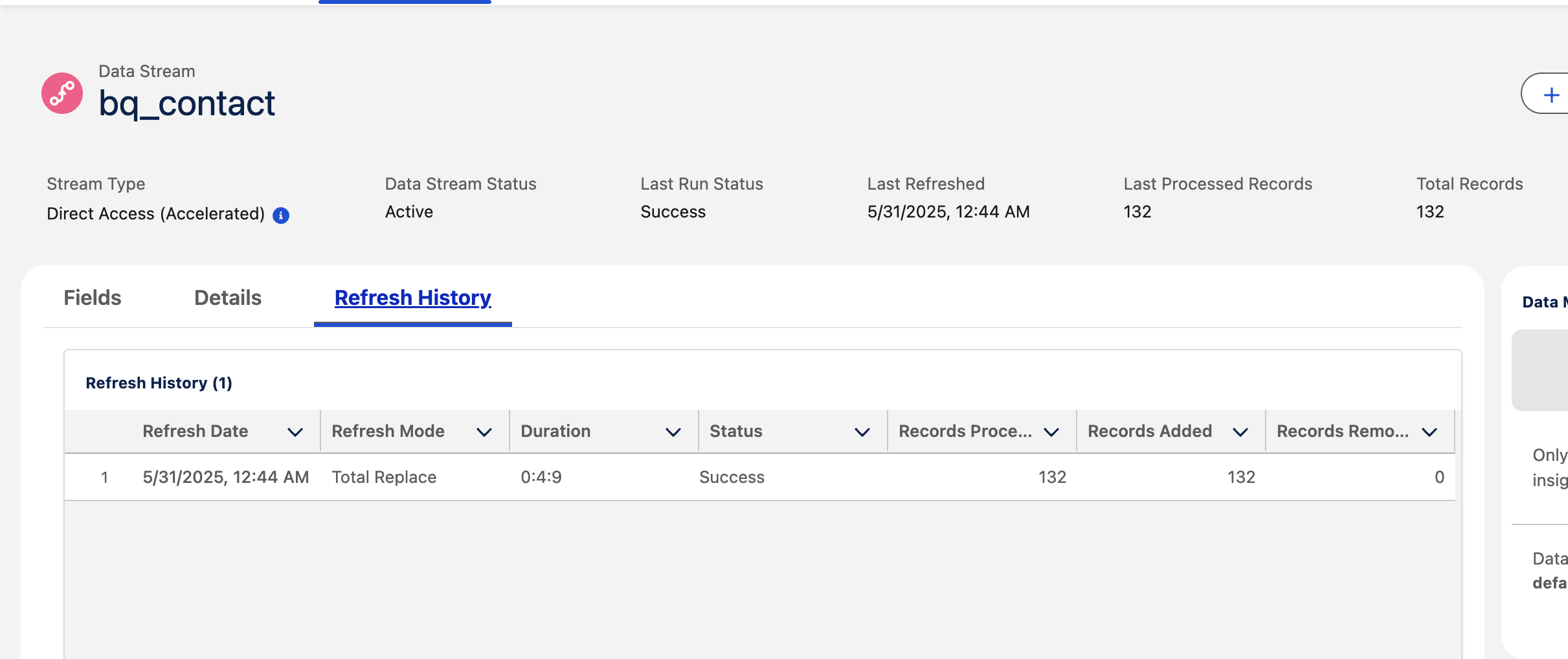
Note: If the data stream has enabled acceleration once or have previously had acceleration turned on, we will see remnant of a refresh history and other metadata (Last Refreshed, Last Processed Records, Total Records).
Duplicate Primary Keys (Total Records vs Records Processed):
Sometimes you will see that records processed is higher than records added or Total Records like so: 
This is due to the fact that you might have duplicate primary keys. When Acceleration is turned on, Data 360 caches unique primary keys and stores them locally. When acceleration is turned off, Data 360 won't care about duplicate keys because no data is cached and Data 360 query from the source (snowflake, bigquery, redshift, databricks).
Acceleration Incremental Refresh:
Go to Data Stream > Edit Data Stream:
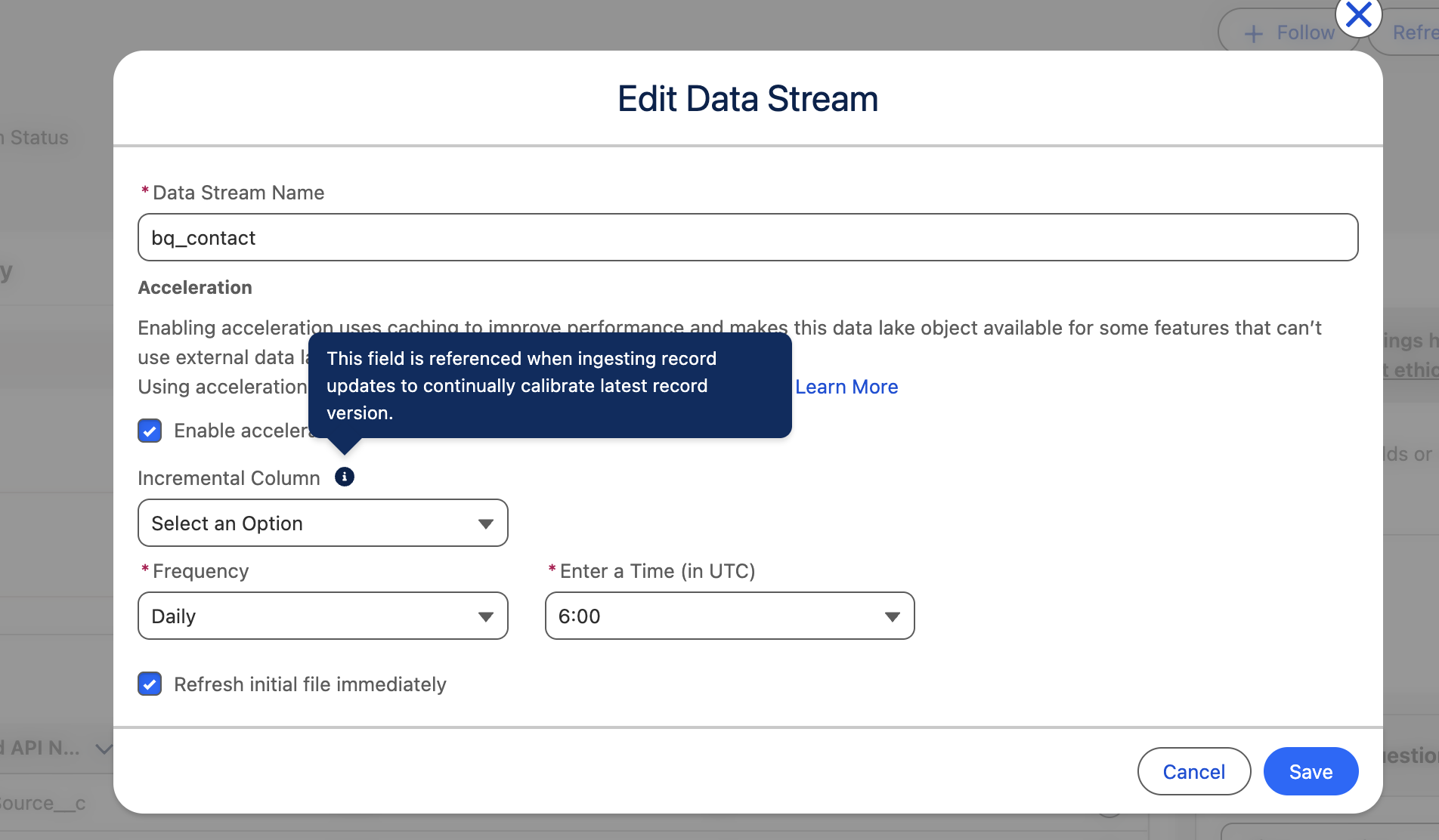
There is this option called the "Incremental Columns" (Note: user will not see this option when they initially deploy their zero copy data stream. This options is only seen when users click Edit Data Stream > check enabled acceleration). "Incremental Column" is an optional field, if a field is specify here, Data 360 will utilize this field to monitor which records should be updated base on change events. For example: if a user have picked lastmodifieddate as an incremental column - during the refresh frequency, records will be incrementally upsert base on change events that occurs. User will start seeing in their data stream refresh history incremental refresh mode instead of "Total Replace".
If "incremental column" is left blank, users will continue to see only Refresh Mode = Total Replace.
Número del artículo de conocimiento
004868009
¿Resolvió este artículo su problema?
¡Háganos saber cómo podemos mejorar!
