組織を選択
Zero Copy データフェデレーション アクセラレーション 追加情報
公開日: Jul 27, 2026
説明
この記事では、BigQuery・Snowflake・Redshift・Databricks からのゼロコピーデータストリームにおける、アクセラレーション有効・無効時の UI / 機能の差異について説明します。
更新履歴
データストリームでアクセラレーションを一度も有効にしたことがない場合(常に直接アクセスモードの場合)、更新履歴、最終更新日(Last Refreshed)、最終処理レコード(Last Processed Records)、合計レコード数(Total Records)のメタデータは表示されません。これは、Data 360 (旧 Data Cloud) がデータをローカルにキャッシュしていないため、ストリーム経由でのデータ処理が行われないからです。このストリームが下流で使用・参照されるたびに、ソース(Snowflake、BigQuery、Redshift、Databricks)から直接データを照会します。
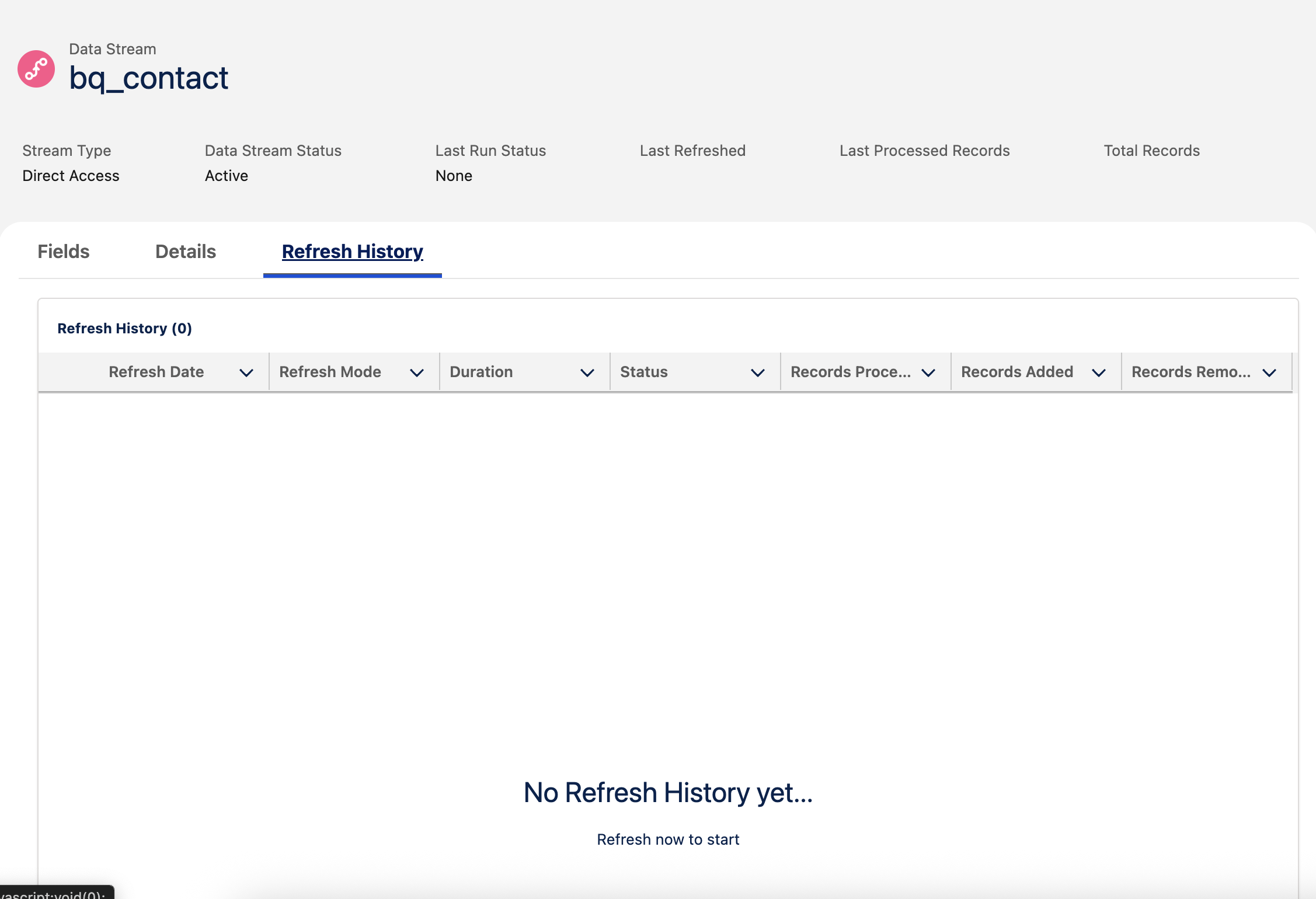
注意: データストリームでアクセラレーションを一度でも有効にしたことがある場合、または以前にアクセラレーションをオンにしていた場合、更新履歴やその他のメタデータ(Last Refreshed、Last Processed Records、Total Records)の残存データが表示されます。
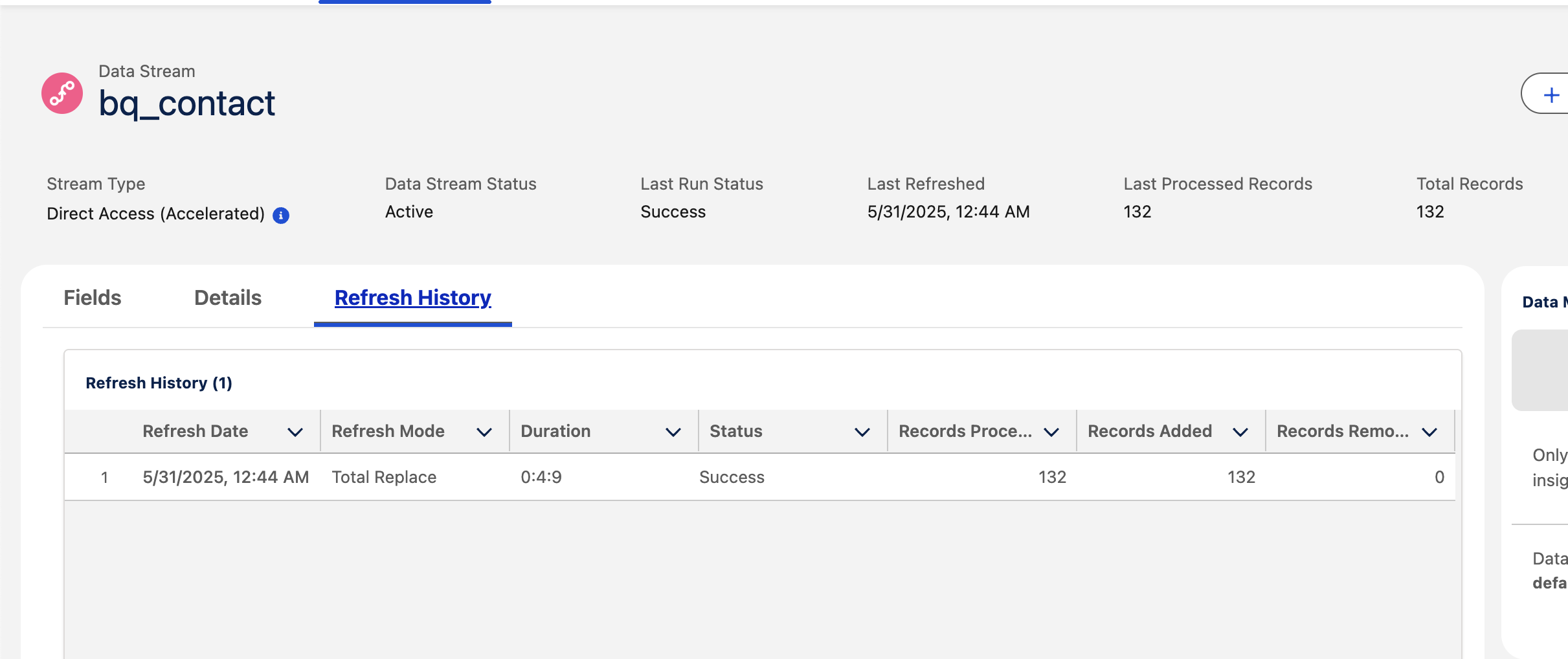
重複主キー(Total Records と Records Processed の違い)
以下のように、Records Processed が Records Added や Total Records よりも多く表示される場合があります。
これは、重複した主キー(Primary Key)が存在している可能性があるためです。アクセラレーションがオンの場合、Data 360 はユニークな主キーをキャッシュしてローカルに保存します。アクセラレーションがオフの場合、Data 360 は重複キーを考慮せず、ソース(Snowflake、BigQuery、Redshift、Databricks)から直接クエリします。

アクセラレーション 増分更新(Acceleration Incremental Refresh)
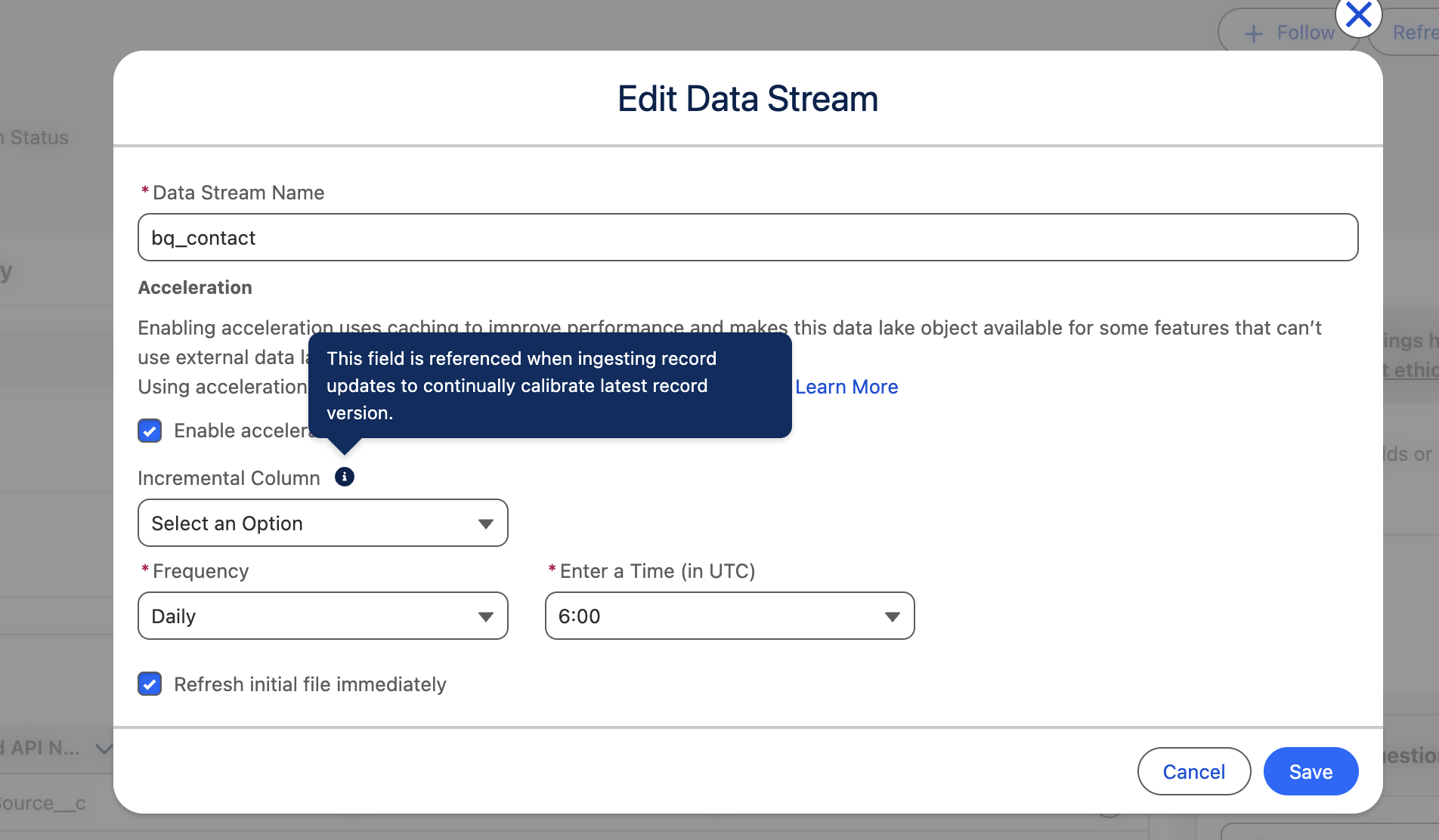
Data Stream > データストリームを編集 に移動してください:
増分列 というオプションがあります。
増分列(Incremental Column) はオプションフィールドです。ここにフィールドを指定すると、Data 360 はそのフィールドを使用して、変更イベントに基づきどのレコードを更新すべきかを監視します。
例: ユーザーが lastmodifieddate をインクリメンタル列として選択した場合、更新頻度ごとに、発生した変更イベントに基づいてレコードがインクリメンタルにアップサートされます。
ナレッジ記事番号
004868009
この記事で問題は解決されましたか?
ご意見をお待ちしております。
