Vælg en organisation
How to Compare Fields Across a Collection of Records in Flow
Udgivelsesdato: Apr 3, 2026
Beskrivelse
This article explains how to use Salesforce Flow to compare custom or standard fields across a collection of records, such as Account, to determine whether specific fields or multiple fields contain the same value in all records. This approach is valuable for ensuring data consistency and maintaining integrity of your records within Salesforce.
Løsning
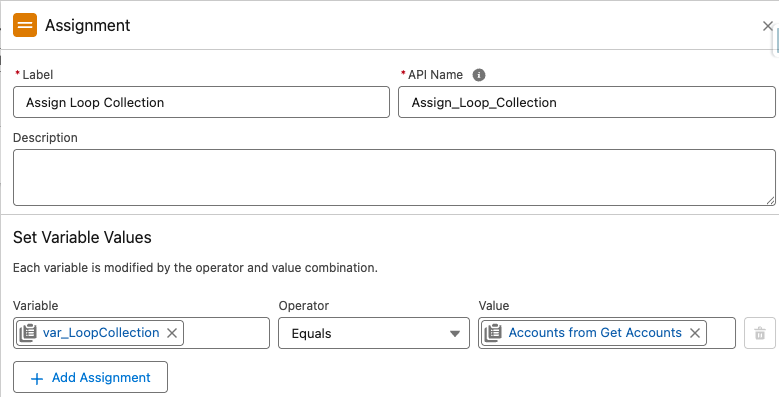
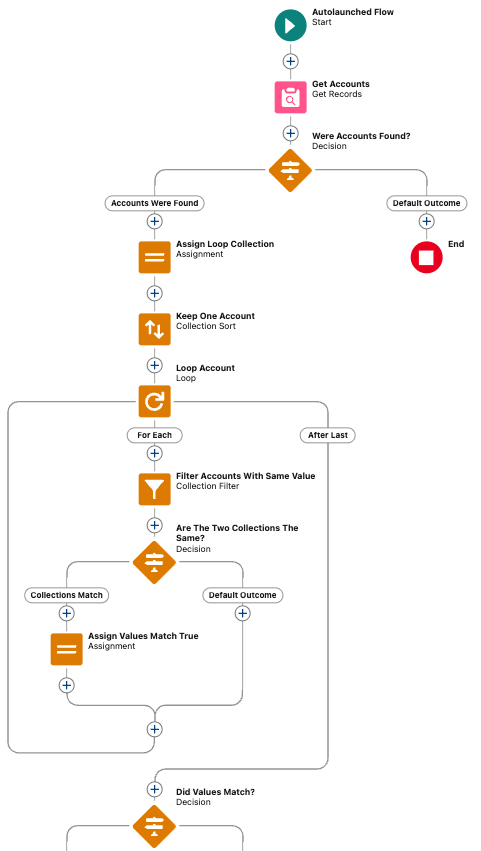
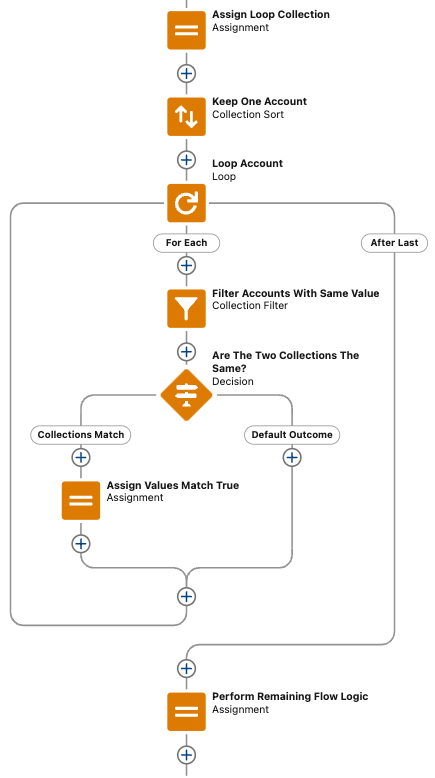
Step 1: Assignment Element- Assign Loop Collection
Begin by using an Assignment element to copy your existing record collection Get_Accounts into a separate collection variable var_LoopCollection. This ensures you can manipulate the collection without altering your original data
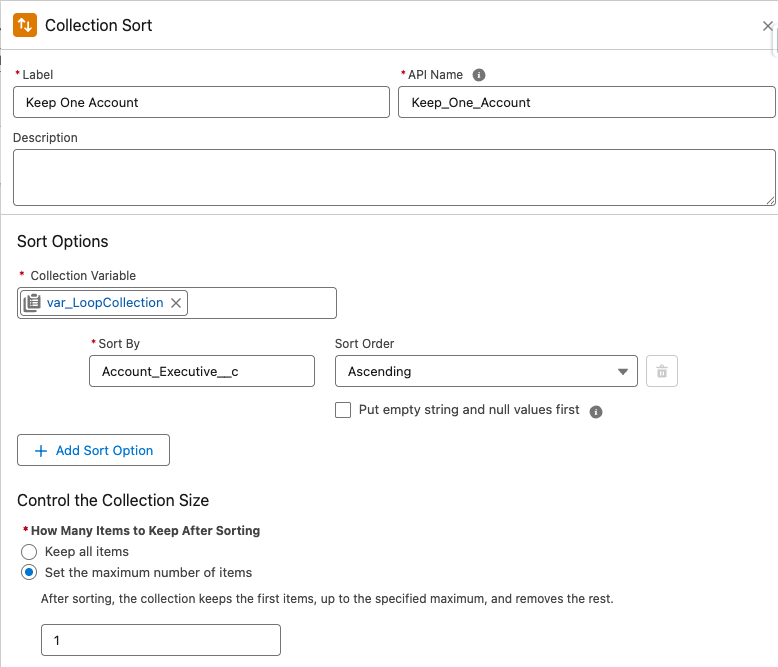
Step 2: Collection Sort Element- Keep One Account
Employ a Collection Sort element to reduce the copied collection var_LoopCollection to a single record. This will provide a reference record to compare against
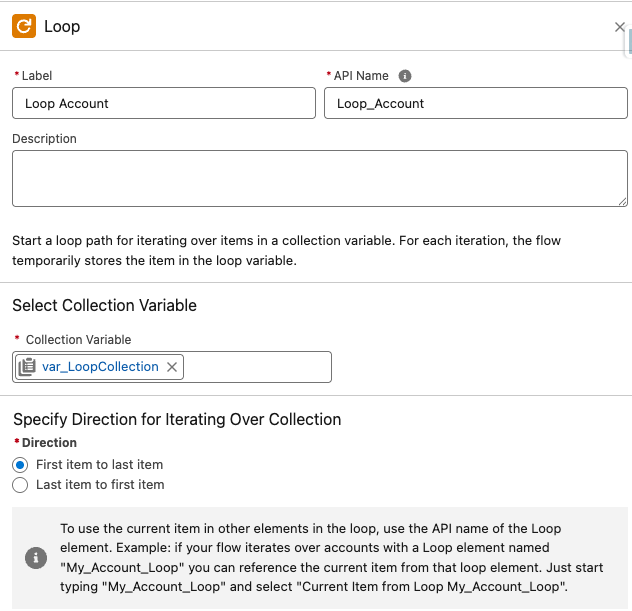
Step 3: Loop Element- Loop Account
Utilize a Loop element to iterate through the single remaining record in the sorted collection. This loop will only execute once
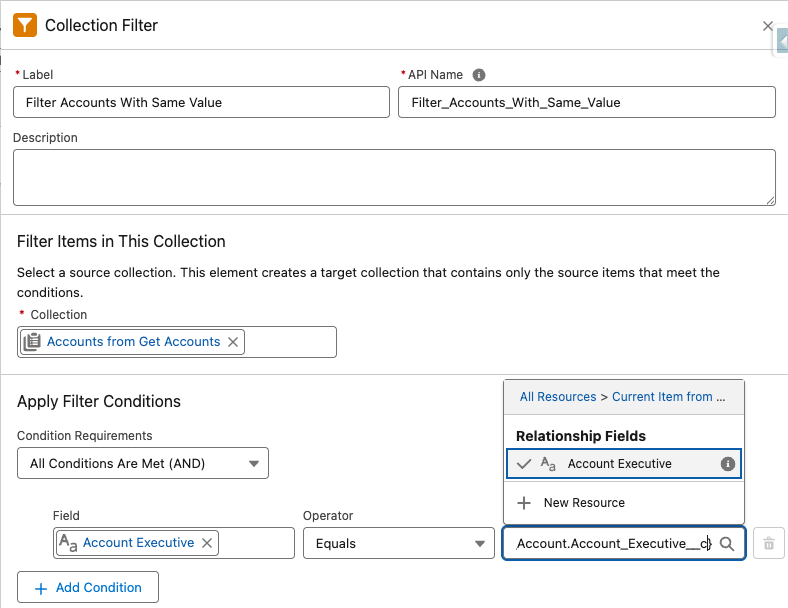
Step 4: Collection Filter Element- Filter Accounts With Same Value
Within the loop, use a Collection Filter element to filter the original record collection Get_Accounts. This filter should only include records where the specified field e.g. Account_Executive__c matches the value of the field from the single record in the loop
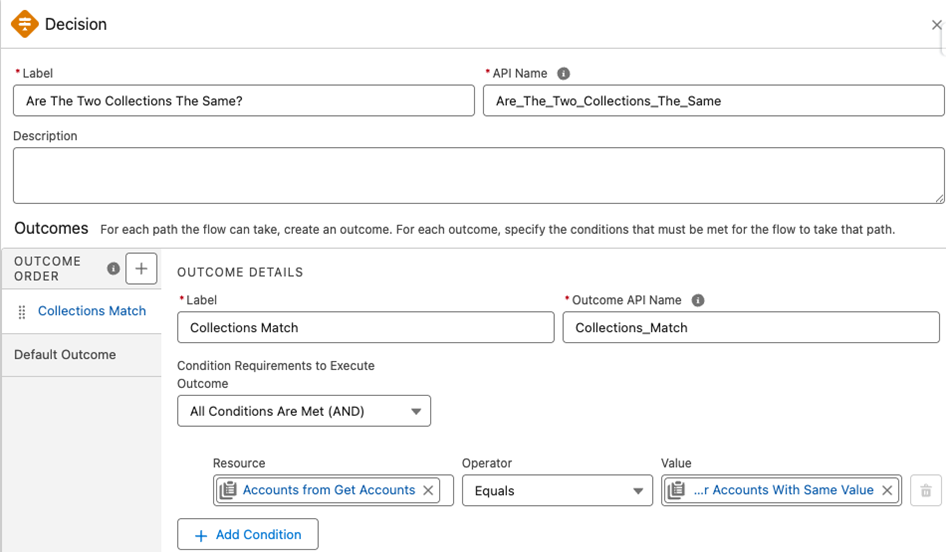
Step 5: Decision Element- Are The Two Collections The Same
Use a Decision element to compare the original record collection Get_Accounts with the filtered record collection Filter_Accounts_With_Same_Value
If the two collections are identical, it means all records have the same values in the compared fields
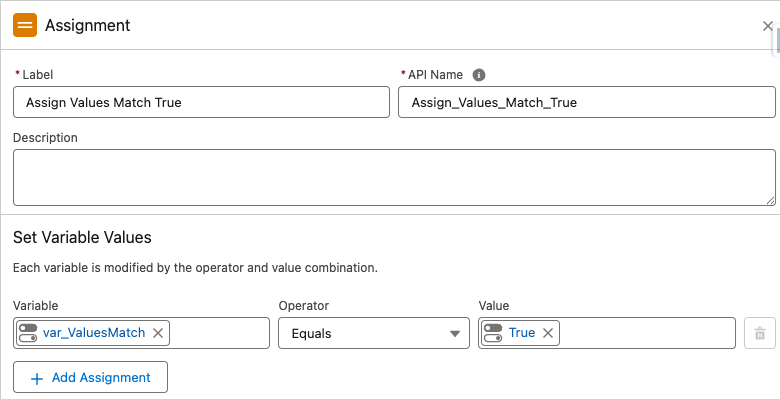
Step 6: Assignment Element- Assign Values Match True
If the collections match, use an Assignment element to set a Boolean variable var_ValuesMatch to True. This variables default value should be False
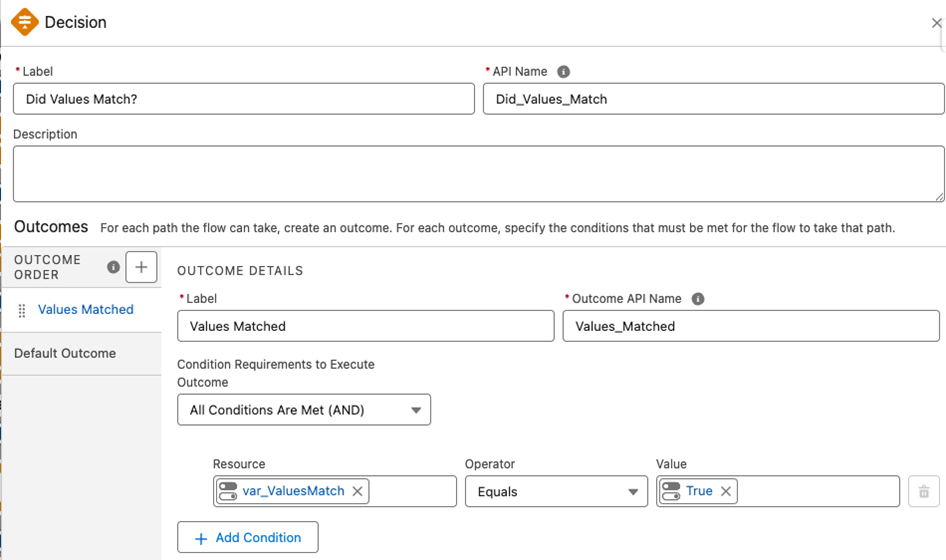
Step 7: Decision Element- Did Values Match?
Add a Decision element to route the Flow based on the var_ValuesMatch variable
Step 8: Perform Remaining Flow Logic:
The Loop will complete after the first iteration, and the Flow will continue with any subsequent logic, utilizing the Did Values Match? outcome
Yderligere ressourcer
Vidensartikelnummer
004980161
Løste denne artikel dit problem?
Giv os besked, så vi kan forbedre os!
