Seleziona un'organizzazione
Some of the values not populating in a Table view even though data is expected to be displayed in those cells
Data pubblicazione: Jun 16, 2026
Descrizione
Check the underlying data for that cell by clicking on it and see if one of the columns in the calculation has Null values
In Tableau, the result of Null + a value = Null and 0 + a value = Value
Risoluzione
Use the ZN function to add the Zero If Null "ZN" to the calculation and that way Null+ a value will return a value and not Null in the cell.
https://help.tableau.com/current/pro/desktop/en-us/functions_functions_number.htm#zn
For Example
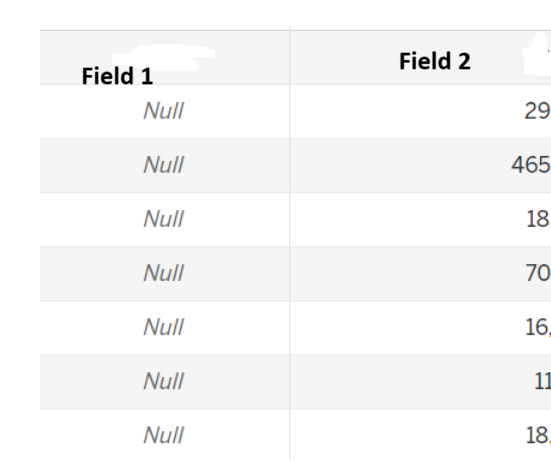
If a cell is intended to show the effect of a calculation where every value in Field 1 is Null and Field 2 contains real values, the following calculation will return Null values.
SUM([Field 1]) + Sum([Field 2])
But if ZN (Zero if null) is added to that calculation, the cells will then display values of Field 2
SUM(ZN([Field 1])) + Sum(ZN( [Field 2]))
Risorse aggiuntive
https://help.tableau.com/current/pro/desktop/en-us/functions_functions_number.htm#zn
Numero articolo Knowledge
004980250
Questo articolo ha risolto il problema?
Facci sapere, così possiamo migliorare!
