Выбрать организацию
Error ‘$Label.EmbeddedMessagingPrechatCholceList. does not exist’ in prechat dropdown value.
Дата публикации: Aug 11, 2025
Описание
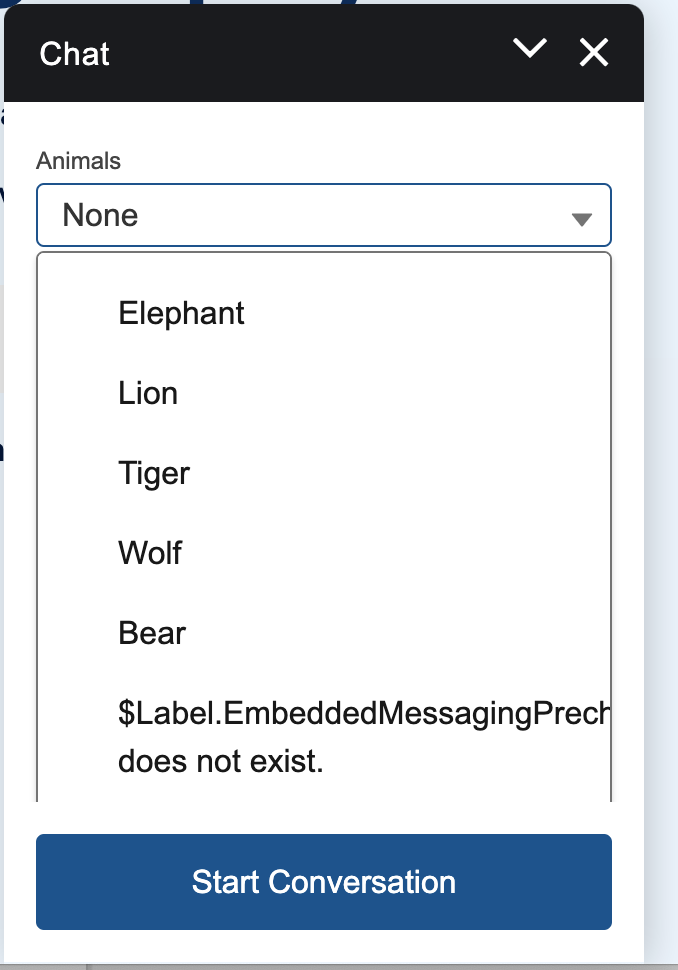
When setting up Embedded Service Deployment and configuring pre-chat form dropdown fields, you may encounter the below error in dropdown values for default language.
$Label.EmbeddedMessagingPrechatCholceList. does not exist
This occurs when custom labels for dropdown values are not defined in the default language, but are defined only in other language translations.
Steps to Reproduce the Issue
-
Start with an existing embedded service deployment (ESD) that includes a prechat form featuring a dropdown field.
-
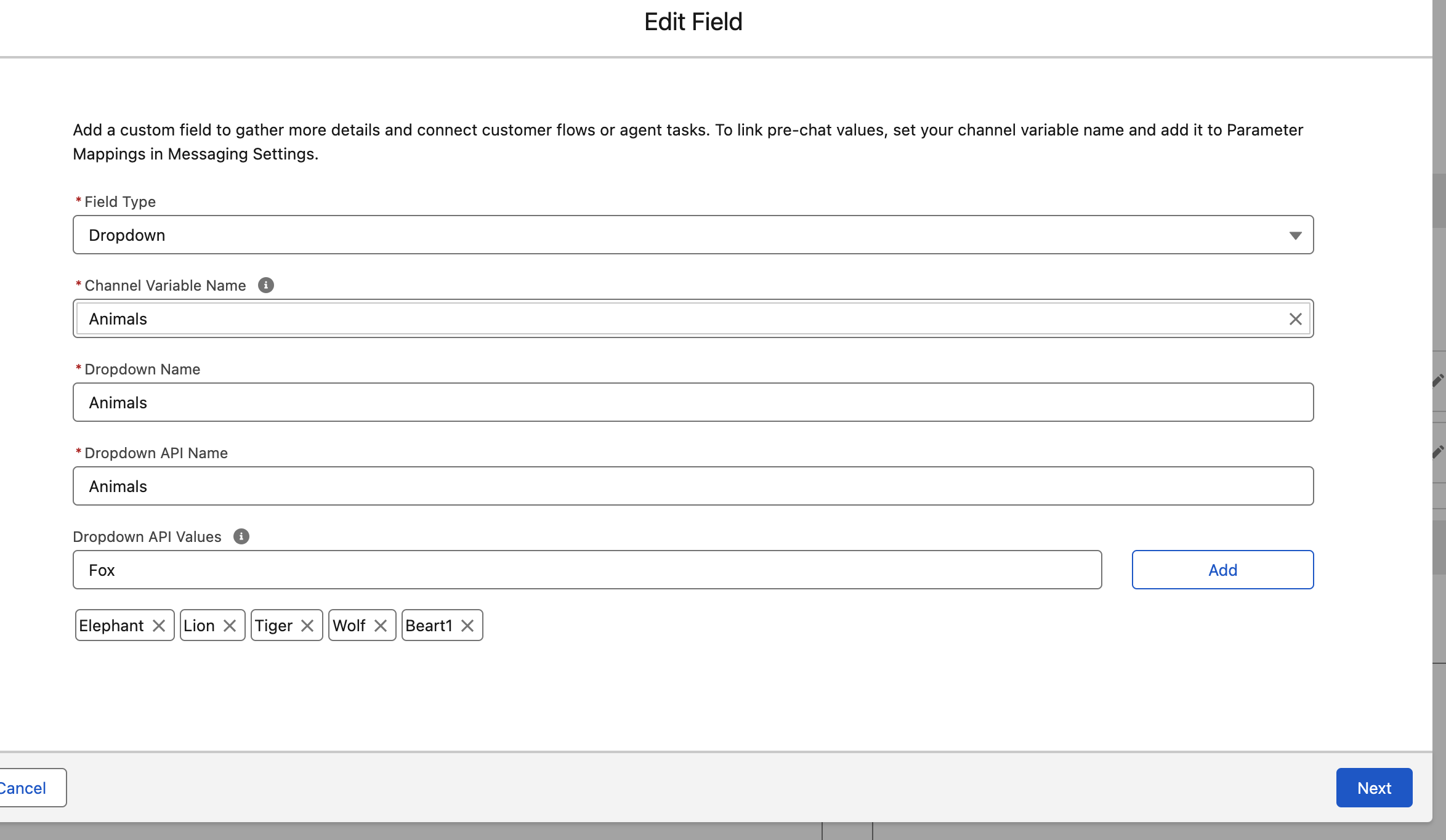
Add a new dropdown API value to the existing prechat dropdown field. For example, add the value ‘Fox’.
-
Define translated custom labels for this new dropdown value in languages other than the default. In this example, add a German translation for the ‘Fox’ dropdown API value.
-
Publish the ESD to apply the translated custom labels to the prechat dropdown values.
-
Test the ESD by selecting “Test messaging.” An error message appears:
“$Label.EmbeddedMessagingPrechatChoiceList does not exist” for the newly added dropdown API value for default language.
Решение
To fix this, ensure that custom labels for pre-chat dropdown values are defined in the default language. For instance, if the default language is English, make sure the custom labels are defined in English as well.
Note: If the dropdown value is the same as the custom label, the custom label may appear blank after saving. This is expected behaviour.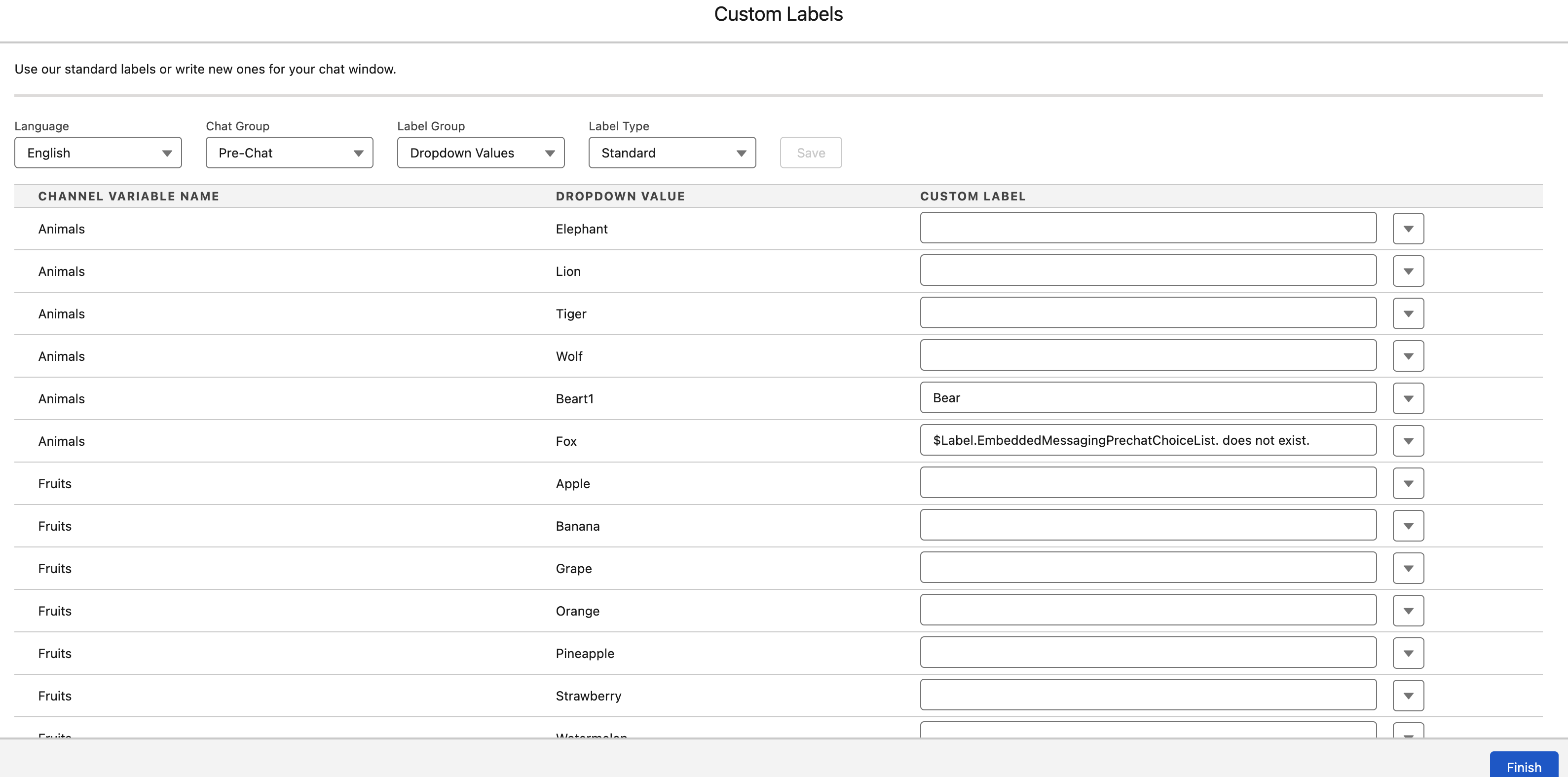
Дополнительные ресурсы
Customize Pre-Chat for Messaging for In-App and Web : https://help.salesforce.com/s/articleView?id=sf.miaw_custom_prechat_2.htm&type=5
Номер статьи базы знаний
005036840
Эта статья решила вашу проблему?
Оставьте свой отзыв, чтобы мы могли стать лучше!
