Выбрать организацию
Field Service Integration Permission Set Tile Update Issue in Field Service Settings
Дата публикации: May 17, 2026
Описание
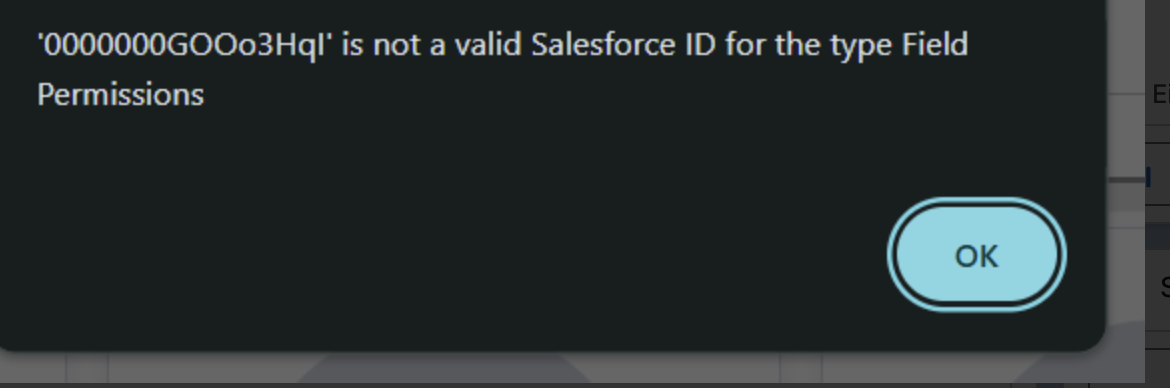
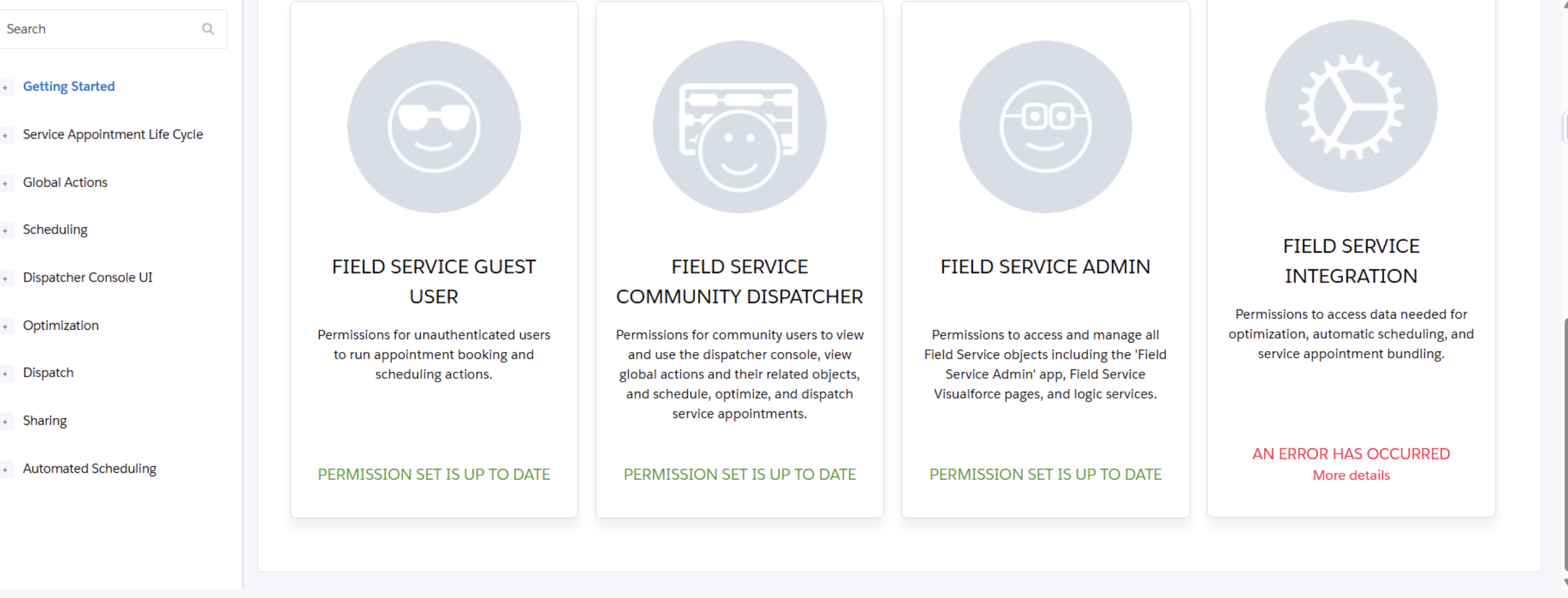
The Field Service Integration permission set tile in Field Service Settings was not updating as expected and displayed an error. (
This issue was caused by a conflicting field-level permission on the Field Service Integration permission set.
(The Field Service Integration tile in Field Service Settings showing an error message during update — two error screenshots are shown.)
Решение
The issue was caused by the field-level permission for ServiceAppointment.TravelTimeBuffer. Specifically, the Read access to this field was enabled in the Field Service Integration permission set, which led to a conflict during the permission set validation and prevented the tile from updating.
Solution:
-
Ran the following SOQL to identify problematic field-level permissions:
-
Located the field:
ServiceAppointment.TravelTimeBuffer. -
Edited the Field Service Integration permission set:
-
Navigated to the Service Appointment object.
-
Removed Read access to the TravelTimeBuffer field.
-
Saved the changes.
-
-
Went to Field Service Settings and refreshed the Field Service Integration permission set tile.
-
The tile was successfully updated after the changes.
Дополнительные ресурсы
Field Service Permission Set Licenses — overview of permission set licenses
Номер статьи базы знаний
005036917
Эта статья решила вашу проблему?
Оставьте свой отзыв, чтобы мы могли стать лучше!
