조직 선택
Understanding Salesforce Field Service Status Options in Gantt View vs Service Appointment Record Edit
게시 일자: Feb 5, 2026
상세 설명
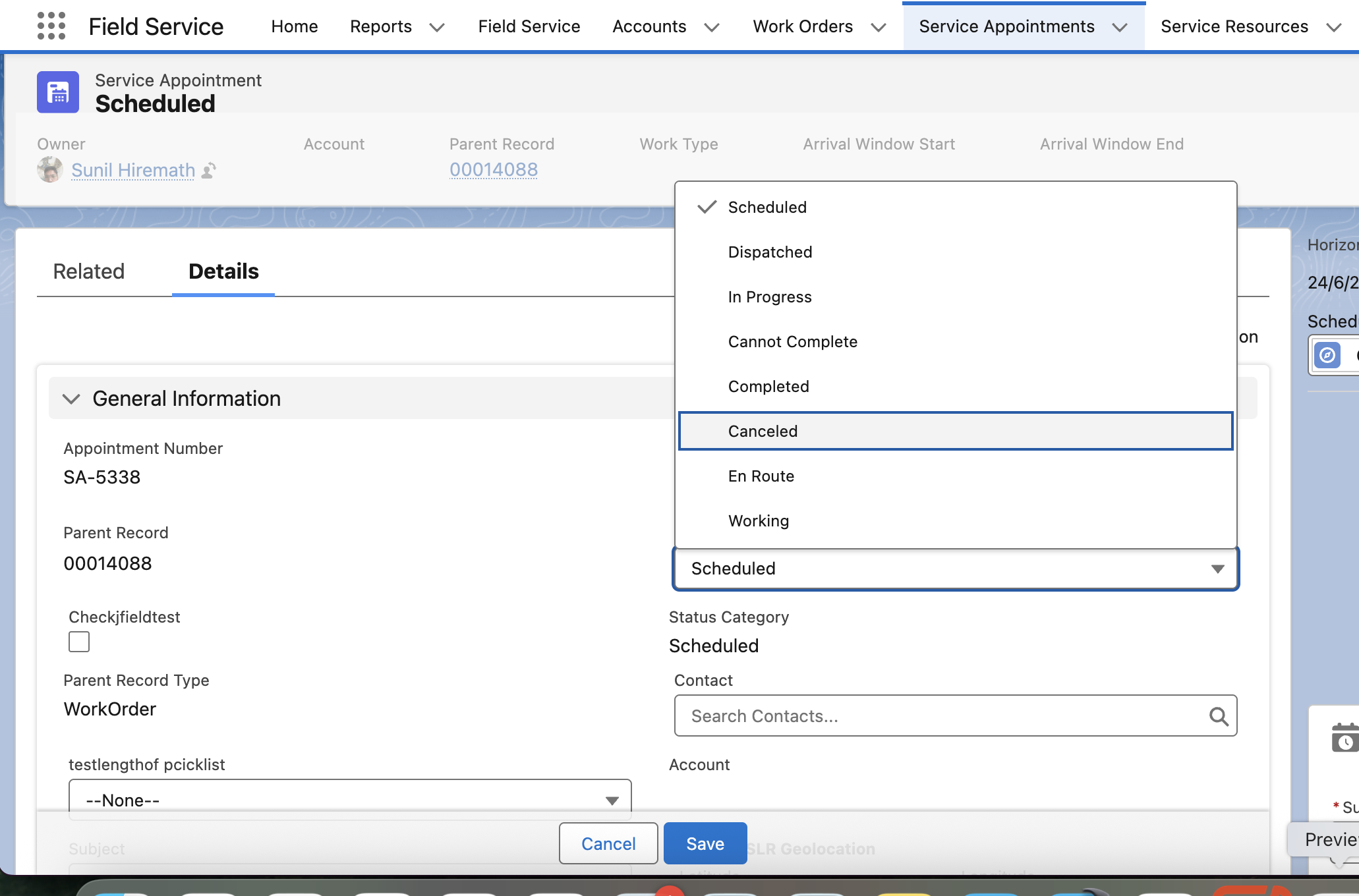
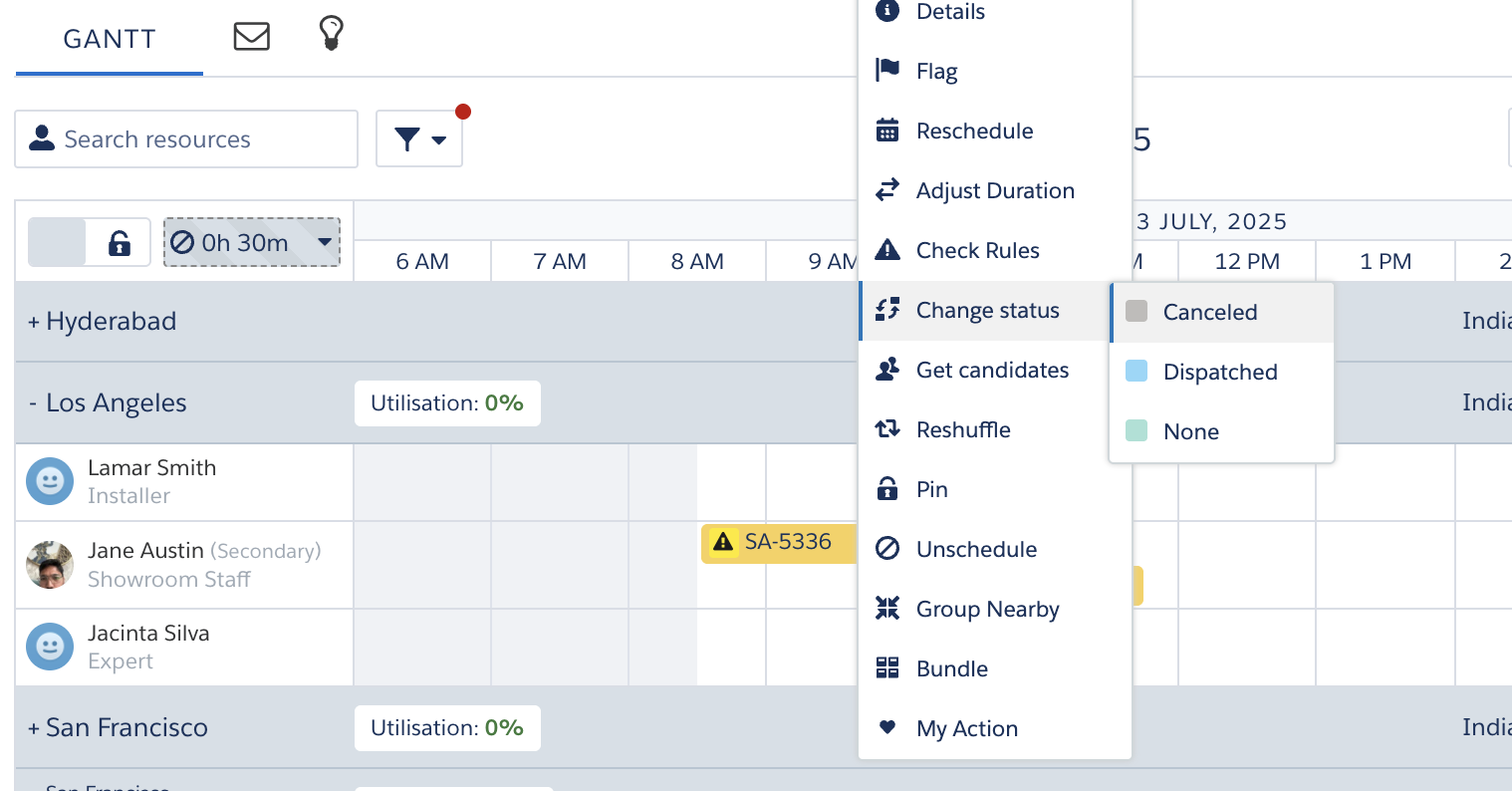
Users have reported a discrepancy between the list of statuses available in the Salesforce Gantt View versus those available when editing a Service Appointment record directly. Below are the steps to reproduce the behavior:
Steps to Reproduce:
-
Log in to Salesforce.
-
Navigate to the Gantt View in the Field Service app.
-
Right-click on a Scheduled or Dispatched Service Appointment.
-
Select Change Status and note the available status options.
-
Open the same Service Appointment from the Service Appointments tab.
-
Click Edit and check the status field’s picklist values.
솔루션
The Salesforce statuses differ in the Gantt View versus those available when editing a Service Appointment record, but this is expected behavior and working as designed.
The "Change Status" action in the Gantt View references the statuses defined under "Status Transitions" in Field Service Settings. These transitions dictate which status changes are allowed based on the current status of a Service Appointment.
-
Only the statuses configured as valid transitions from the current status will appear in the Gantt View's Change Status menu.
-
In contrast, the Edit Page on the Service Appointment page shows the full list of values defined in the Status picklist field.
Important Notes:
-
If you wish to restrict visibility of certain statuses in the Gantt View, it must be configured via the Status Transitions section in Field Service Settings.
-
Profile-level field access can further control visibility for users, but it does not impact the Gantt status transition logic.
Knowledge 기사 번호
005101073
이 기사를 통해 문제를 해결했습니까?
개선을 위한 의견을 보내주세요.
