Sélectionner une organisation
Although the Date Parameter in Tableau Desktop Is Set to "12/31/9999", the View Displays "12/31/7999".
Date de publication: Jul 31, 2025
Description
A date parameter's current value is set to "12/31/9999". However, it displays as "12/31/7999" in Tableau Desktop.
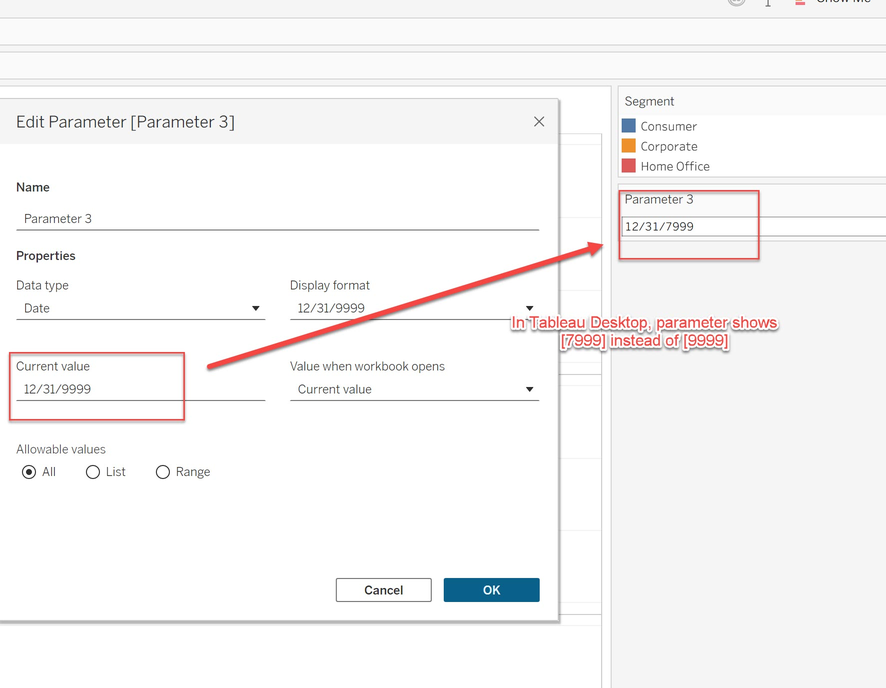
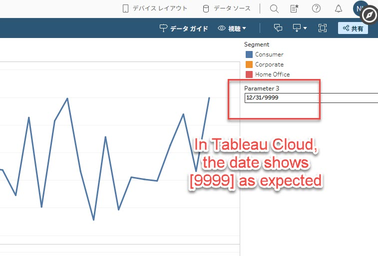
After publishing to Tableau Server or Tableau Cloud, it correctly shows "12/31/9999" in the browser.
Résolution
Please consider the workaround for this parameter issue.
Option 1
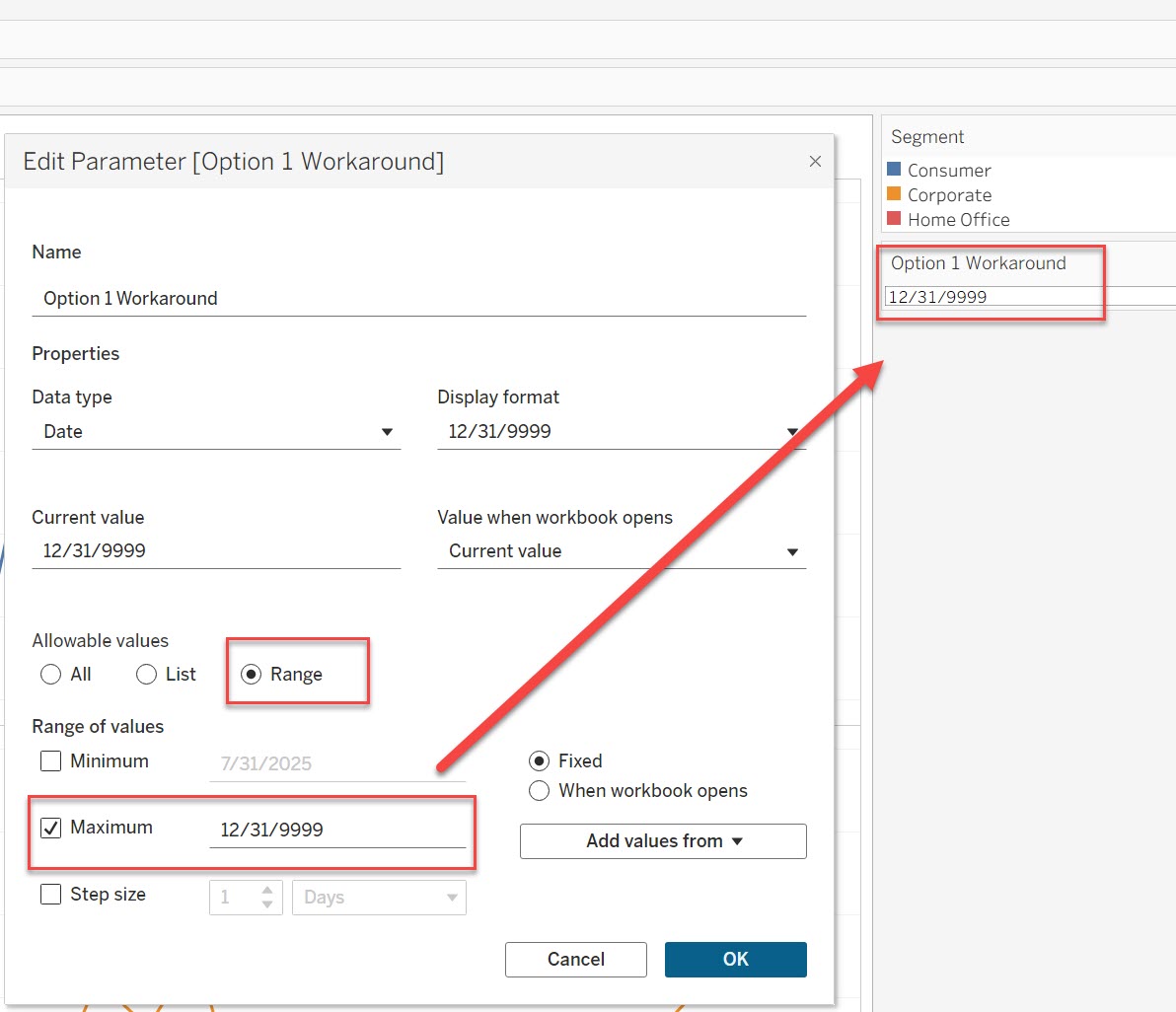
Set the maximum value to 12/31/9999 in Range. This allows the parameter to be set to 12/31/9999. Refer to the image below for parameter settings.
Option 2
Change the parameter data type from [Date] to [String]. If it is necessary to use "12/31/9999" as the parameter value, this change will resolve the display issue on both Desktop and Server.
Note
- Since parameter value is stored as a string, it must be defined in the order of year, month, and day to suit your purpose.
- To use this parameter as a date in a calculated field, use the DATE() or DATEPARSE() function to convert the string to a date type.
Ressources supplémentaires
The issue reproduces in Tableau Desktop but does not reproduce in Tableau Server or Tableau Cloud.
Numéro d’article de la base de connaissances
005115600
Cet article a-t-il résolu votre problème ?
Dites-nous ce que nous pouvons améliorer !
