Seleziona un'organizzazione
Although the Date Parameter in Tableau Desktop Is Set to "12/31/9999", the View Displays "12/31/7999".
Data pubblicazione: Jul 31, 2025
Descrizione
A date parameter's current value is set to "12/31/9999". However, it displays as "12/31/7999" in Tableau Desktop.
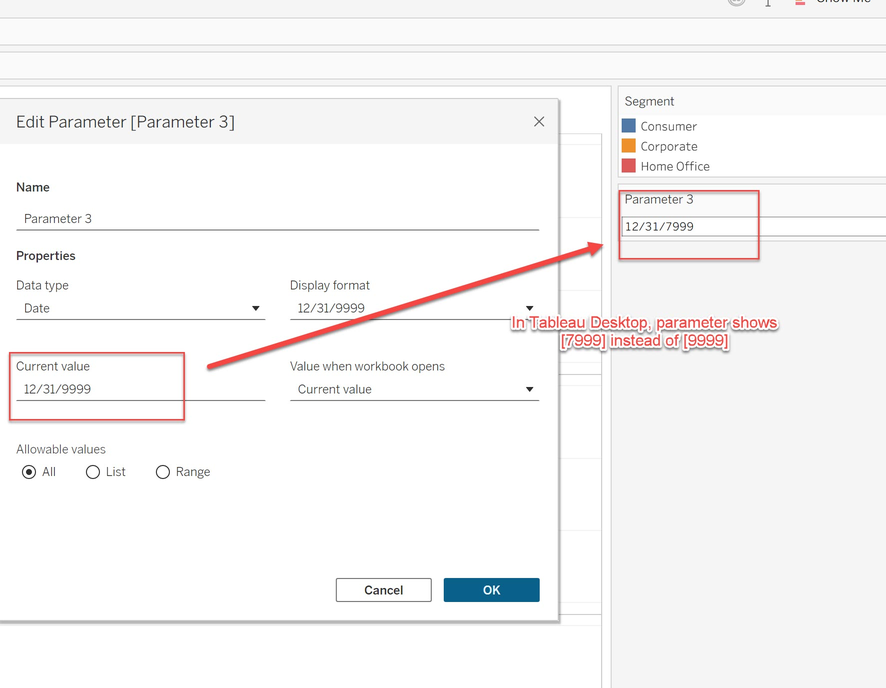
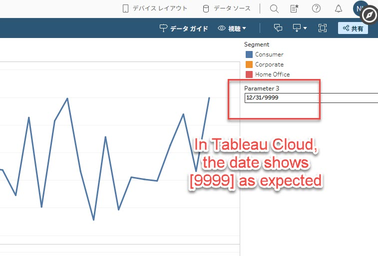
After publishing to Tableau Server or Tableau Cloud, it correctly shows "12/31/9999" in the browser.
Risoluzione
Please consider the workaround for this parameter issue.
Option 1
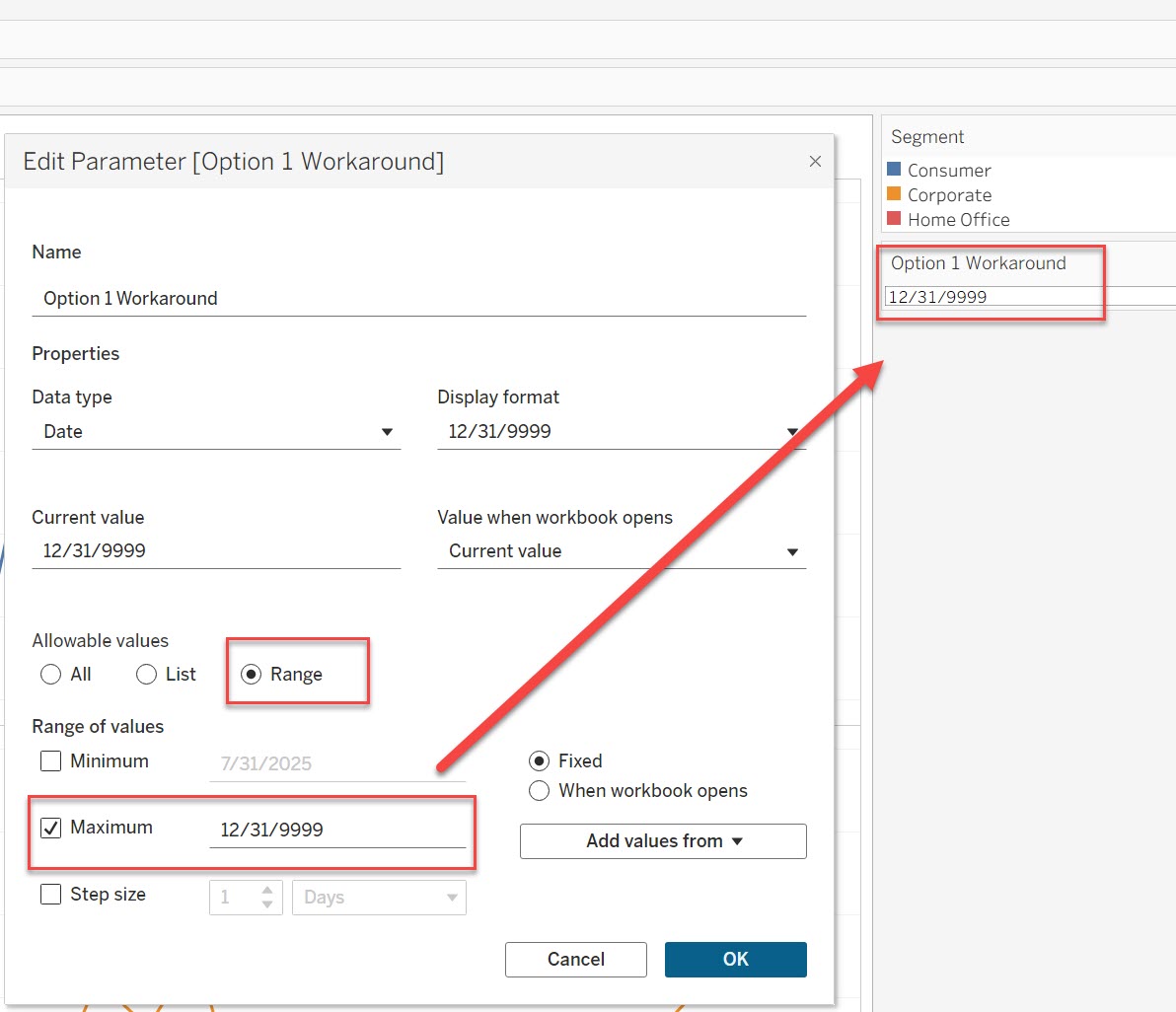
Set the maximum value to 12/31/9999 in Range. This allows the parameter to be set to 12/31/9999. Refer to the image below for parameter settings.
Option 2
Change the parameter data type from [Date] to [String]. If it is necessary to use "12/31/9999" as the parameter value, this change will resolve the display issue on both Desktop and Server.
Note
- Since parameter value is stored as a string, it must be defined in the order of year, month, and day to suit your purpose.
- To use this parameter as a date in a calculated field, use the DATE() or DATEPARSE() function to convert the string to a date type.
Risorse aggiuntive
The issue reproduces in Tableau Desktop but does not reproduce in Tableau Server or Tableau Cloud.
Numero articolo Knowledge
005115600
Questo articolo ha risolto il problema?
Facci sapere, così possiamo migliorare!
