Organisation auswählen
Salesforce Activity, ToDo, and Action Objects: Difference Between New Task and Log a Call
Veröffentlichungsdatum: Aug 1, 2025
Beschreibung
Salesforce objects include "Activity objects", "ToDo objects" and "Action objects". When you create a ToDo record, you can also choose between creating a "New Task" or "Log a Call".
This article explains each of these terms and how they differ.
Lösung
This article explains what an "Activity object", "ToDo object", and "Action object" are in Salesforce, and the difference between creating a "New Task" and using "Log a Call".
What Is an "Activity Object"?
An Activity Object is an object for managing business records such as telephone calls, e-mails and visit results.
The records actually created are not the "Activity Object" itself, but rather records of the following two types of objects:
- ToDo object
- Action object
If you wish to create custom fields for these objects, you must add the fields to the "Activity Object" and configure their display settings in the ToDo or Action layouts.
How to Create a Custom Field in an "Activity Object"
- Click the gear icon at the top right of the screen, and click Setup | Object Manager | Activity.
- Click Fields & Relationships and New to create the custom field.
What Is a "ToDo Object"?
A ToDo object is an object for managing tasks and actions.
A ToDo object has a "status" field, and it is determined to be "incomplete" or "complete" based on the list values entered in this field.
If a picklist value with the "complete flag" set to on is entered, an "Activity History" related list is displayed. If another picklist value is entered, an "Open Activity" related list is displayed.
How to Check the "Status" Field and "Complete Flag" of a "ToDo Object"
- Click the gear icon at the top right of the screen, and click Setup | Object Manager | ToDo.
- Click Fields & Relationships | Status.
- Check that the "complete flag" is set to on for the picklist value from the ToDo Status Picklist Value.
When you create a ToDo record, you can choose between creating a "New Task" or "Log a Call".
Both "New Task" and "Log a Call" create ToDo records. However, they differ in their application: "New Task" is primarily used to create incomplete ToDo records, and "Log a Call" is used to create completed ToDo records. The details are described below.
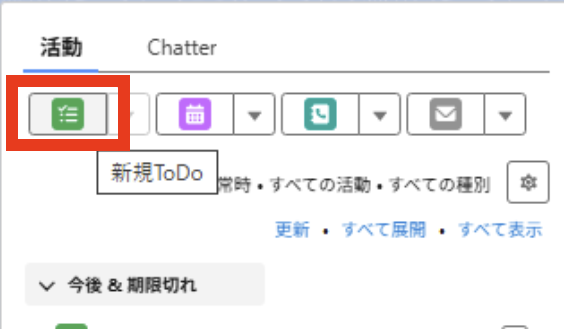
What Is "New Task"?
"New Task" is used to record a scheduled task that is going to be carried out in the future.
Example: Send an e-mail to a client within the next one week.
The status of a ToDo record created using "New Task" is "incomplete" by default. The user must manually change the status to "complete" after the task is completed.
What Is "Log a Call"?
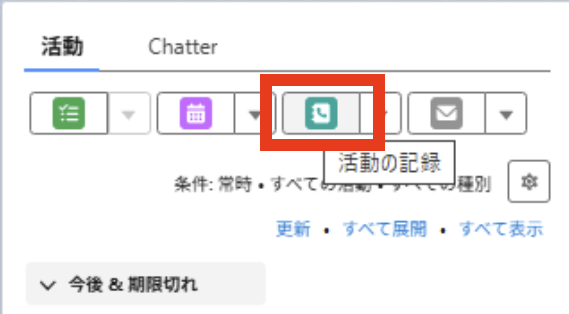
"Log a Call" is used when recording an already completed task after the fact.
Example: Made a telephone call to a customer today.
The status of the ToDo record created with this operation is set to "complete" by default, and is displayed in the "Activity History" when it is registered.
What Is an "Action Object"?
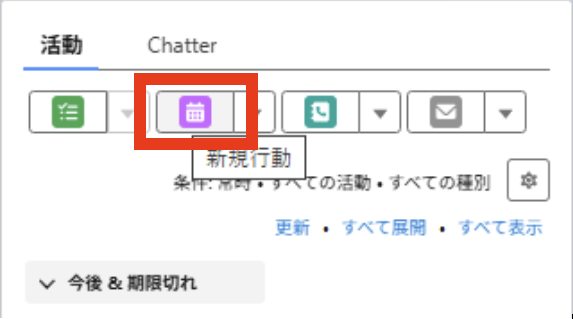
An Action object is an object for managing the schedule for a specific time and date.
Example: August 1 13:00-14:00 Visit Company A.
You can manage your schedule by registering your schedule with specified start and end times.
Additionally, once the specified date and time has passed, the activity record automatically moves from "Open Activities" to "Activity History".
This is a major difference from ToDo records, as ToDo records must be manually changed to "complete".
Zusätzliche Ressourcen
Nummer des Knowledge-Artikels
005123893
Konnten Sie Ihr Problem mithilfe dieses Artikels lösen?
Geben Sie uns Feedback, damit wir uns verbessern können.
