Vælg en organisation
Retain Event Monitoring Event Log Files for Up to One Year
Udgivelsesdato: Aug 11, 2025
Beskrivelse
This blog explains the importance of retaining Event Monitoring logs, how to configure them for up to one year, and how long-term event data can support security, audits, and compliance.
Løsning
Step 1: Enable Extended Retention Period for Event Log Files
Assuming Event Monitoring is already enabled and you want to focus only on retaining Event Monitoring Event Log Files for up to one year, here’s the step-by-step guide:
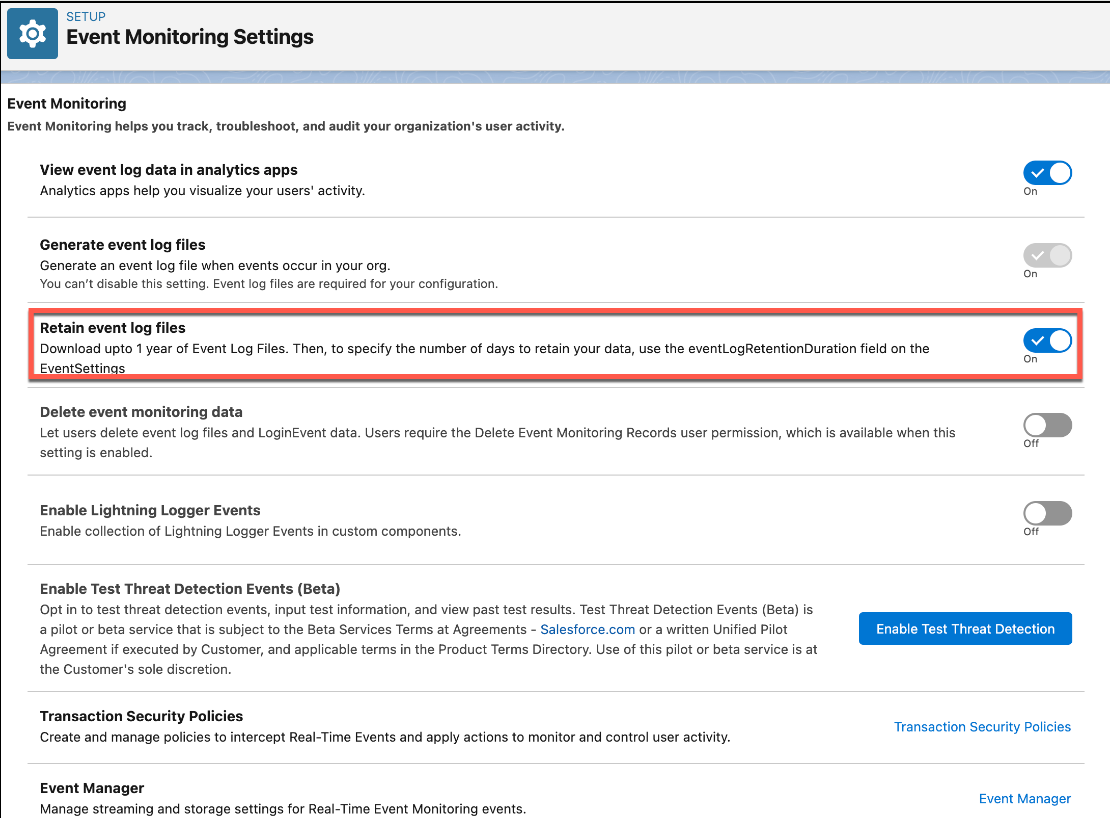
- Navigate to Setup | Security | Event Monitoring | Event Monitoring Settings
- Toggle on the Retain event log files setting
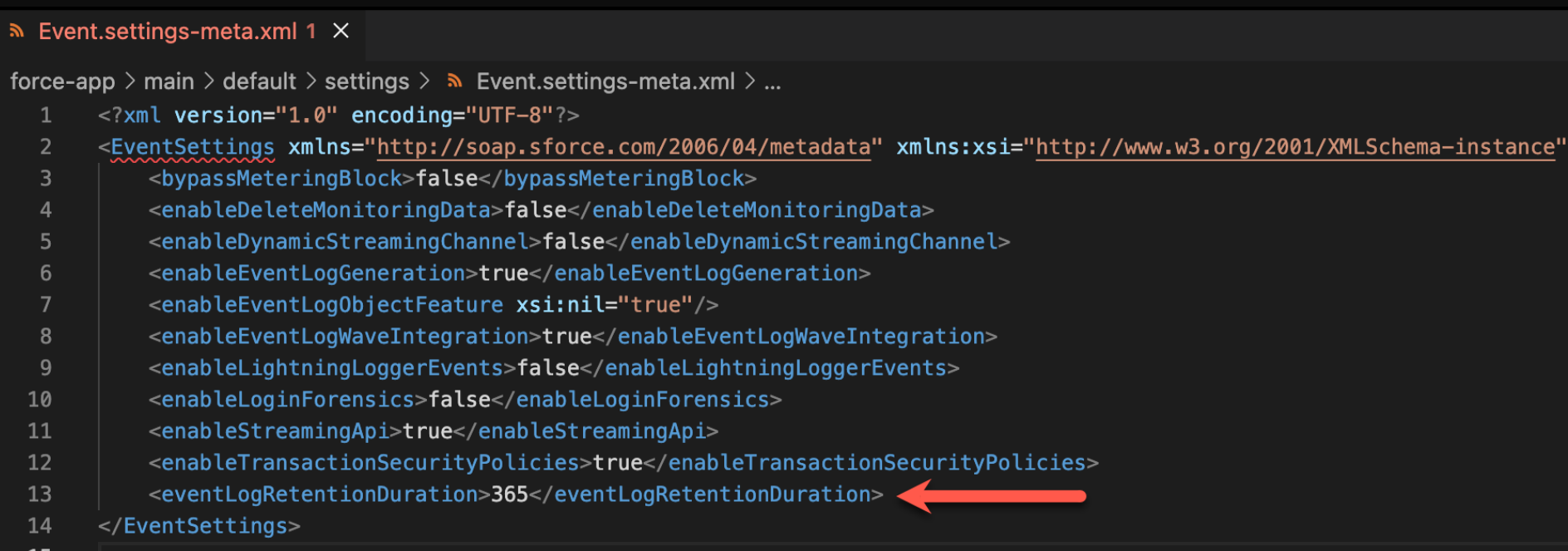
Step 2: To specify how long to retain event log data, set theeventLogRetentionDurationfield in the EventSettingsMetadata API
_________________________________________________________________________________
Written By: Rakesh Gupta | Salesforce MVP
Rakesh is Senior Solution Architect, Salesforce MVP, and Author. With a background in computer science, Rakesh is passionate about solution design and process automation.
Submissions reflect only the opinions of the user who made available the Submission and not the opinions of Salesforce, regardless of whether the user is affiliated with Salesforce, and may contain or constitute products, services, information, data, content and other materials made available by or on behalf of third parties ("Third Party Materials). Salesforce neither controls nor endorses, nor is Salesforce responsible for, any Third Party Materials, including their accuracy, validity, timeliness, completeness, reliability, integrity, quality, legality, usefulness or safety, or any applicable intellectual property rights. Any Submissions made available through any message board or forum in response to posted questions, or that otherwise purports to answer any questions, including any questions about Salesforce or Programs, are made available for your general knowledge only and should never be relied upon as answers to your specific questions (even if an answer is marked as a “best” answer or with any similar qualifications). You should always contact Salesforce support for answers to your specific questions. Salesforce has no control over Submissions, and is not responsible for any use or misuse (including any distribution) by any third party of Submissions.
If you have questions, tap into the wisdom of our entire Trailblazer Community here: https://trailhead.salesforce.com/trailblazer-community/feed
Vidensartikelnummer
005123903
Løste denne artikel dit problem?
Giv os besked, så vi kan forbedre os!
