Organisation auswählen
How to view the client IP in CloudHub 1.0 Mule app behind DLB without enabling DEBUG
Veröffentlichungsdatum: Dec 3, 2025
Voraussetzung(en)
Aufgabe
How can I view the client IP in CloudHub 1.0 Mule app behind DLB without enabling DEBUG?
Schritte
1. Add a 'Message Logging' policy to your Mule application API instance:
Message: #[attributes.headers['X-Real-IP']]
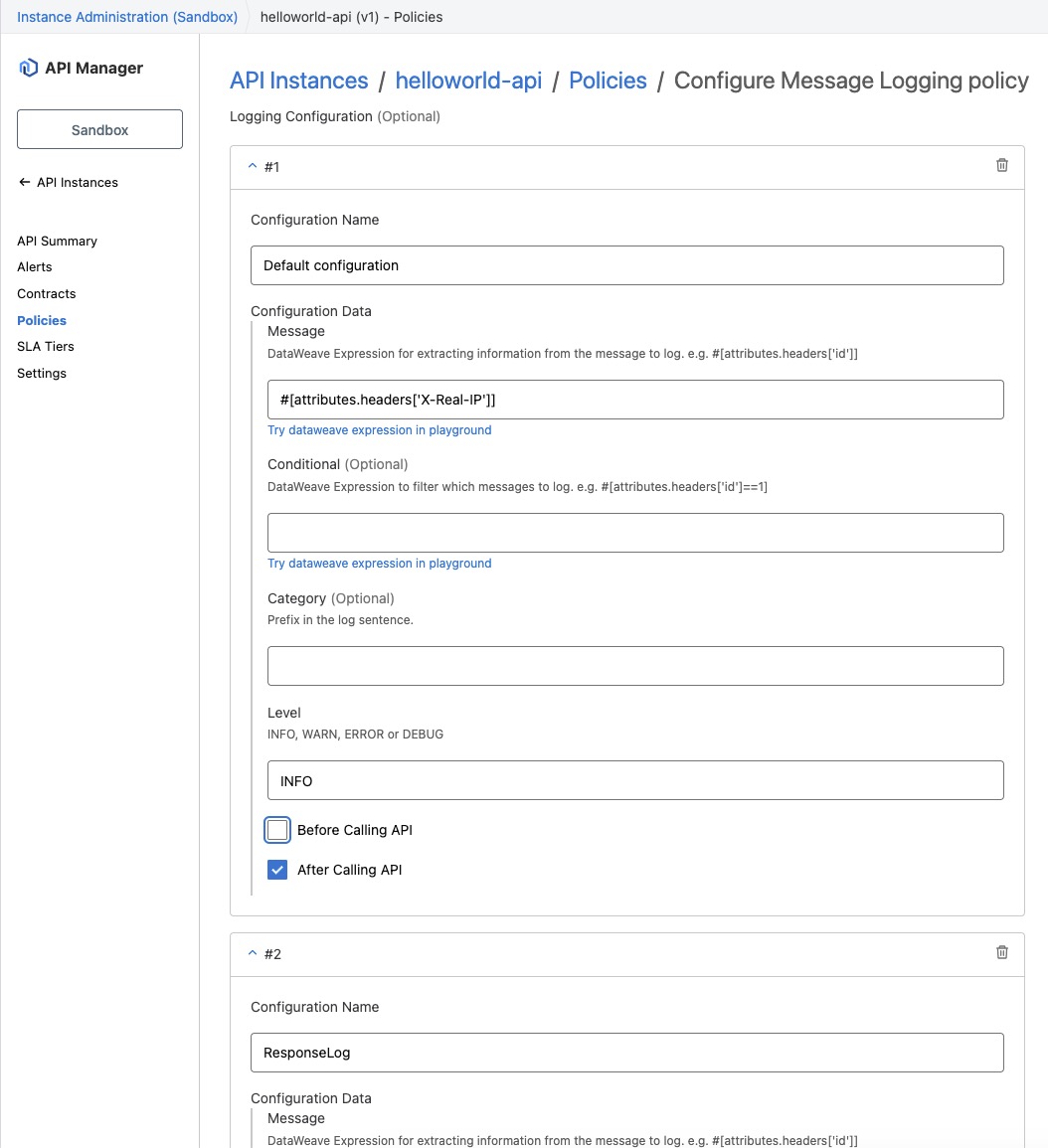
2. Apply the policy and check the application logs for the client IP.
[processor: 6977841-message-logging/source/processors/0/processors/0/processors/0;
event: 51617c70-6ba3-11f0-8b5c-0a103ff05548] org.mule.runtime.logging.policy-6977841: x.x.x.x
INFO  2025-07-28 16:39:26,349 [[MuleRuntime].uber.15:
[message-logging-mule-6977841-jthakur-test-main].6977841-message-logging.CPU_LITE @42336ebc]
[processor: 6977841-message-logging/source/processors/0/processors/0/processors/0;
event: 52eb29b0-6ba3-11f0-8b5c-0a103ff05548] org.mule.runtime.logging.policy-6977841: x.x.x.x
Zusätzliche Ressourcen
DLB will send the following header to Mule apps, you can view it by enabling DEBUG or applying the Message Logging policy:
X-Real-IP:
X-Forwarded-For:
Nummer des Knowledge-Artikels
005131267
Konnten Sie Ihr Problem mithilfe dieses Artikels lösen?
Geben Sie uns Feedback, damit wir uns verbessern können.
