Velg en organisasjon
How to update Implementation Asset version for a policy using API call
Publiseringsdato: Aug 6, 2025
Beskrivelse
In the API Manager for any API, if we have policies applied, we can check if its implementation policy versions are up to date by clicking the three-dot menu in the policy, and we can see the option "Check for implementation updates." 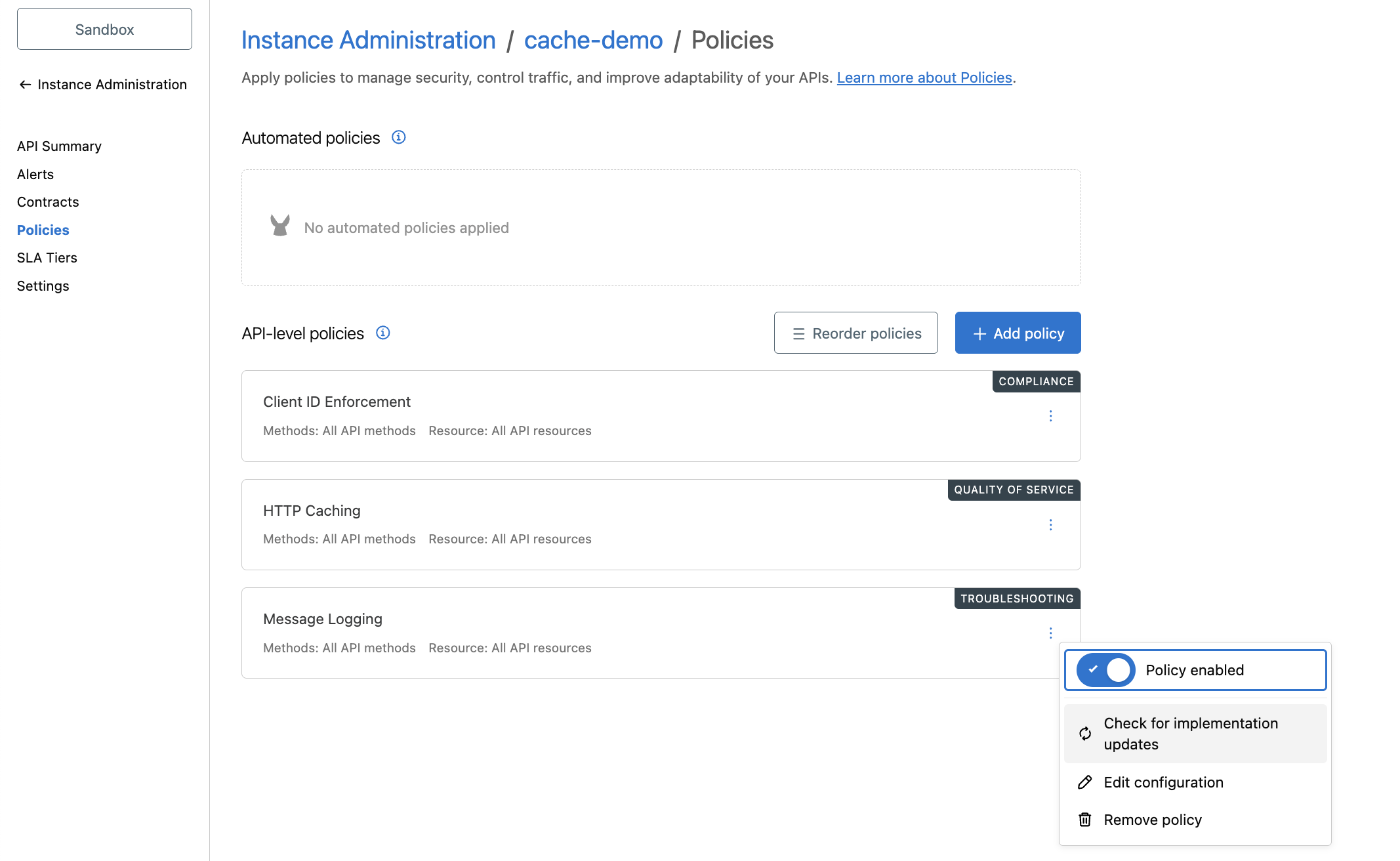
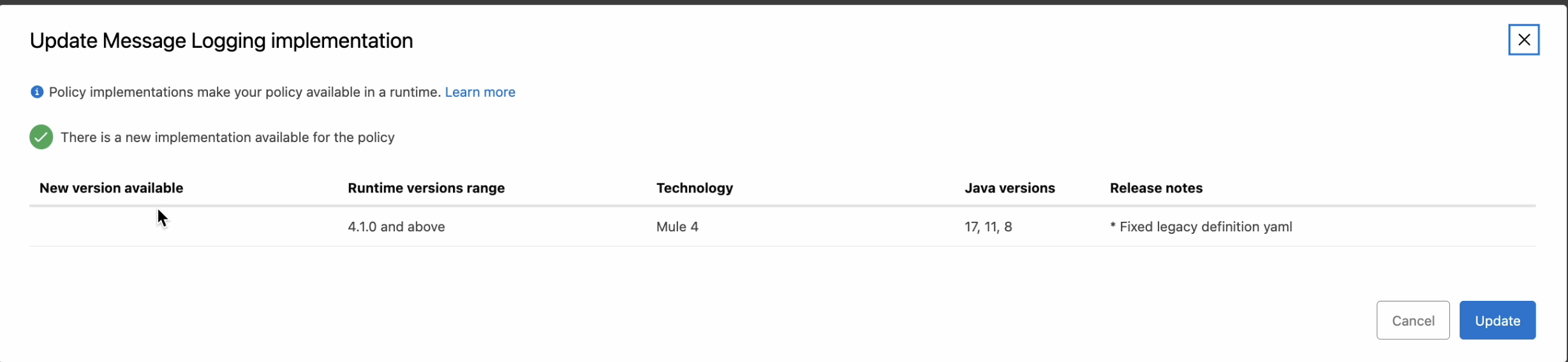
If we click that option and there are any pending implementation updates, we can see the message "There is a new implementation available for the policy," which we can choose to update manually. We can also utilise the API below in case we have any automations at our organisation.
https://anypoint.mulesoft.com/exchange/portals/anypoint-platform/f1e97bc6-315a-4490-82a7-23abe036327a.anypoint-platform/api-manager-api/minor/1.0/console/method/%236463/
CURL Command for the above API would look something like below. The easiest way to form the URL is use the browser URL values when you are inside the policy for the API in Anypoint Platform.
curl --location --request POST 'https://anypoint.mulesoft.com/apimanager/api/v1/organizations/{PutOrgIdHere}/environments/{PutEnvironmentIdHere}/apis/{PutAPIIdHere}/policies/{PutPolicyIdHere}/implementationAsset' \
--header 'Authorization: Bearer {PutBearerTokenHere}’
A successful request will upgrade the implementation policy as well as return a 201 created response.
Note: If you are using the EU Control Plane, change the host accordingly to eu1.anypoint
Flere ressurser
https://help.mulesoft.com/s/article/How-to-generate-your-Authorization-Bearer-token-for-Anypoint-Platform
https://help.mulesoft.com/s/article/How-to-get-the-Environment-ID
https://help.salesforce.com/s/articleView?id=001115247&type=1
Knowledge-artikkelnummer
005131358
Hjalp denne artikkelen med å løse problemet ditt?
La oss få vite det slik at vi kan forbedre!
