Seleccionar una organización
Tableau Pulse: Goals and Thresholds Best Practices
Fecha de publicación: Sep 24, 2025
Descripción
What are goals and thresholds in Tableau Pulse?
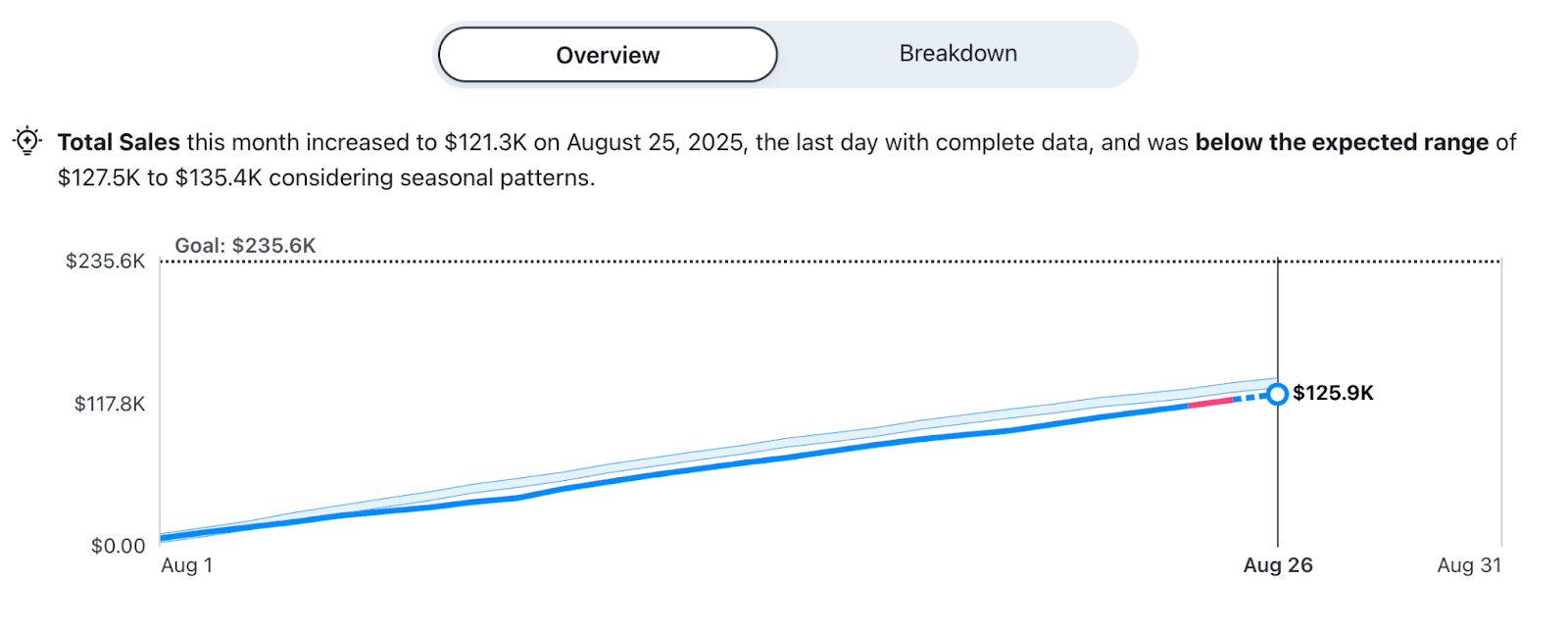
Tableau Pulse supports the application of both goals and thresholds on metrics. While goals allow you to track metric progress to a specific target for a given time range, thresholds allow you to track metric progress relative to a limit or critical point.
What are some common business use cases for goals and thresholds?
-
Track website traffic against goal
-
Track customer satisfaction score against goal
-
Track marketing campaign conversions against goal
-
Track sales against goal
-
Track inventory levels against re-order threshold
-
Track system uptime against threshold
-
Track budget spending against threshold
What goals and threshold types does Tableau Pulse support?
-
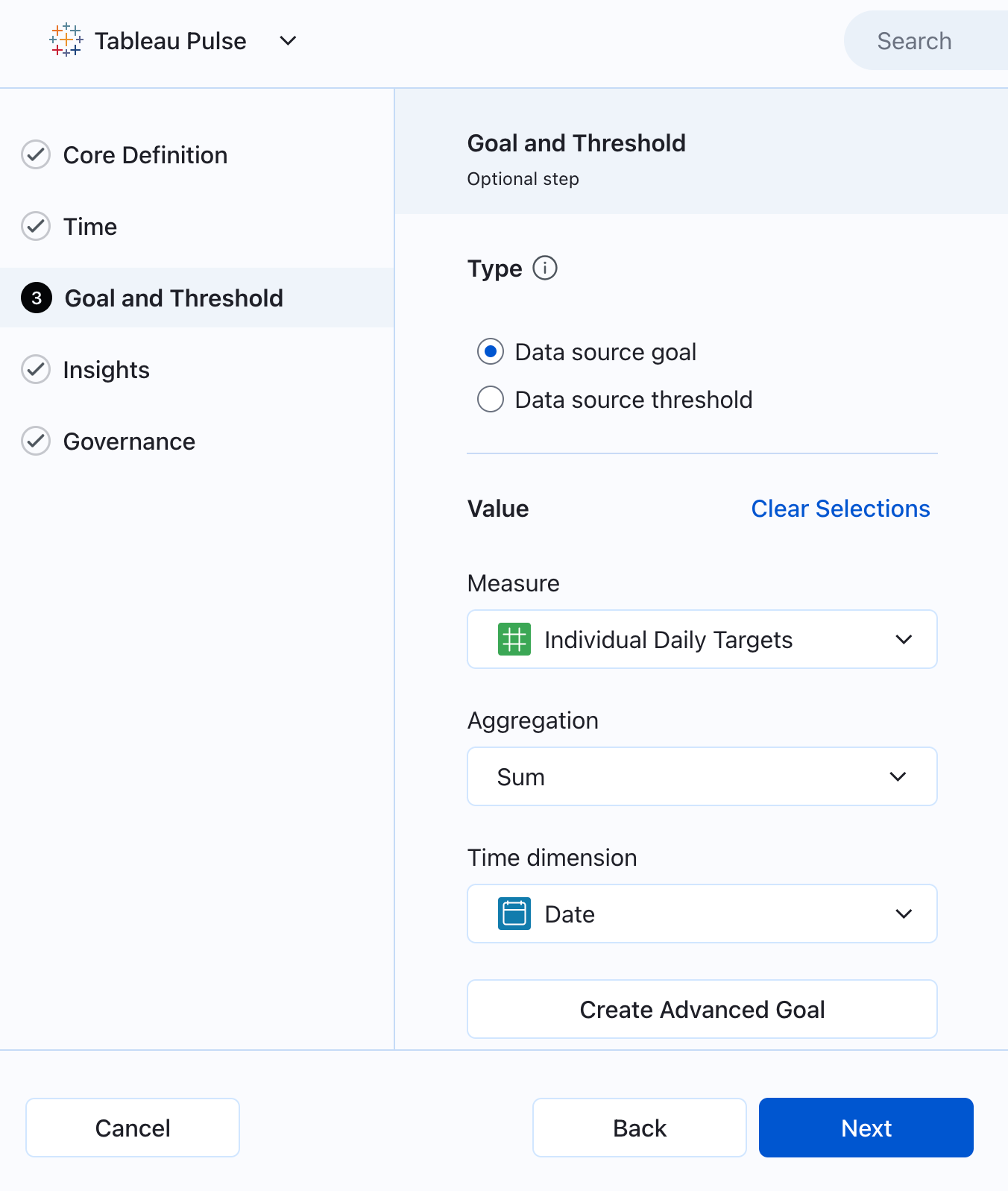
Data Source Goals and Thresholds: In the metric definition, specify a data source field that holds goal or threshold values. These values will then dynamically apply to all associated metrics.
-
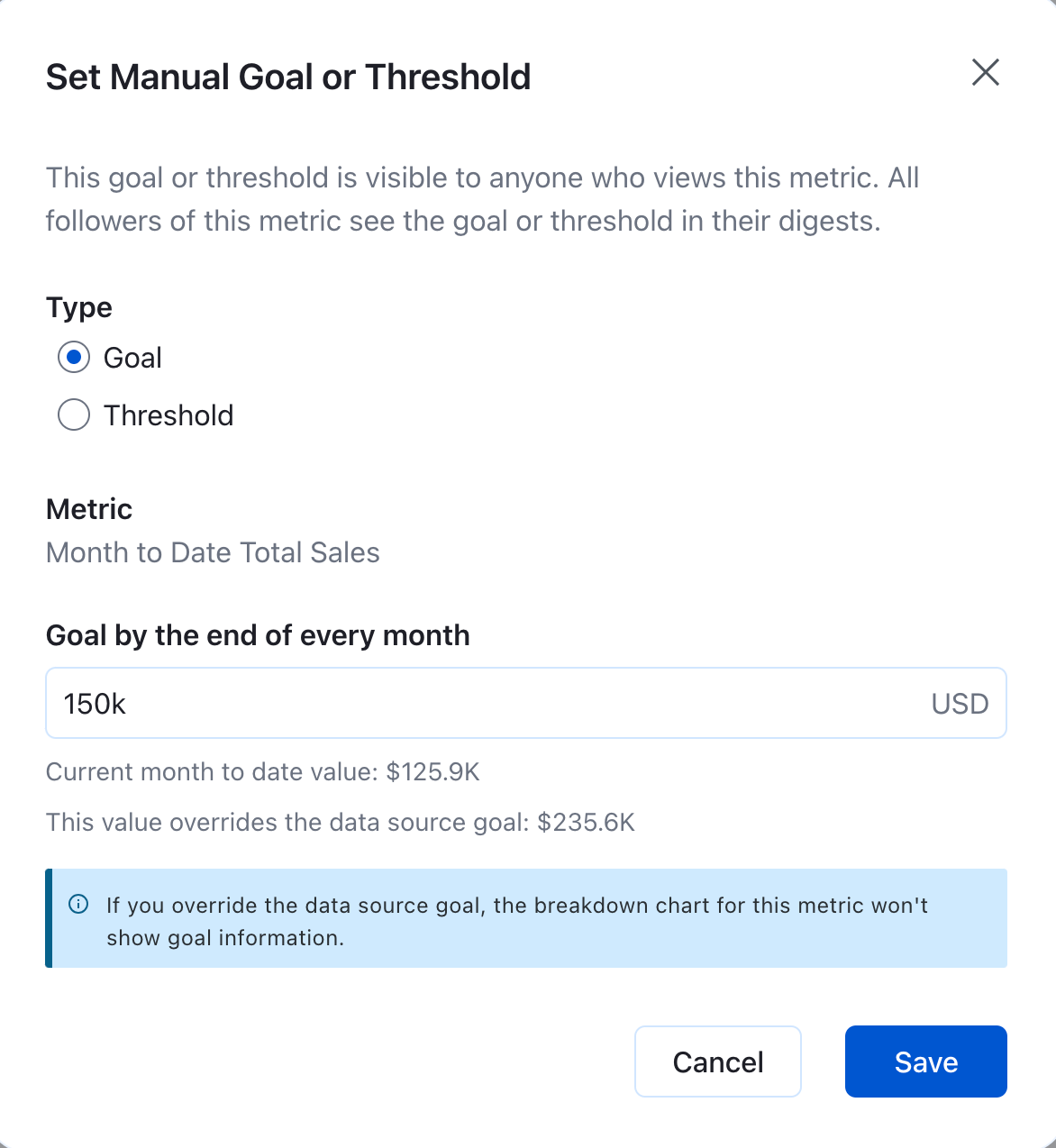
Manual Goals and Thresholds: On the insight exploration page for a given metric, set a custom goal or threshold value.
What are best practices for using goals and thresholds in Tableau Pulse?
-
Define Clear Objectives: Before setting any goals or thresholds, clearly define what you want to achieve or monitor. This ensures your metrics are meaningful and actionable.
-
Understand Manual vs. Data Source Goals: Know when to use each. Data source goals are ideal for consistent and organization-wide targets, while manual goals offer flexibility for specific and ad-hoc targets. The same rule applies to thresholds.
-
Manage Permissions: Safeguard metrics by implementing permissions for who can edit data source goals/thresholds ('definition editor') and manual goals/thresholds ('manual goal and threshold editor').
-
Structure Your Data Appropriately: For optimal use of data source goals or thresholds, ensure your data source has a dedicated field for the goal or threshold and corresponding time dimension.
-
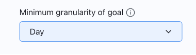
Consider the Granularity: If setting a data source goal or threshold, consider the granularity of the values in the data source and ensure that you select the respective granularity in the metric definition for best results. Tableau Pulse supports different metric and goal/threshold granularities in the metric definition, so choose what makes the most sense for accurate tracking.
-
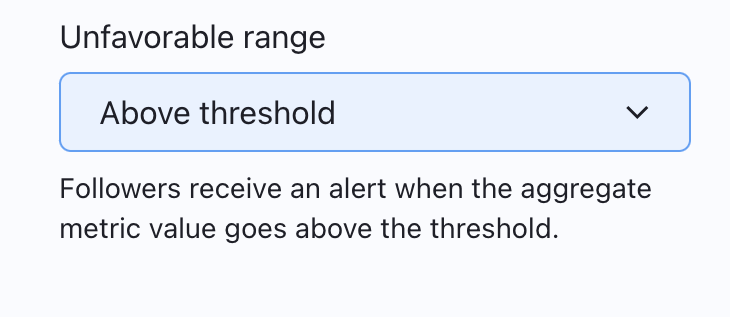
Configure Alerts: Use threshold alerts to proactively identify when the aggregate metric value crosses into an unfavorable zone. Define the "unfavourable range" (above or below threshold) field to enable threshold alerts which will then get propagated to all applicable digest workflows. Alerts refresh every 24 hours.
-
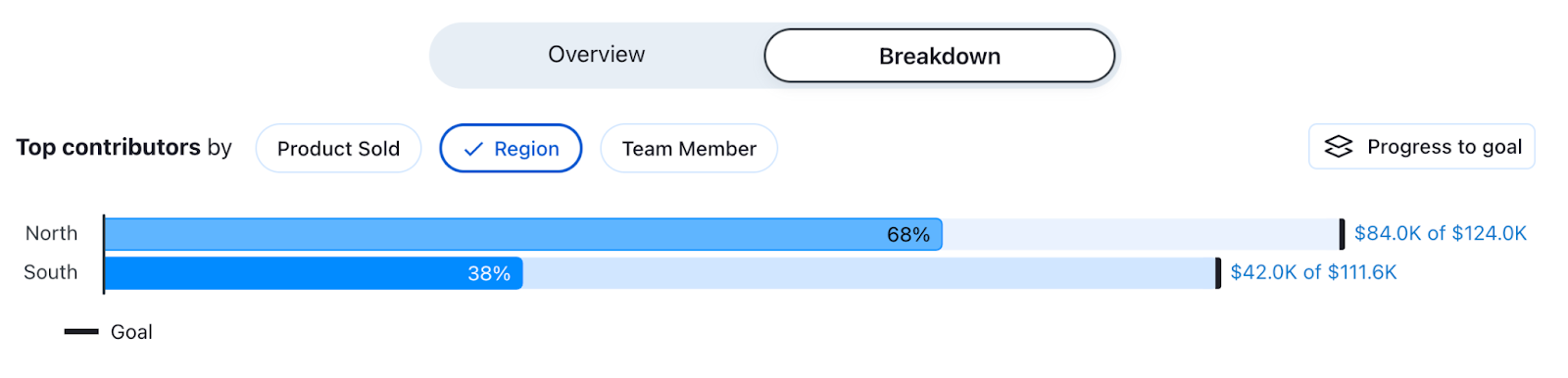
Leverage Breakdown Insights: If setting a data source goal or threshold, utilize the goal and threshold breakdown insight to understand which dimensions are contributing positively or negatively to metric progress. This helps in identifying root causes and informing actions.
-
Consider Filter Inheritance: Be aware of how definition filters are applied. Data source goals or thresholds will automatically inherit filters from the core definition, but advanced goals or thresholds will require manual filter application.
Review and Adjust Regularly: Regularly review their effectiveness and adjust them as business priorities or data trends change.
Recursos adicionales
Número del artículo de conocimiento
005132045
¿Resolvió este artículo su problema?
¡Háganos saber cómo podemos mejorar!
