Vælg en organisation
Error 500: Invalid Metadata or Data When Using Legacy Named Credentials for Snowflake Connection in CRM Analytics
Udgivelsesdato: Apr 30, 2026
Beskrivelse
When attempting to use Legacy Named Credentials to establish a Snowflake input connection in CRM Analytics, the following error occurs:
error: "Something went wrong while executing the remoteSync_TEST__C node: WCA Invalid metadata or data: 'TEST__C' [error category: USER]: WCA Error. Received http '500'. {"errorMsg":"Please make sure Named Credential [NCSnowflakeTest] is authenticated and set Identity Type as Named Principle"} (02Kxxxxxxxxxxxx_03Cxxxxxxxxxxxx_xxx)"
Løsning
- Use Non-Legacy Named Credentials
a. As outlined in the Salesforce documentation, legacy named credentials are no longer updated or enhanced.
b. It is strongly recommended to configure a non-legacy Named Credential for Snowflake connections. - Configure Snowflake Settings
a. Follow the steps in the Snowflake connector setup guide to create and configure the new Named Credential.
b. Verify that the Named Credential shows the status Authenticated. - Assign Access to Profiles/Permission Sets
a. Ensure that the External Credential (e.g., Snowflake) has been assigned to the appropriate profile or permission set - Re-Test the Connection
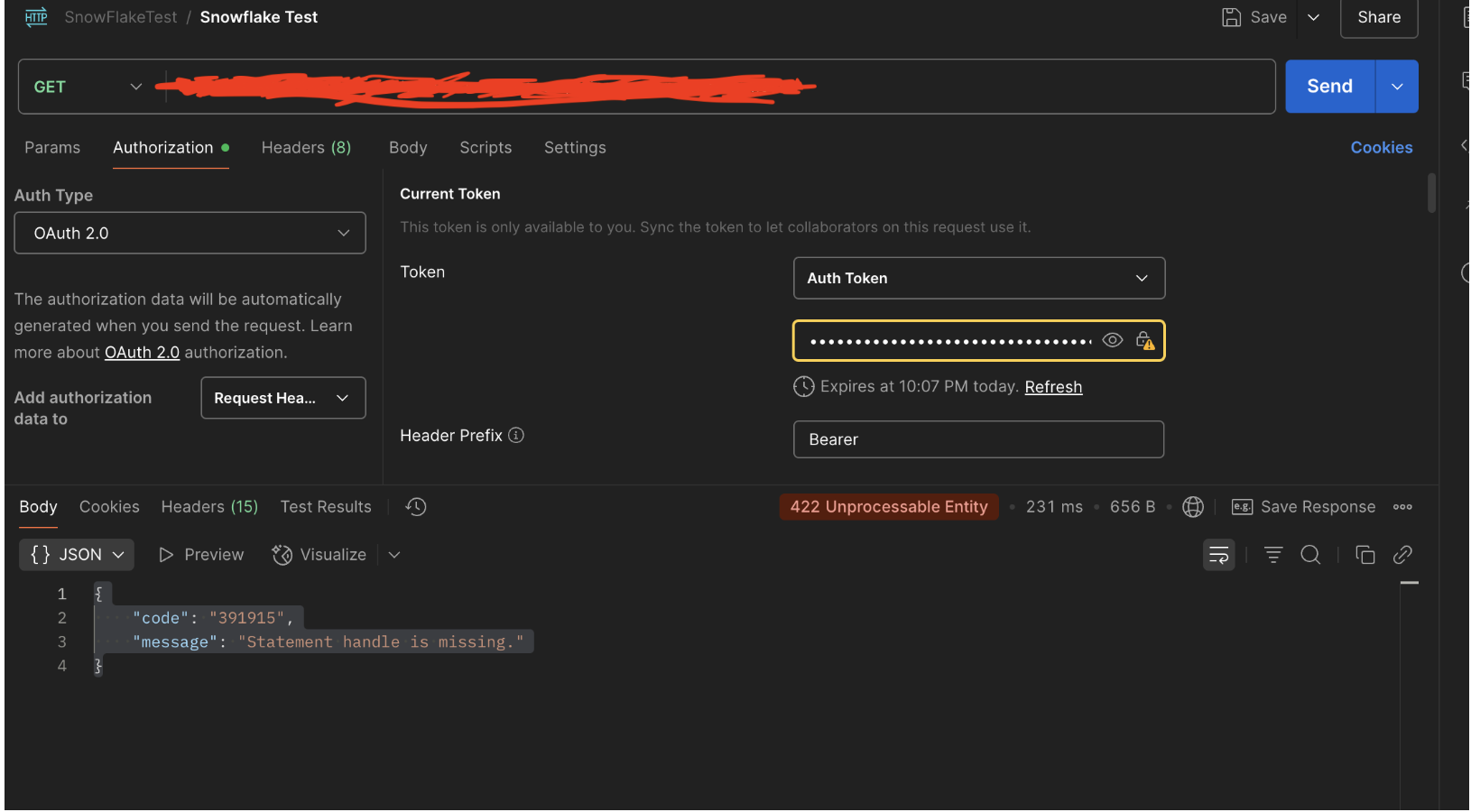
a. After granting the required access, retry the Snowflake connection in CRM Analytics. - Validate the connection using Postman and verify the Snowflake connection through DBeaver
Note: Please note that since DBeaver is a third-party tool, some customer environments may not allow its installation due to internal security policies.
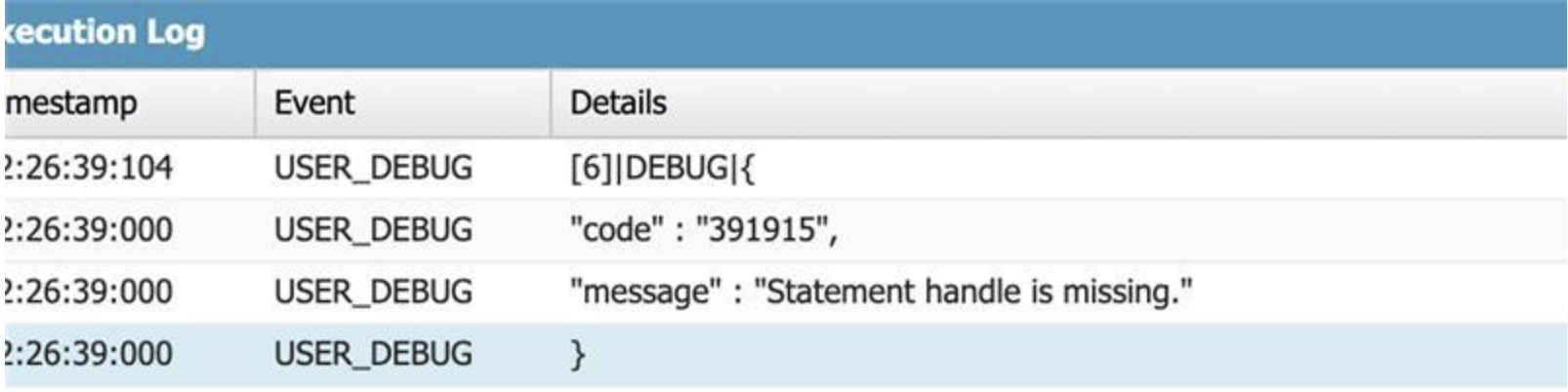
In such cases, customers may use the Salesforce Developer Console to run the below script in order to validate the callout status.
To validate the Named Credential callout, open the Salesforce Developer Console and execute an anonymous Apex script that sends a GET request to the Snowflake endpoint using the callout syntax. The response body will indicate whether the credential is correctly authenticated.
HttpRequest req = new HttpRequest ();
req.setEndpoint('callout:Snowflake'); //Snowflake
req.setMethod('GET');
req.setHeader('Accept','application/json');
HTTPResponse res = new Http().send(req);
System.debug(res.getBody());
Yderligere ressourcer
The issue is not related to CRM Analytics. The endpoint in the concerned API does not belong to Salesforce. We kindly request that you reach out to the external provider (e.g., Snowflake) for further support, as the API has been developed and maintained by their team. They will be the best point of contact to explain why the request is failing.
If the issue is found to be related to CRM Analytics or the Salesforce side, we will investigate it further.
Vidensartikelnummer
005132454
Løste denne artikel dit problem?
Giv os besked, så vi kan forbedre os!
