Seleccionar una organización
How to Find and Modify Text Values in Custom Metadata Types in Salesforce
Fecha de publicación: Sep 2, 2025
Descripción
This article provides a step-by-step guide on how to locate and edit the text values of a field within a Custom Metadata Type in Salesforce.
Solución
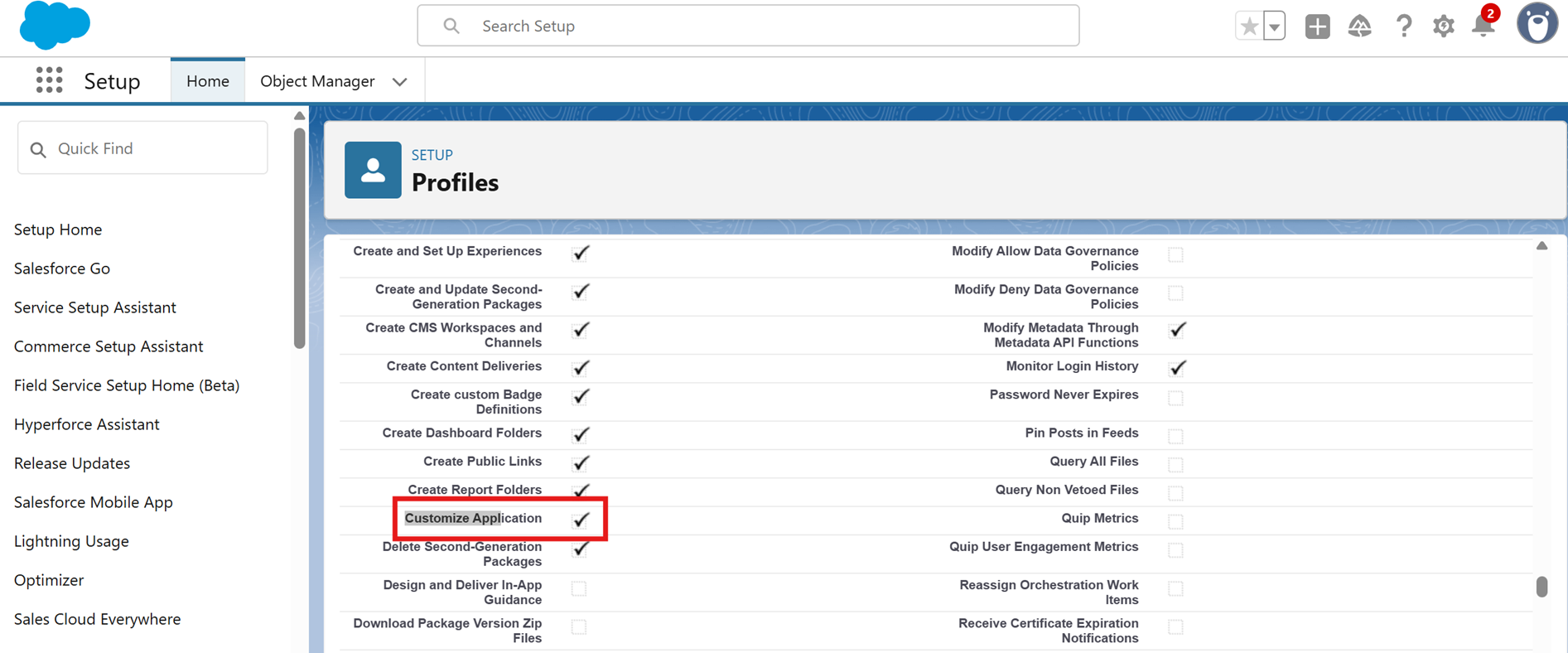
Prerequisite: Ensure users have Customize Application Permission checked under System Administrator Profile.
- Navigate Setup | Profiles
- Mark the Customize Application checkbox as checked Under Profiles
Step 1: Locating Custom Metadata Type
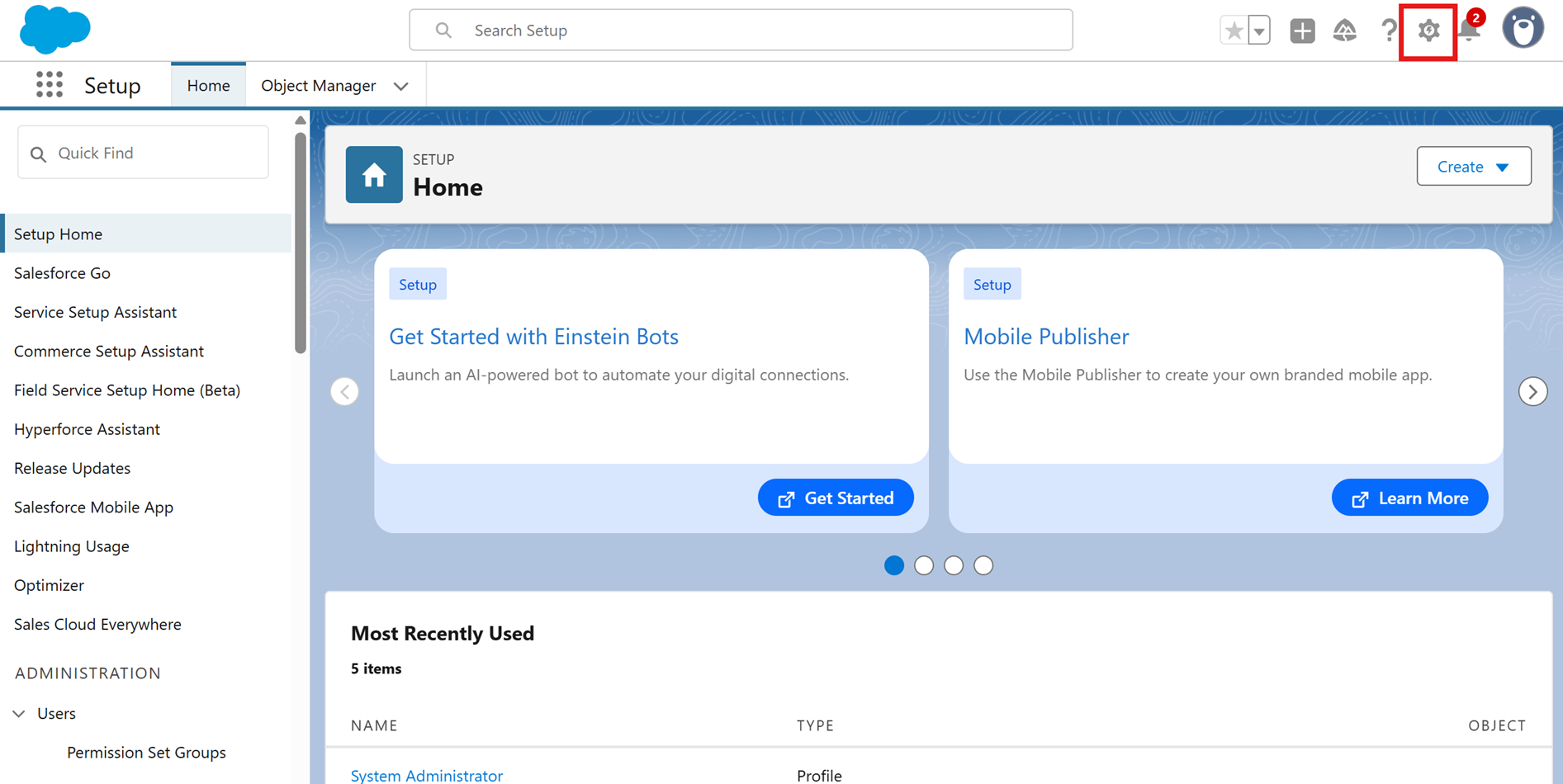
- Click the Gear icon in the upper upper-right corner
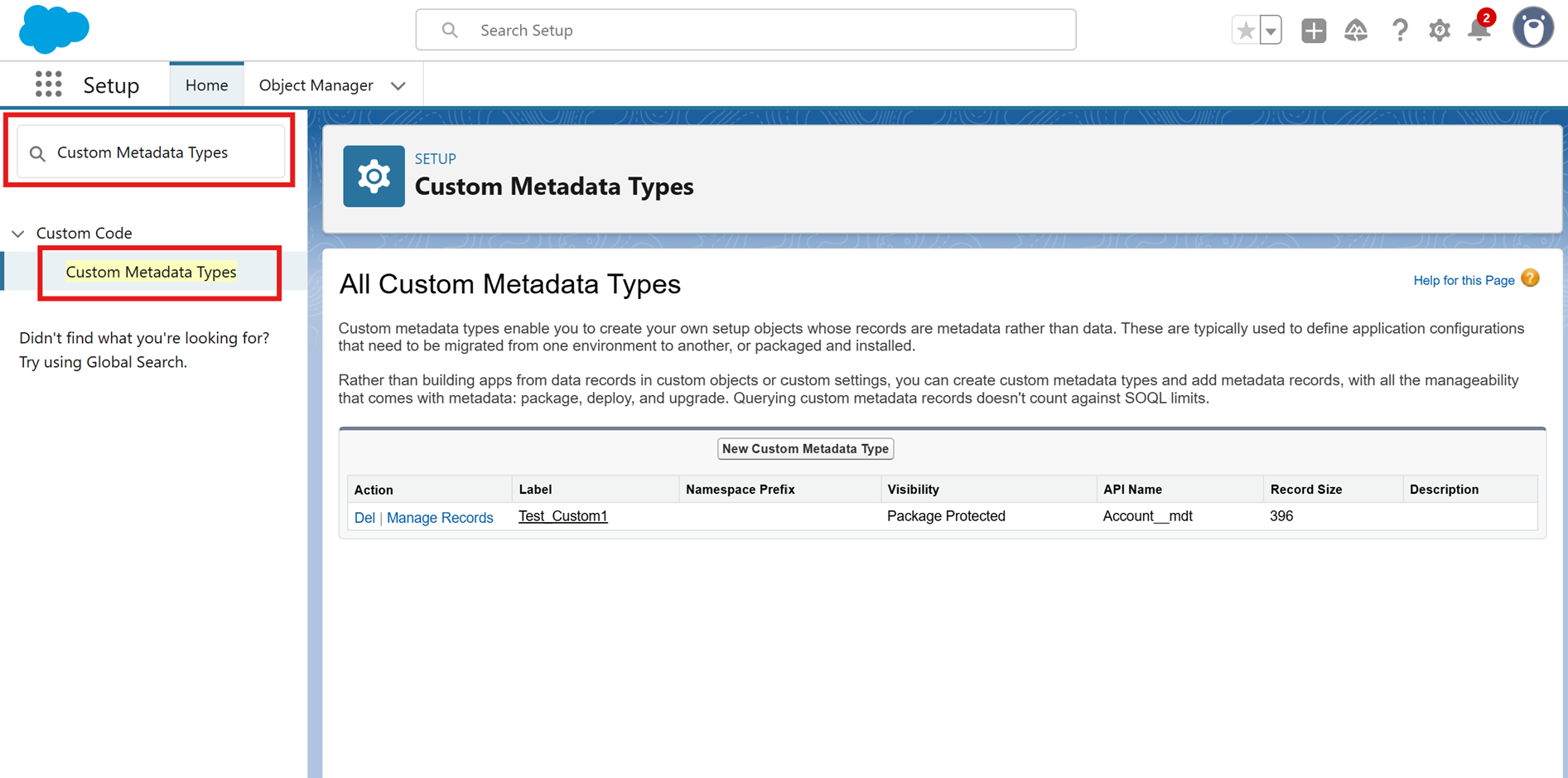
- In the Quick Find box, type Custom Metadata Types
Step 2: Click on the Label of the specific Custom Metadata Type you need to edit
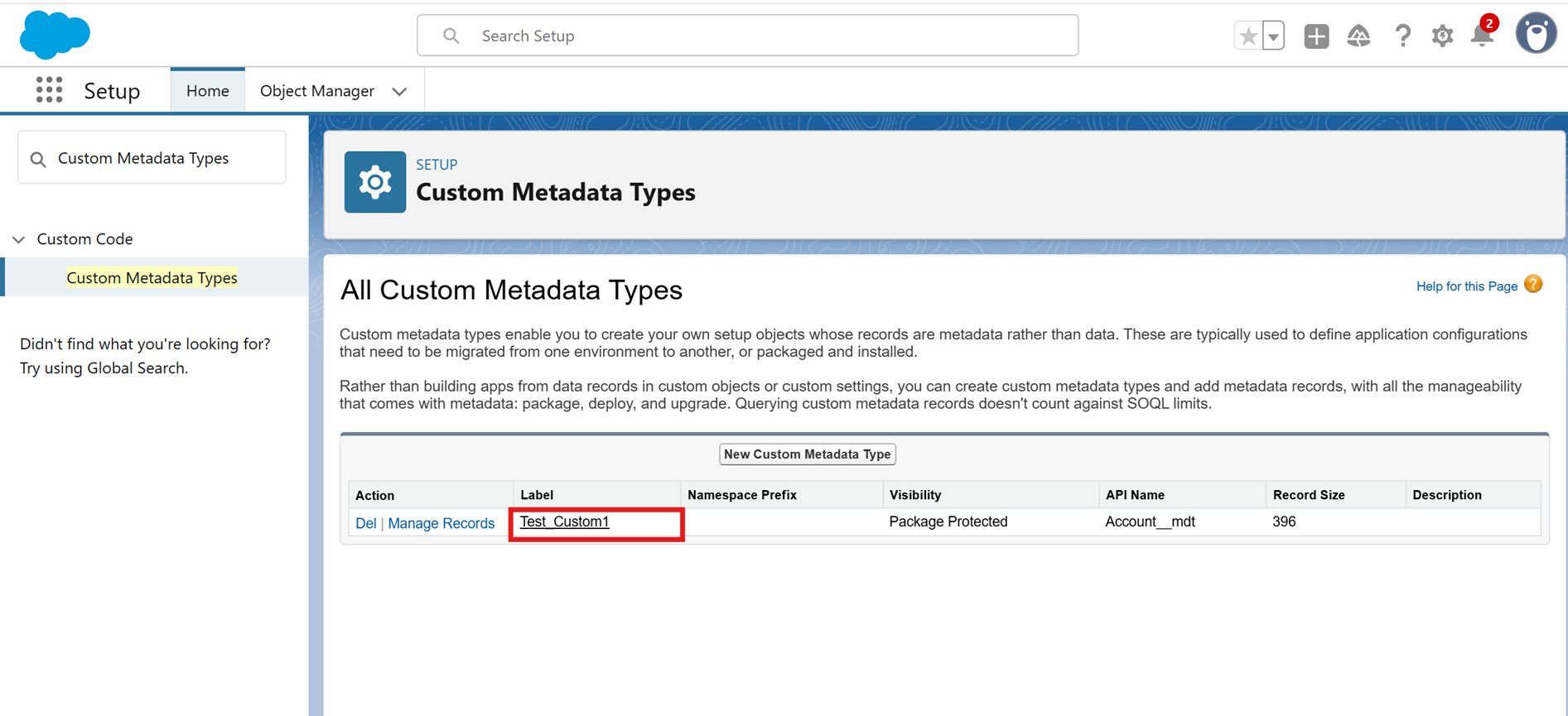
Step 3: Click the Manage Records button
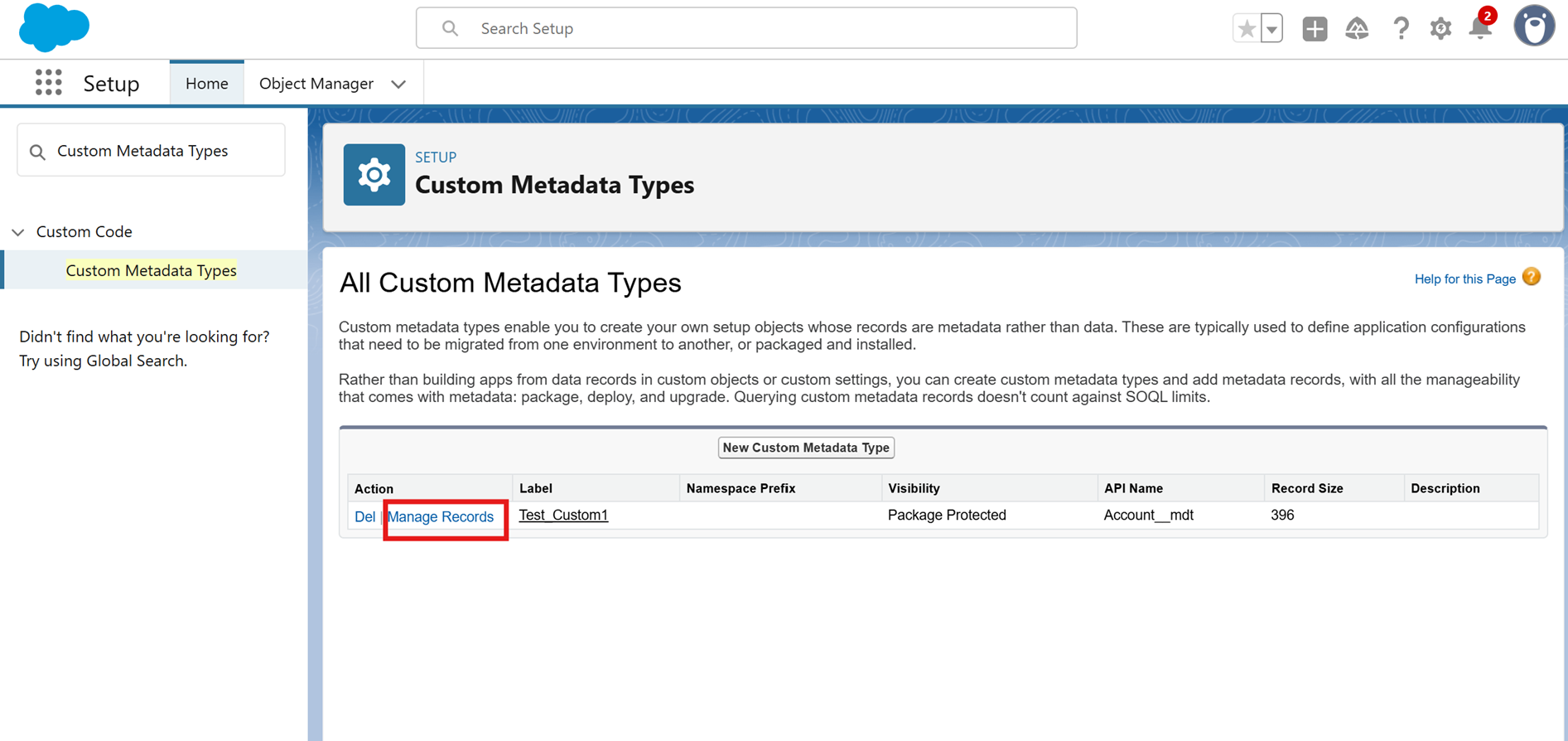
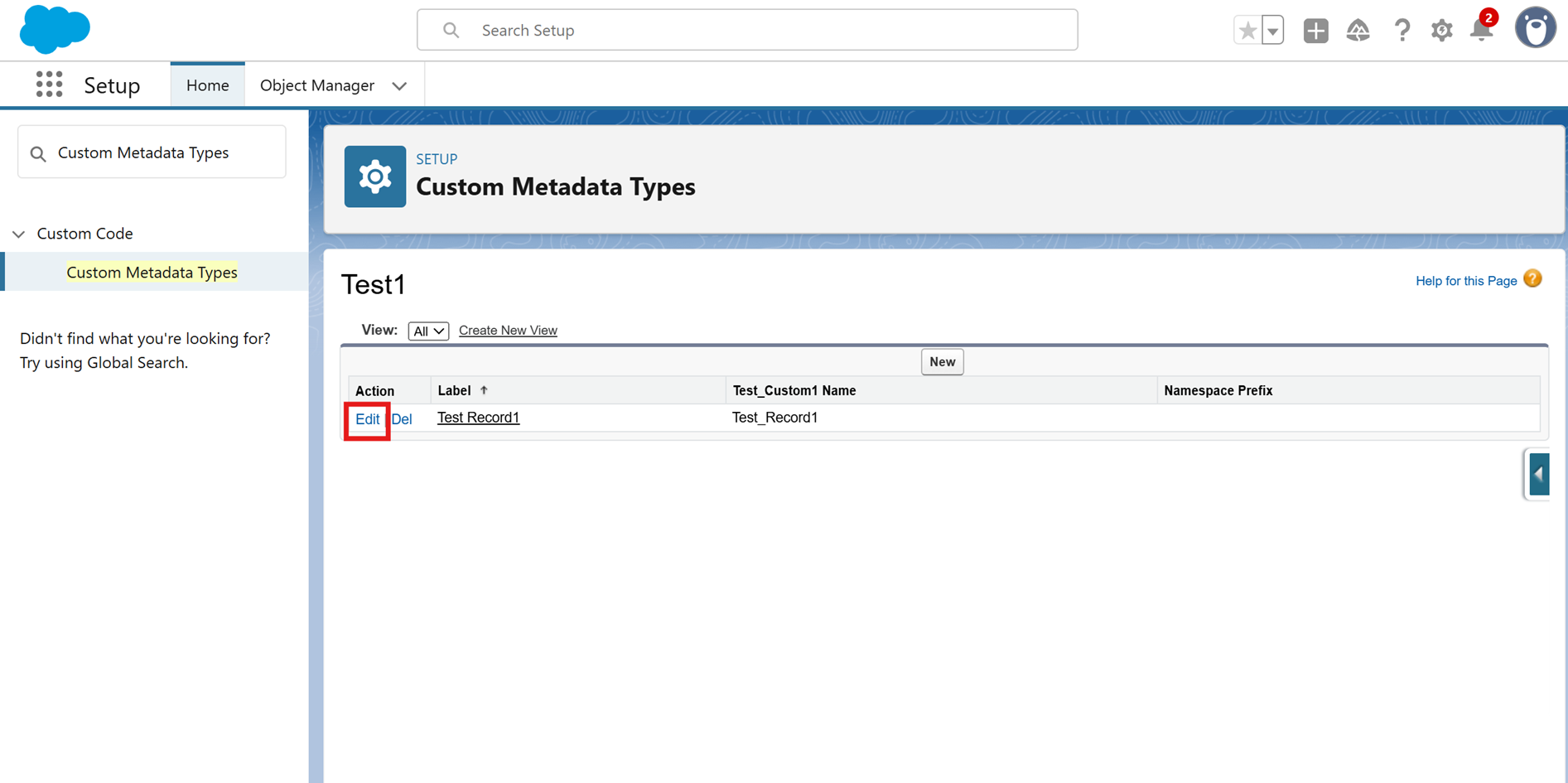
Step 4: Find the record you want to modify and click Edit
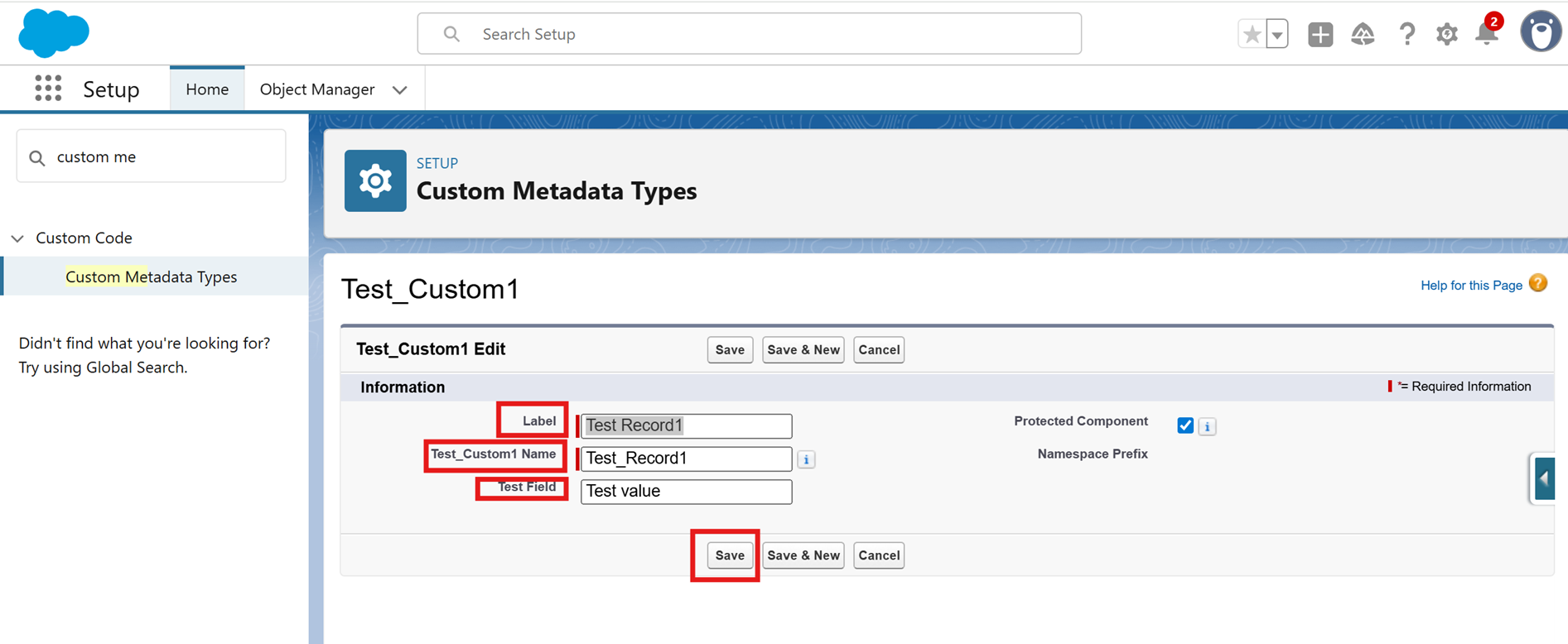
Step 5: Change the text value in the field as needed and click on Save button
_____________________________________________________________________________________
Written By: Mohit Agarwal | Forum Ambassador
Mohit Kumar Agarwal is a Salesforce Product Line Architect at Dell Technologies with more than 15 years of experience in the Salesforce ecosystem. Mohit has 15 Salesforce certifications and is among the Top 10 Best Answers leader in the Trailblazer Community
Submissions reflect only the opinions of the user who made available the Submission and not the opinions of Salesforce, regardless of whether the user is affiliated with Salesforce, and may contain or constitute products, services, information, data, content and other materials made available by or on behalf of third parties ("Third Party Materials). Salesforce neither controls nor endorses, nor is Salesforce responsible for, any Third Party Materials, including their accuracy, validity, timeliness, completeness, reliability, integrity, quality, legality, usefulness or safety, or any applicable intellectual property rights. Any Submissions made available through any message board or forum in response to posted questions, or that otherwise purports to answer any questions, including any questions about Salesforce or Programs, are made available for your general knowledge only and should never be relied upon as answers to your specific questions (even if an answer is marked as a “best” answer or with any similar qualifications). You should always contact Salesforce support for answers to your specific questions. Salesforce has no control over Submissions, and is not responsible for any use or misuse (including any distribution) by any third party of Submissions.
If you have questions, tap into the wisdom of our entire Trailblazer Community here: https://trailhead.salesforce.com/trailblazer-community/feed
Número del artículo de conocimiento
005132564
¿Resolvió este artículo su problema?
¡Háganos saber cómo podemos mejorar!
