Выбрать организацию
Google Sheets Extract Refresh Fails on Tableau Public
Дата публикации: Aug 26, 2025
Описание
Google Sheets workbook extracts could fail to refresh on Tableau Public.
Решение
To resolve this issue, affected users must refresh their credentials and republish their workbooks from the Tableau Desktop application as demonstrated below.
Reconnect to Google Drive from Desktop
-
From Tableau Desktop, open the workbook that has the issue.
-
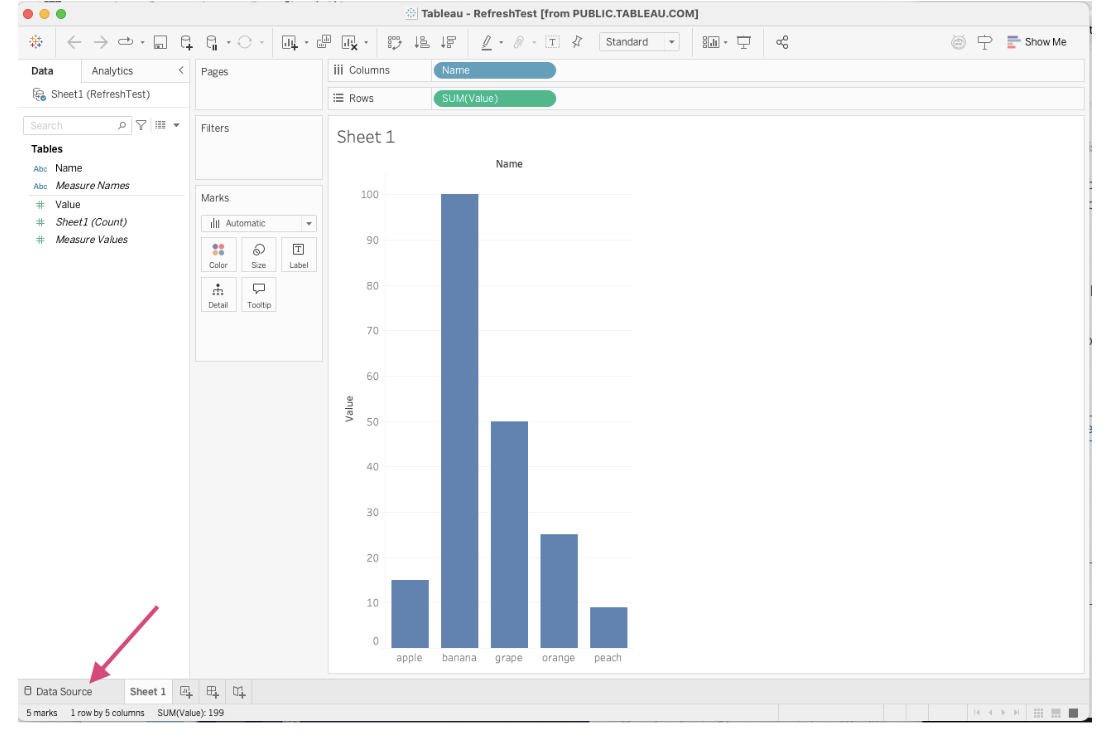
Select Data Source at the footer menu. A browser window will open for you to sign in with your Google account.
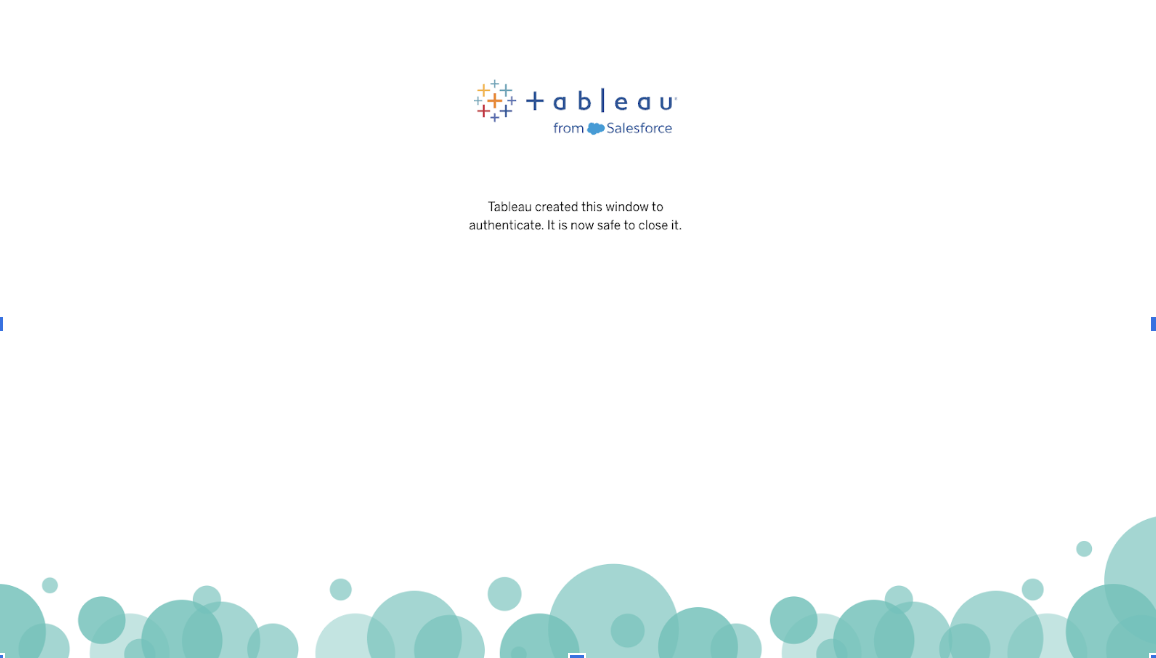
- Follow the steps in the browser to complete the sign-in. You’ll see a message similar to the following.
-
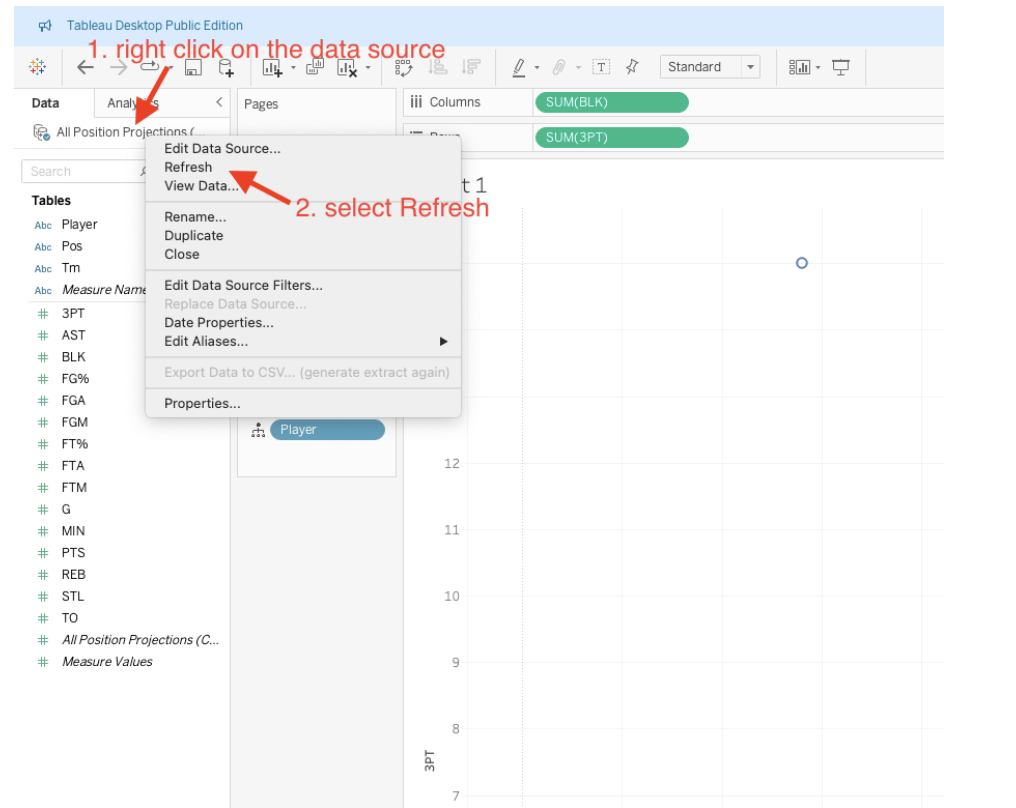
After you sign in, refresh the data source by right-clicking on your data source and selecting Refresh.
-
Return to the sheet, and you should see the data refreshed. Then, publish the workbook to Tableau Public.
-
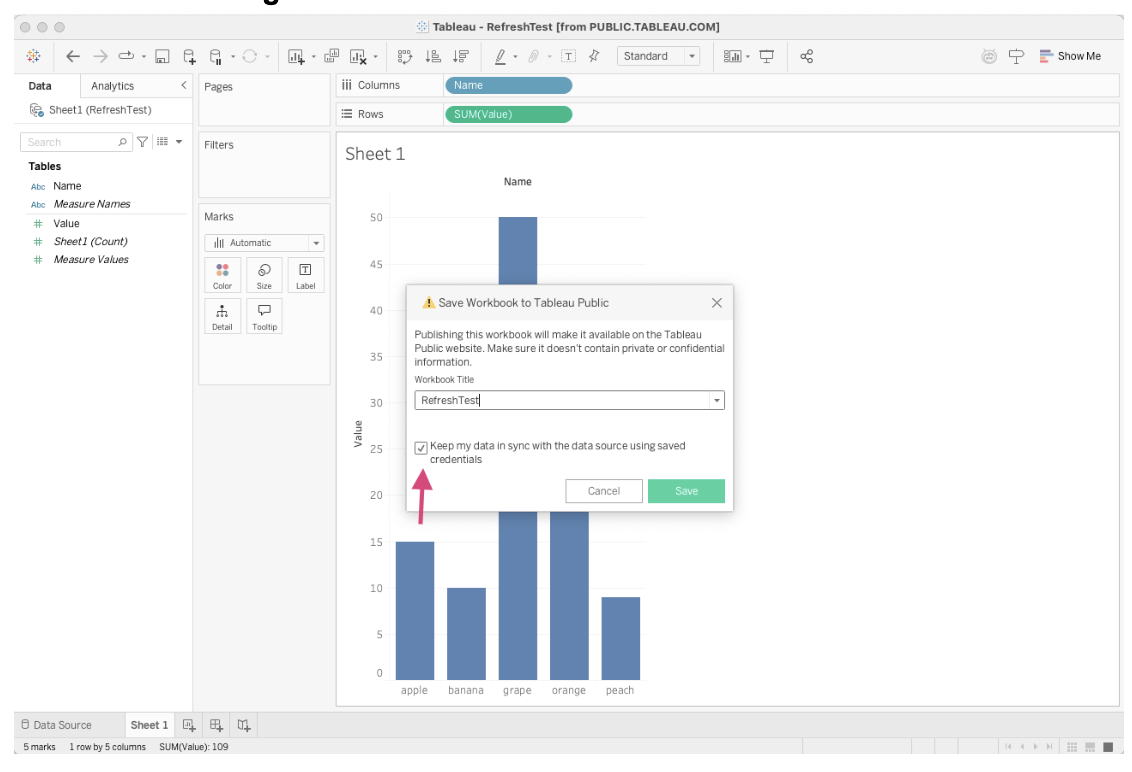
Be sure to select the checkbox for Keep my data in sync with the data source using saved credentials.
-
-
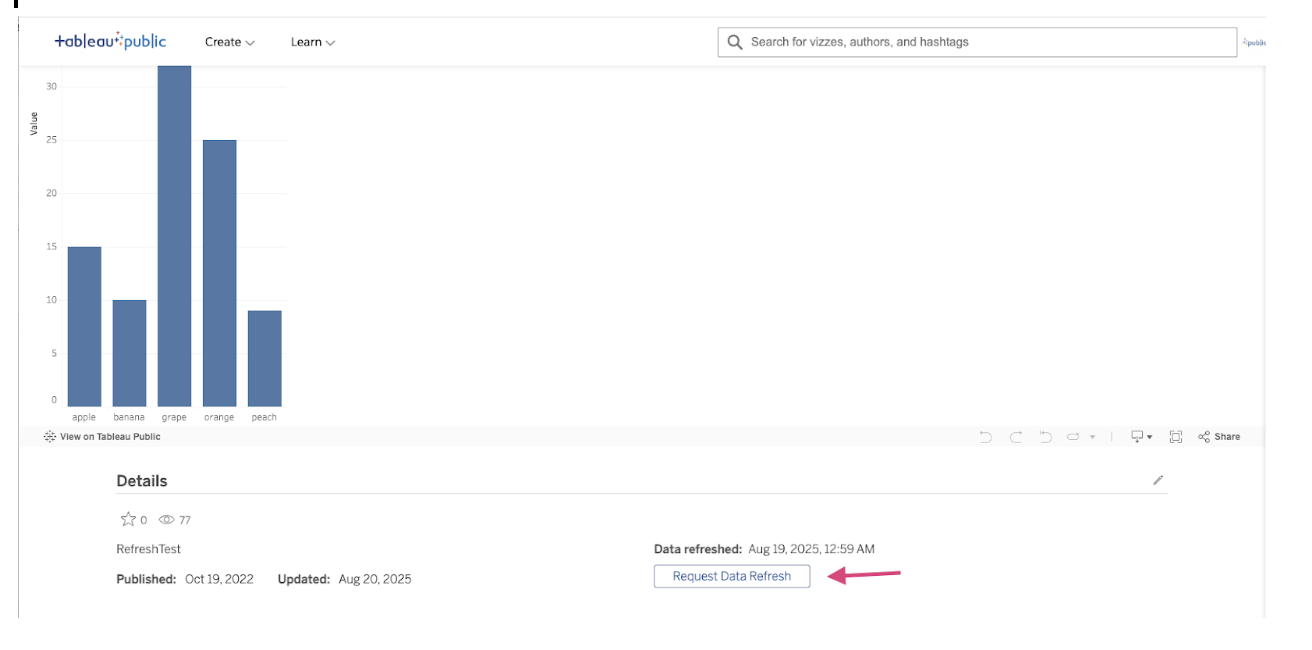
Once the publish is complete, the Request Data Refresh button should appear again below the viz.
Номер статьи базы знаний
005133038
Эта статья решила вашу проблему?
Оставьте свой отзыв, чтобы мы могли стать лучше!
