Select An Org
Unable to Select User from Lookup Field on Vf Pages (e.g., cgcloud__Org_Unit_User__c, cgcloud__Substitute__c) When Digital Experiences is Enabled
Publish Date: Aug 29, 2025
Description
When Digital Experiences is enabled, Visualforce pages for objects like cgcloud__Org_Unit_User__c and cgcloud__Substitute__c with user lookup fields display an additional user type picklist. This can cause UI layout issues that prevent the user lookup search popup from opening. 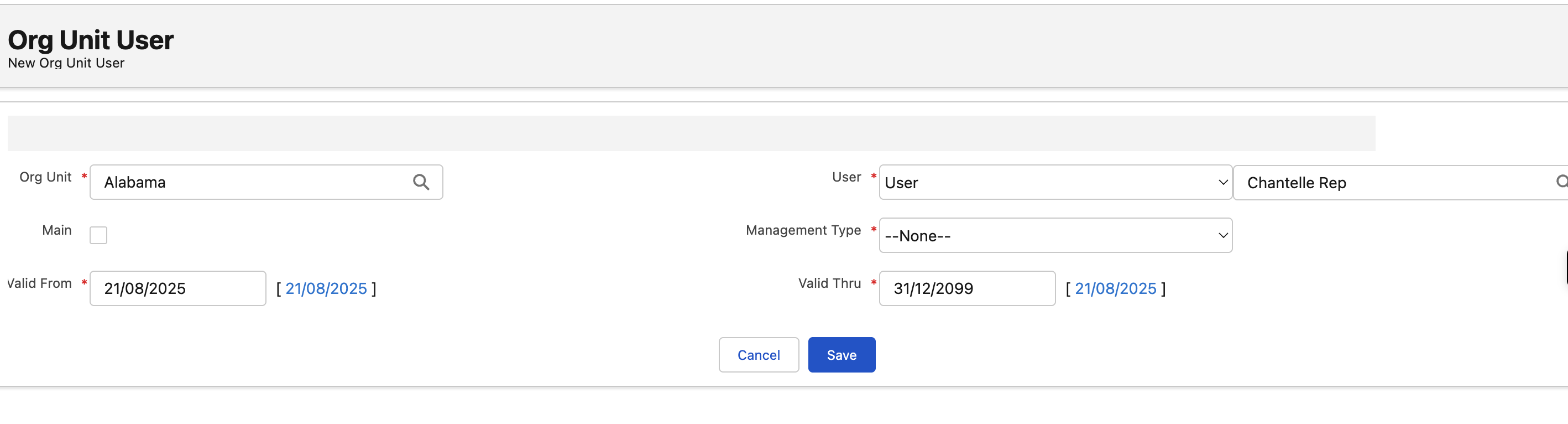
Steps to Reproduce:
- 1. Enable Digital Experiences in Setup (Setup > Digital Experiences > Settings > Enable).
- 2. Navigate to a Visualforce page containing a user lookup field, for example on cgcloud__Org_Unit_User__c or cgcloud__Substitute__c objects.
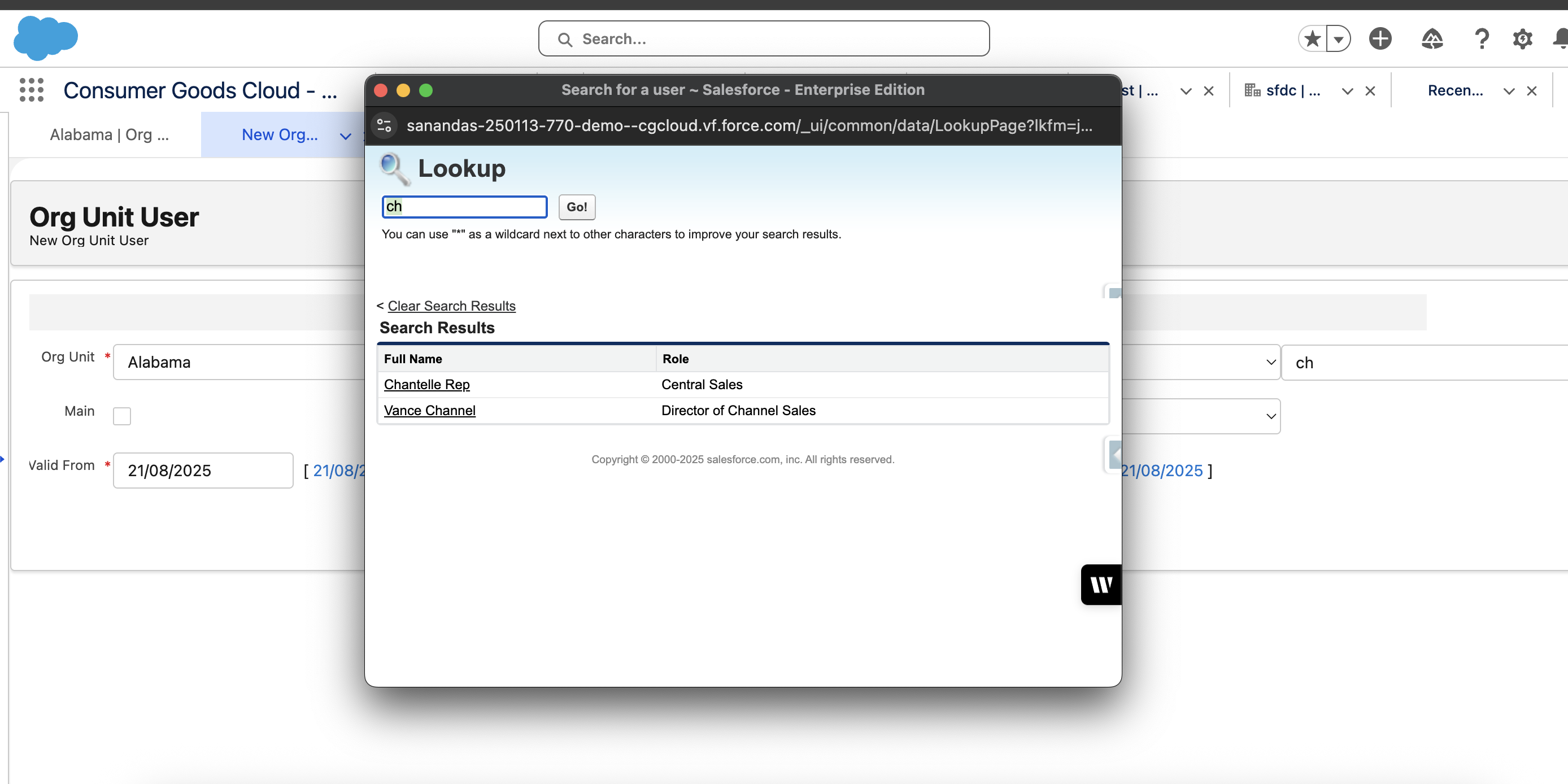
- 3. Attempt to click the user lookup search icon to open the popup window.
- 4. Notice the lookup search popup does not open, preventing selection from the lookup dialog.
Resolution
One can manually enter the full user name in the lookup field to save the record, though this does not enable the lookup popup and may not always work.
Additionally, since the Visualforce page respects the order of fields defined in the fieldset on the object, you can reorder the fields within the fieldset to move the User field into a different column. This can help prevent UI overlap issues caused by the adjacent user type picklist and restore the functionality of the lookup search icon.
Note: This behavior is not universally applicable across all objects, and there is no predefined set of objects for which it is guaranteed to work. 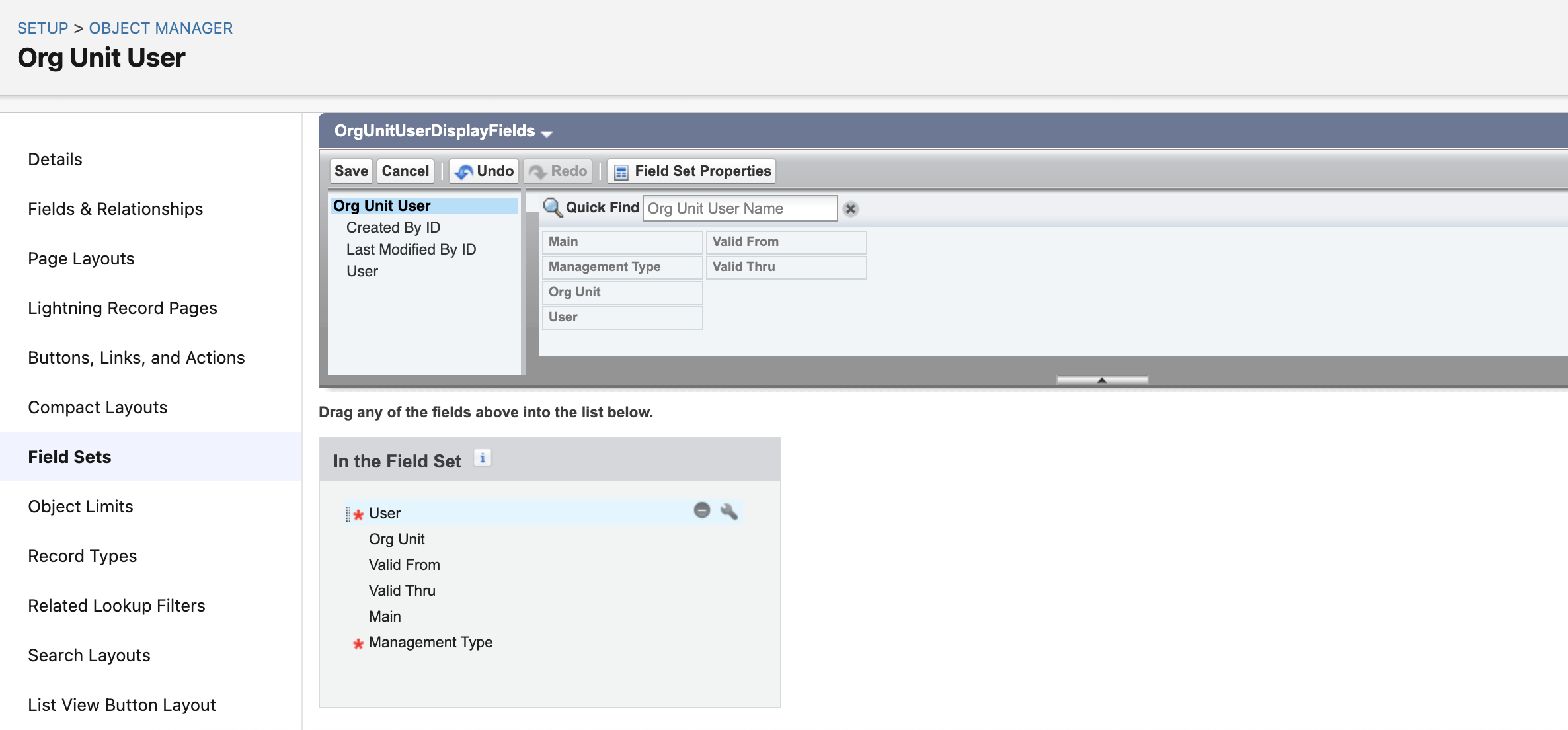
Knowledge Article Number
005134981
Did this article solve your issue?
Let us know so we can improve!
