Välj en organisation
Cannot connect to Starburst from Tableau Prep Builder 2025.1, error: Package signature verification failed
Publiceringsdatum: Sep 8, 2025
Beskrivning
Users are unable to connect to Starburst Galaxy from Tableau Prep Builder 2025.1 using either a customized Starburst connector or the newer Tableau-provided Starburst connector.
Users can connect from Tableau Desktop without any issue.
The error message is:
Error Message:
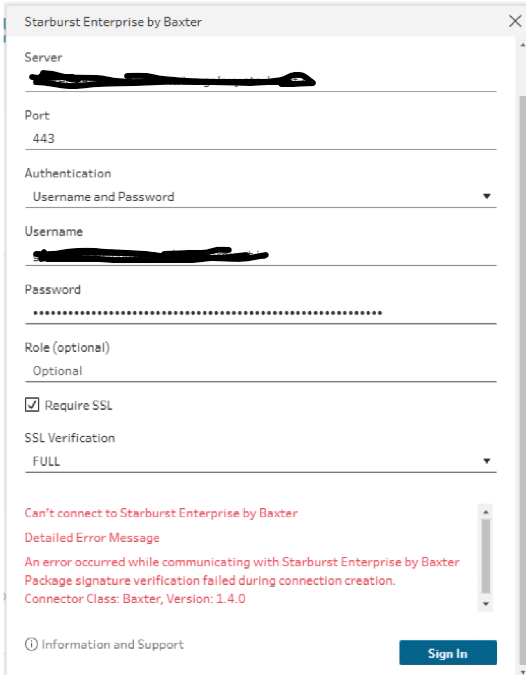
Can’t connect to Starburst Enterprise by Baxter
Detailed Error Message
An error occurred while communicating with Starburst Enterprise by Baxter Package signature verification failed during connection creation. Connector Class: Baxter, Version: 1.4.0
Cause: Unknown
Lösning
- Install the latest Tableau Prep release (currently 2025.2.2)
- Test again
Workaround:
- Copy file tacosignatureverifier.jar from Tableau Desktop directory to Tableau Pep 2025.1 directory. See the paths below:
- From: "C:\Program Files\Tableau\Tableau 2025.1\bin\tacosignatureverifier.jar"
- To: "C:\Program Files\Tableau\Tableau Prep Builder 2025.1\resources\app\tableau-1.3\build\Release-x64\tacosignatureverifier.jar"
- After this, you should be able to connect to Starburst from Tableau Prep 2025.1.4 using the existing Starburst taco file.
Please note: Even if you may be using Tableau Server 2025.1, you can still use a newer Tableau Prep release. There should not be any compatibility issues..
Any newer features in Tableau Prep Builder that aren't available in an older version of Server, there will be warnings and the features will simply be disabled in the published version.
Ytterligare resurser
Knowledge-artikelnummer
005166998
Löste denna artikel ditt problem?
Berätta för oss vad vi kan förbättra!
