Seleziona un'organizzazione
Unable to Save Salesforce Flow with Apex Action in Immediate Path After Winter '26 Release
Data pubblicazione: Sep 23, 2026
Descrizione
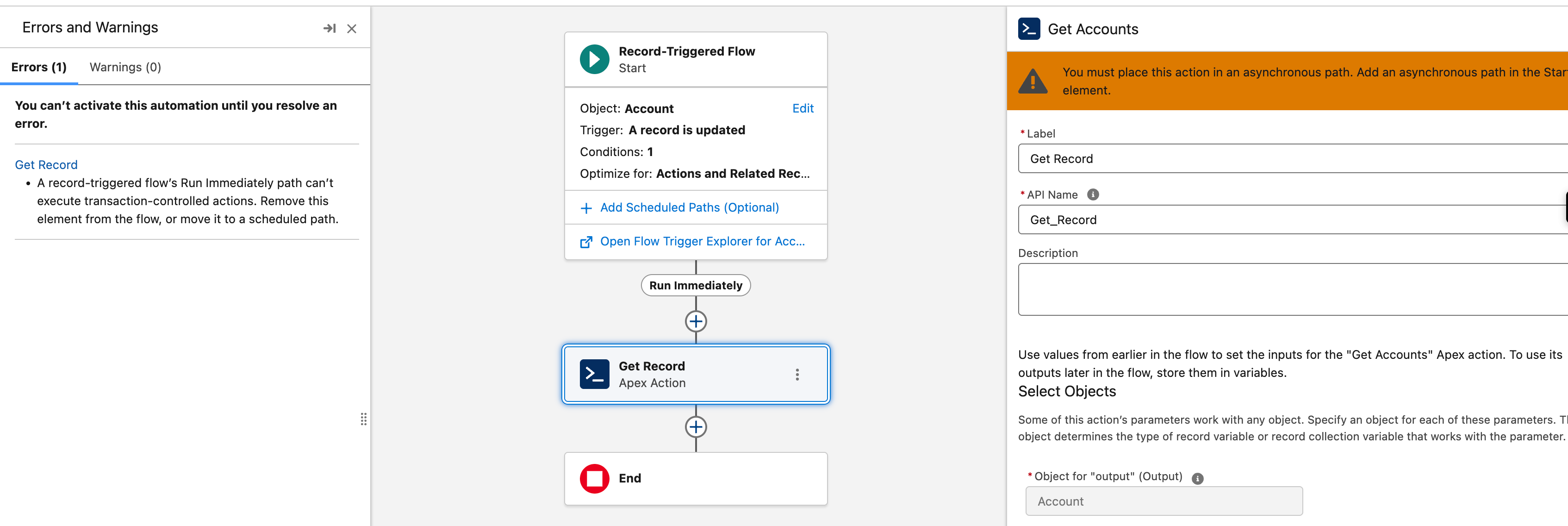
Starting with the Winter '26 release, if an Apex Action is added to the Run Immediately (immediate) path of a record-triggered Salesforce Flow, you may be unable to save the flow. Instead you see the following error:
"A record-triggered flow's Run Immediately path can't execute transaction-controlled actions. Remove this element from the flow, or move it to a scheduled path. You must place this action in an asynchronous path. Add an asynchronous path in the Start element."
Risoluzione
This article explains how to resolve the "transaction-controlled actions" save error by configuring the Apex Action's Transaction Control setting.
Why This Happens
Apex Actions that are transaction-controlled must run in an asynchronous path rather than the Run Immediately path of a record-triggered flow. If the action's Transaction Control setting isn't configured to run in the current transaction, Salesforce blocks the save.
Steps to Resolve
- Open the Flow.
- Open the Apex Action element.
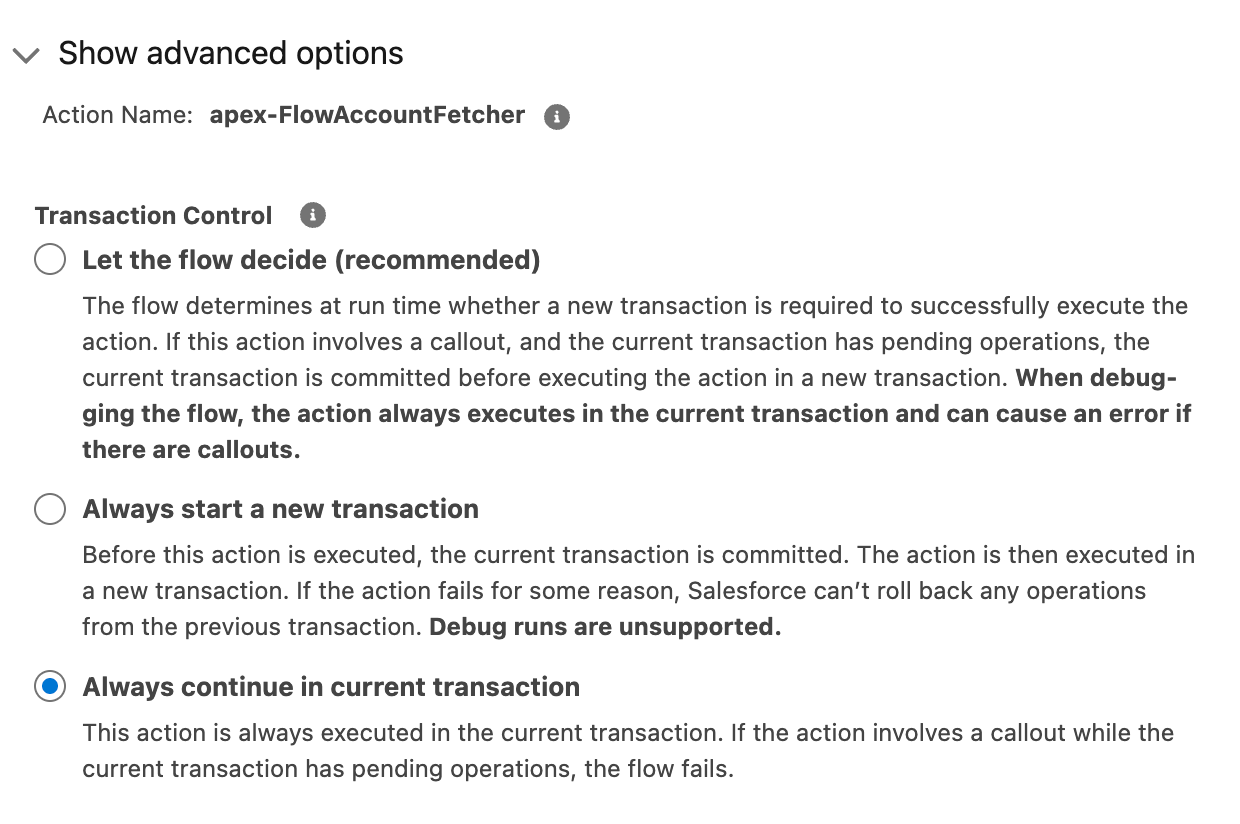
- Click on "Show advanced options".
- Under "Transaction Control", make sure to select "Always continue in current transaction". If either of the other two options is selected, the error is thrown.
About the Always Continue in Current Transaction Option
When this option is selected, the action always executes in the current transaction. If the action involves a callout while the current transaction has pending operations, the flow fails.
Risorse aggiuntive
Numero articolo Knowledge
005167102
Questo articolo ha risolto il problema?
Facci sapere, così possiamo migliorare!