조직 선택
Calculate Win% and Loss% of Opportunities for an Owner based on all closed and non closed opportunities amount in a Report
게시 일자: Dec 18, 2025
상세 설명
Calculate the win percentage of opportunities for the owner. Follow these steps:
-
If checking only Closed Won/Lost opportunities, follow the process from the article.
-
If considering existing non-closed won/lost opportunities, refer to the outlined steps.
솔루션
Check the sum of the amount of won opportunities among all other opportunities at different stages, as shown in the screenshot below.
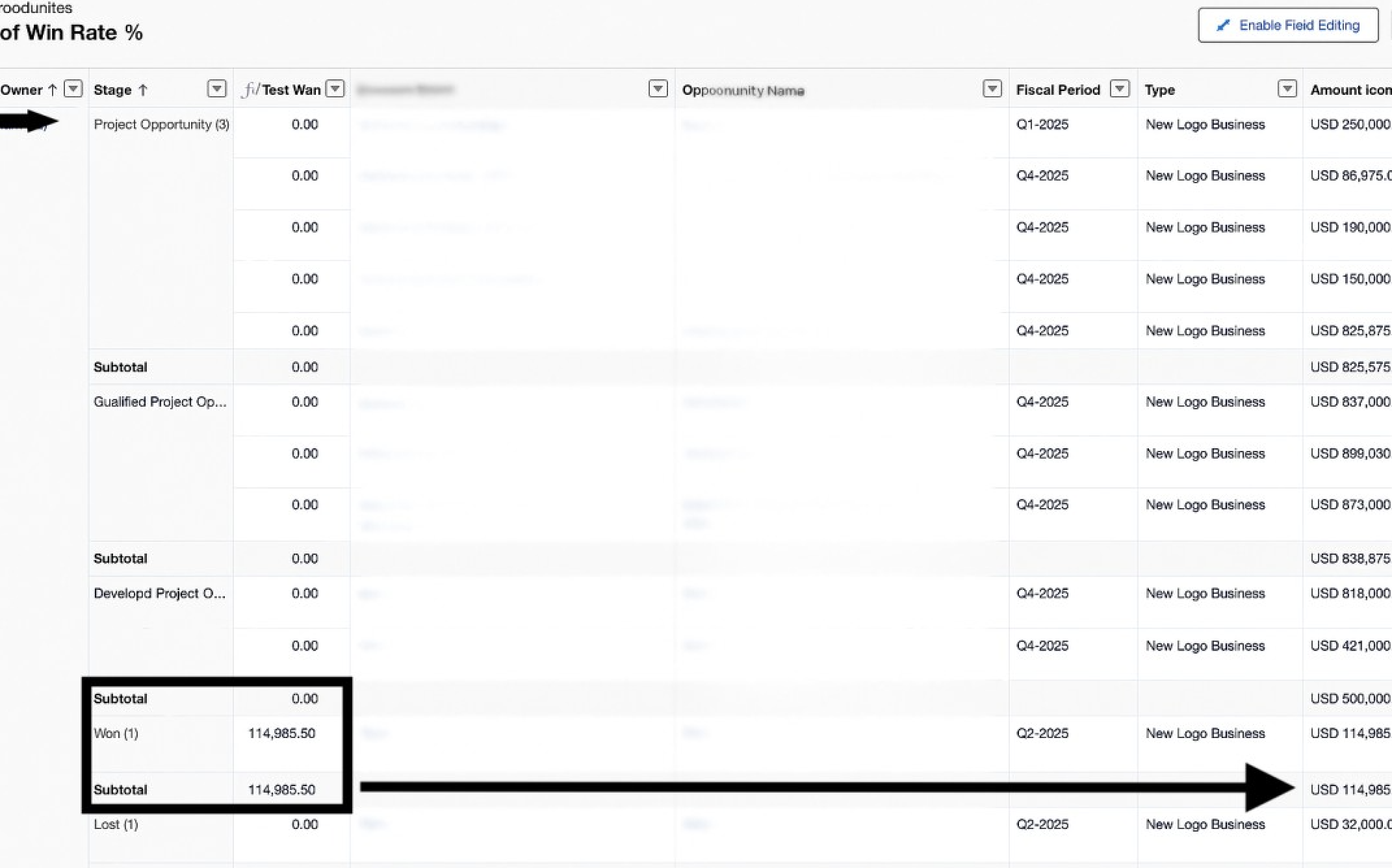
Initially, one might consider creating a summary-level formula using an IF condition to determine if the opportunity stage is Won. However, the IF condition may yield false results even if the stage is correct.
For more information, refer to this link: Salesforce Trailhead.
Instead, create a row-level formula using the following:
IF(ISPICKVAL(STAGE_NAME, "Won"), AMOUNT.CONVERT, 0)
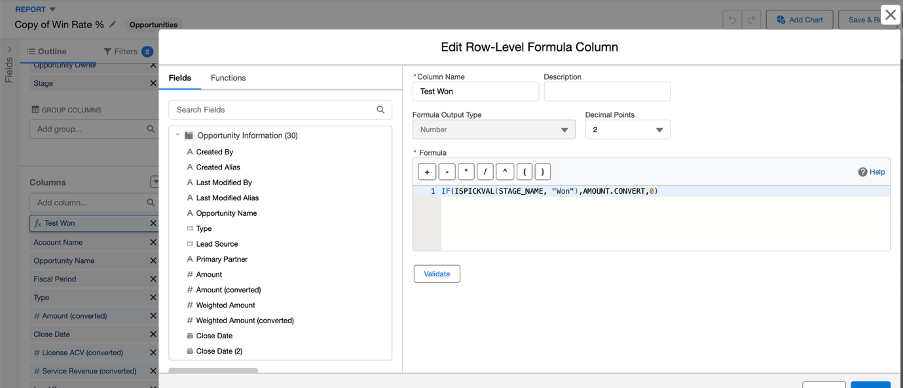
Note that only one row-level formula can be created per report. For lost percentage, a separate Loss % report must be created with the same row-level formula for the lost stage.
The Test Won column will display the sum amount of all won opportunities compared to other opportunities at different stages.
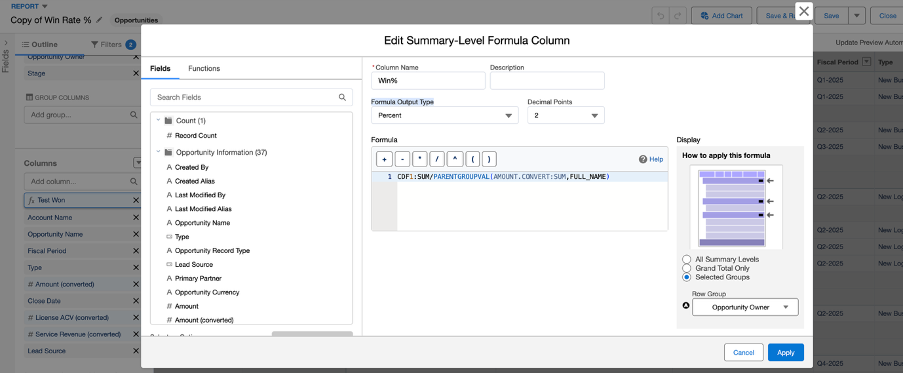
Using the created row-level formula field (Test Won), you can create a summary-level formula to calculate the win percentage of opportunities among all lost and other opportunities currently owned.
Use the following formula:
CDF1:SUM / PARENTGROUPVAL(AMOUNT.CONVERT:SUM, FULL_NAME)
Here, CDF1:SUM is the value from the row-level formula (Test Won).
AMOUNT.CONVERT:SUM is the summarizing field.
FULL_NAME is the grouping level for which you need to display the value.
Since a percentage of win is required, select the Formula Output Type as Percent. To display this percentage calculation at the Opportunity owner group level, select the Opportunity Owner as the selected group under Display, as shown below.
The final report appears as follows:
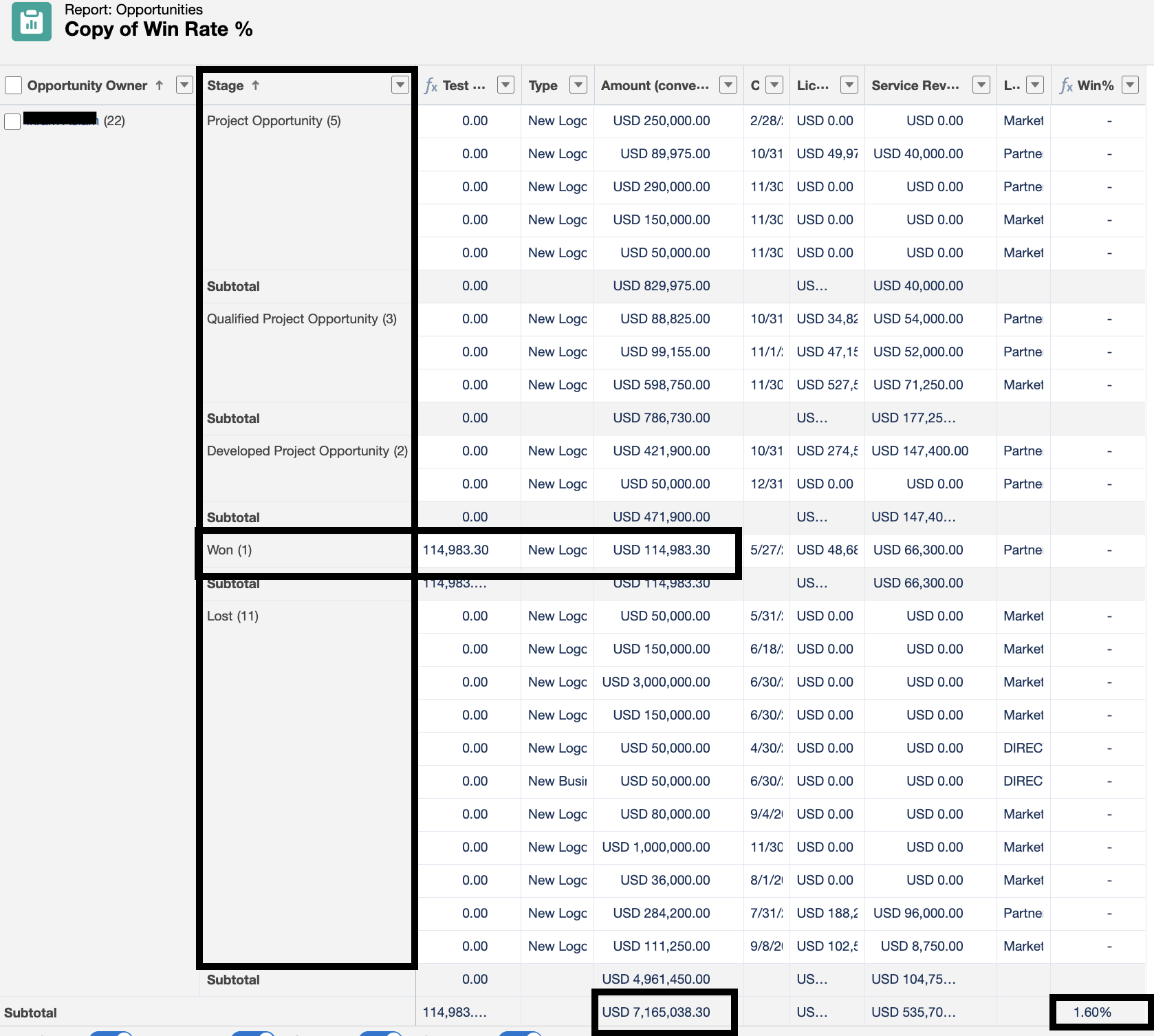
For example, above owner they own 22 opportunities with a total amount sum of 7,165,038.30.
Among these opportunities, they have closed only 1 with a won amount of 114,983.30. Thus, the win percentage is calculated as follows:
114,983.30 / 7,165,038.30 ===> ≈ 0.01605 (1.60%)
Knowledge 기사 번호
005223886
이 기사를 통해 문제를 해결했습니까?
개선을 위한 의견을 보내주세요.
