Seleccionar una organización
Controlled by Permission Set Behavior on Email-to-Case Routing Address
Fecha de publicación: May 11, 2026
Descripción
When the Controlled by Permission Set checkbox is enabled on an Email-to-Case routing address, Salesforce Lightning Experience enforces access to that routing address via a permission set. Users must be assigned a permission set that explicitly grants access to the routing address in order to use it when sending emails from Cases. This enforcement applies to Lightning Experience only — Classic does not enforce this checkbox.
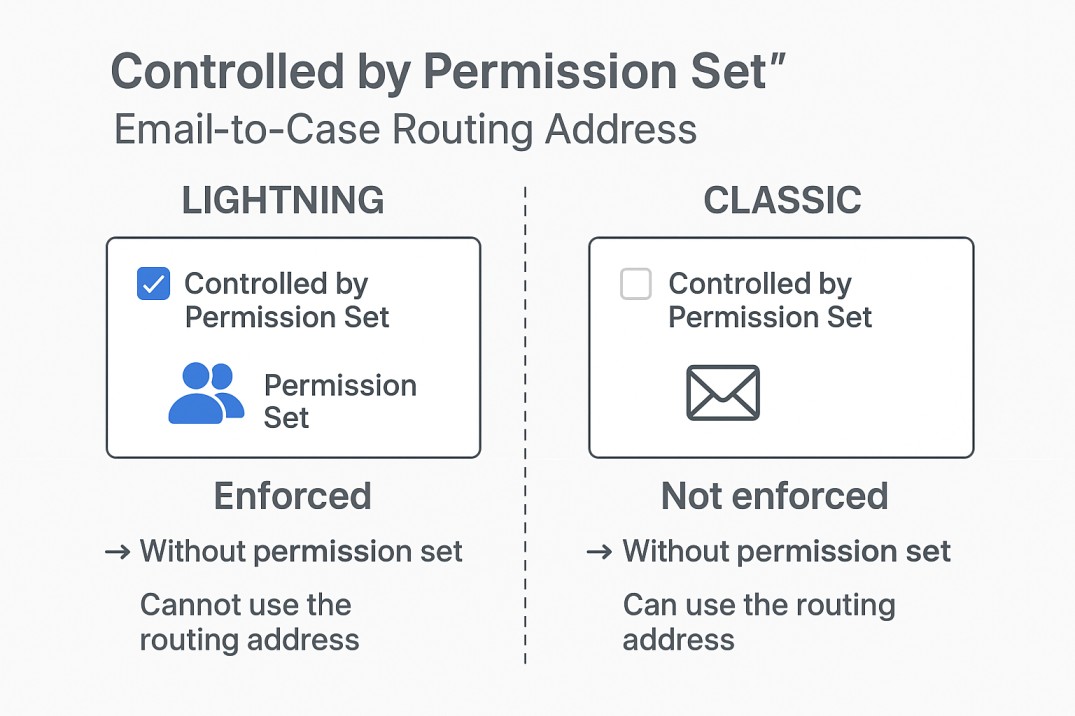
Real-life example: An administrator enables the "Controlled by Permission Set" checkbox on a routing address used by the support team. A support agent who does not have the corresponding permission set assigned will no longer see that routing address as an available option when composing an email from a Case in Lightning Experience — even though the same agent can still use the routing address in Salesforce Classic. This inconsistency can cause confusion for agents who switch between interfaces.
Solución
The "Controlled by Permission Set" checkbox on Email-to-Case routing addresses is enforced only in Lightning Experience.
When this checkbox is enabled, administrators must complete the following steps to grant users access to the routing address:
- Create a permission set (or use an existing one).
- In the permission set, add the routing address under Email-to-Case Routing Address Access.
- Assign the permission set to the intended users.
Users without the assigned permission set will not see or be able to use the routing address when sending emails from Cases in Lightning Experience.
In Classic, this control is not enforced; routing addresses remain available to all users regardless of the checkbox setting.
Número del artículo de conocimiento
005224010
¿Resolvió este artículo su problema?
¡Háganos saber cómo podemos mejorar!
