Sélectionner une organisation
Resolving issues related to JSON format response in Agentforce Employee Agent (aka Agentforce Default) in the UI
Date de publication: Oct 1, 2025
Tâche
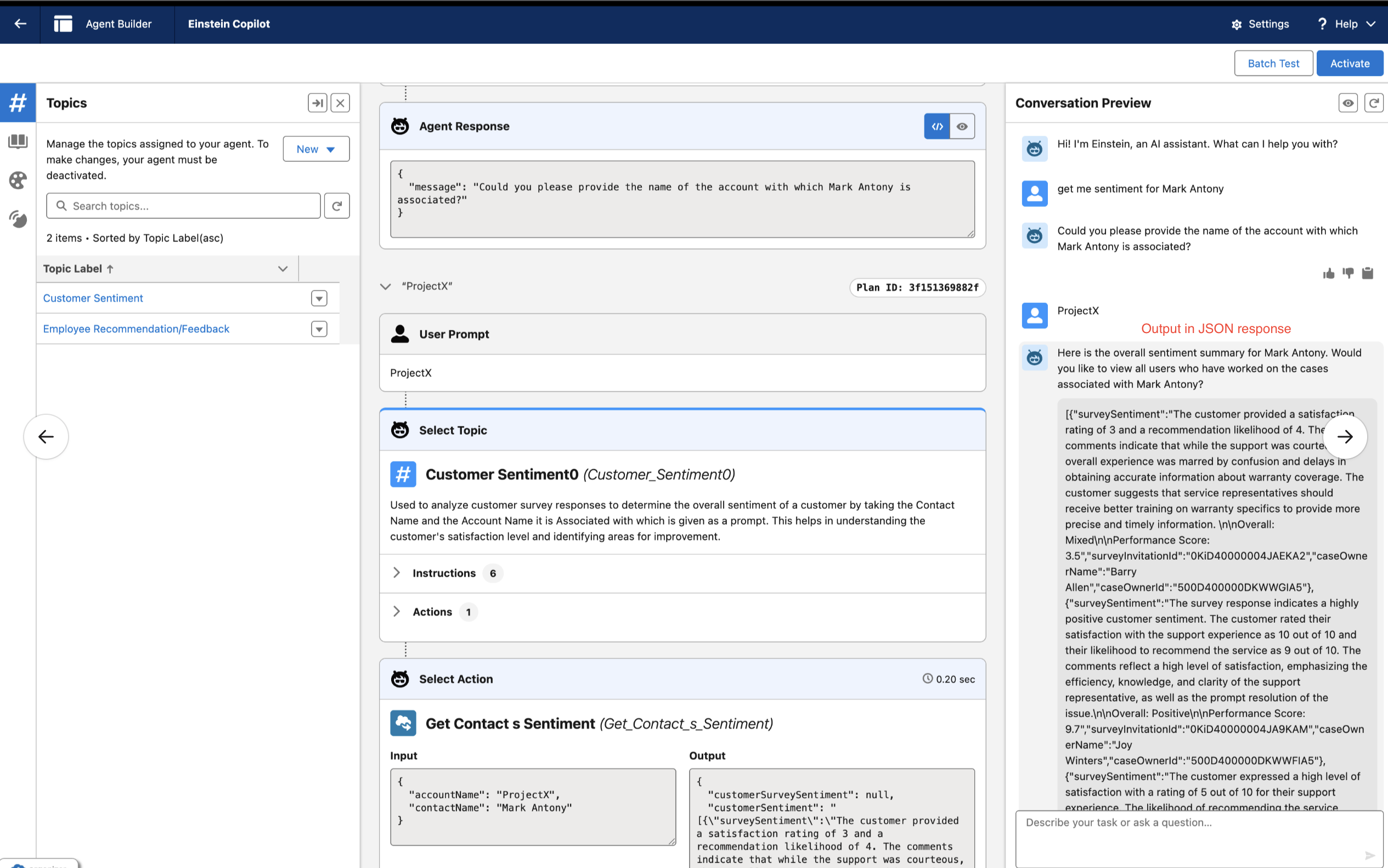
Whenever a user is using Agentforce Employee Agent or Agentforce Default Agent on UI and asks a question which should return the response in human readable format after getting the response in JSON format, we may get an error in response and the output in the builder will be in JSON format only.
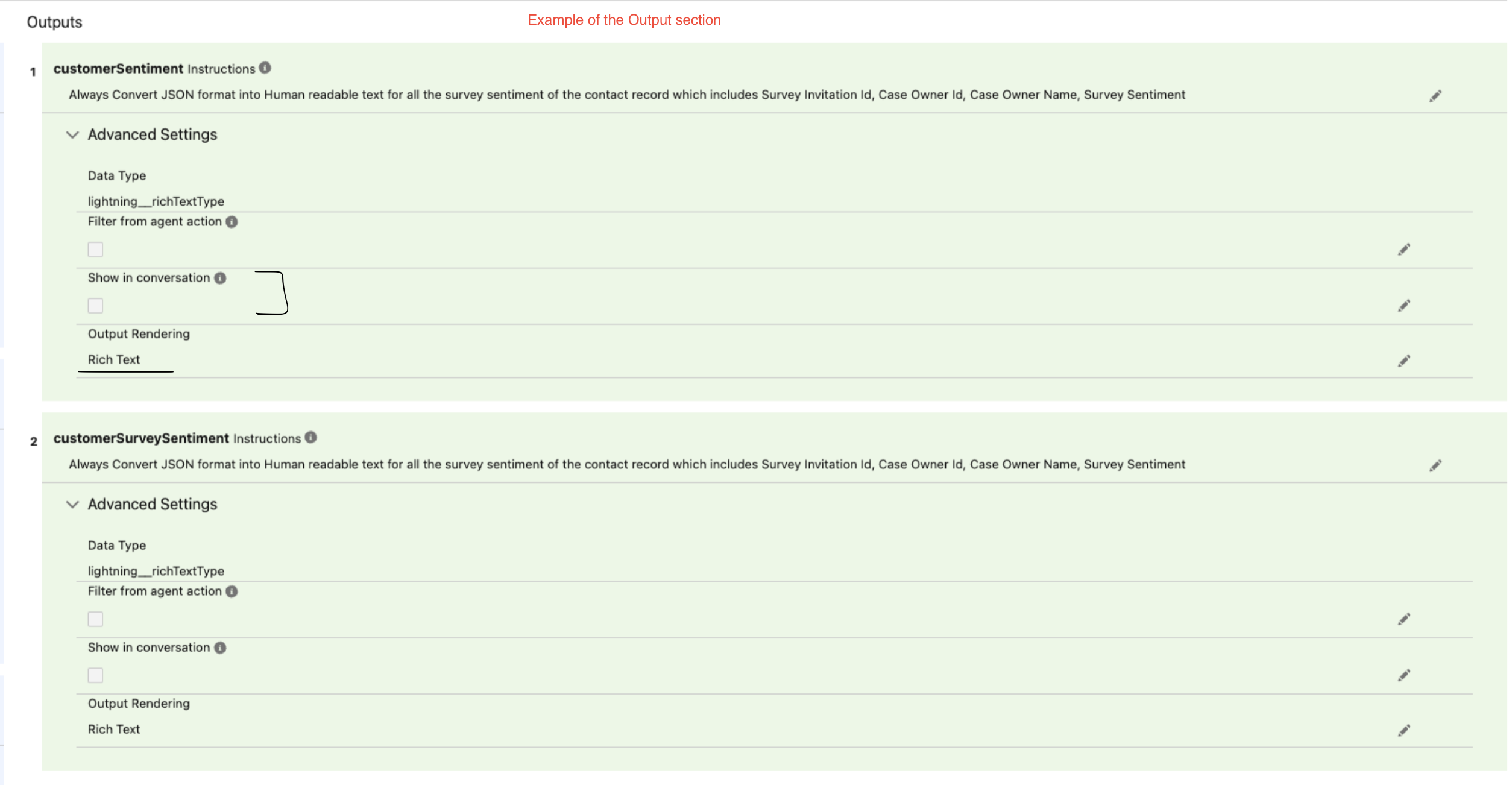
It is always advisable that the Output Rendering in the action should be Rich Text and the Show in Conversations should be disabled.
This happens because the user is calling the action via a flow or an apex and the response is in JSON format. The Agent follows the output instructions mentioned in the action and the LLM serialises the already returned JSON blob (Binary Large Object) once again.
Étapes
To prevent these regressions, it is advisable to make the below changes whenever you expect an output in Human Readable format and you have already written the output instruction to convert the JSON format into a Human Readable format :
- Go to the topic action being called to convert the JSON format into Human Readable format.
- Change the Output Rendering to "Rich Text" if it is already not done yet.
- Uncheck the "Show in Conversations" option.
The above changes will convert the JSON format to the Human readable format and will not serialise the response once again.
Numéro d’article de la base de connaissances
005224754
Cet article a-t-il résolu votre problème ?
Dites-nous ce que nous pouvons améliorer !
