Select An Org
Trailhead Streaks FAQ
Publish Date: Oct 3, 2025
Description
Trailhead Streaks are a fun way to motivate yourself to continue learning and growing your skills. Streaks track the number of consecutive weeks you have been active on Trailhead or in the Trailblazer Community. Complete a qualifying action each week to build your streak.
Frequently Asked Questions
Q: How can I earn a Trailhead Streak?
A: Earn your weekly streak by completing at least one of the following activities between Monday and Sunday (local time):
- Complete a module, project, superbadge, or trail on Trailhead.
- Engage in the Trailblazer Community by contributing knowledge with a post or helping others learn by answering a question.
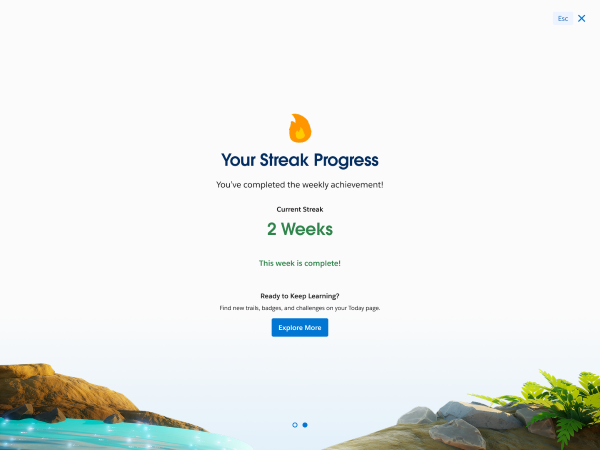
Once a streak is earned, you’ll see a celebration moment!
Q: What happens if I have a Trailhead Streak, but I miss a week?
A: If you go one week without earning a badge on Trailhead or engaging in the Trailblazer Community then your streak will reset to zero. But don’t worry, you can start a new streak anytime! Trailhead will also always display your longest streak.
Q: Will I get reminders before my Streak resets?
A: Yes! Please make sure you’re opted in to receive notifications to get a reminder.
If your streak is close to expiring, we’ll send you an email and a push notification on Trailhead GO to help you stay on track.
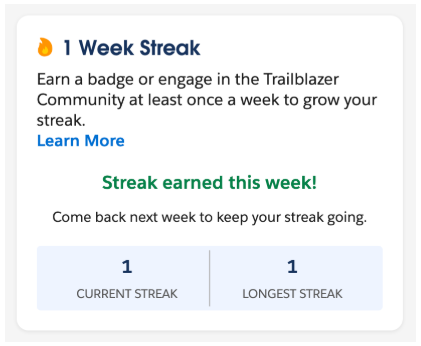
You’ll only get this reminder if you have not completed a qualifying action that week. To check if you’ve earned your weekly streak, you can log into Trailhead and check the Today page.
Q: How does my time zone impact Trailhead Streaks?
A: Your streak is calculated based on your activity between start of day Monday and end of day Sunday, as defined by your local time. You can set a time zone preference on the Settings page to ensure your streak is calculated based on the same timeframe every week, no matter where you are.
Q: Can I turn off Trailhead Streak notifications?
A: Yes, you can manage your notifications anytime.
Web: Navigate to the notifications page to update your preferences.
Mobile: Navigate to Notifications by tapping on Account (your profile icon) > Notifications.
Knowledge Article Number
005224843
Did this article solve your issue?
Let us know so we can improve!
