組織を選択
Error "Incremental refresh is enabled but not fully configured" in Tableau Prep
公開日: Oct 20, 2025
説明
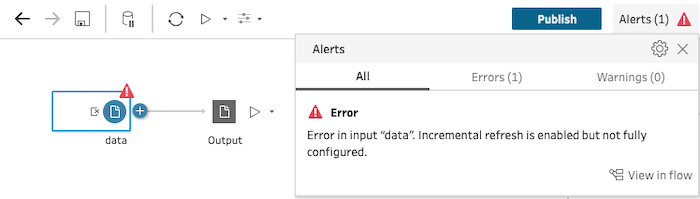
In Tableau Prep Builder or while editing flows on Tableau Server/Cloud, the following error occurs when configuring an incremental refresh on an input step in a flow.
Error in input "<input name>". Incremental refresh is enabled but not fully configured
解決策
This error occurs when required settings on the Input steps are not identified as fully set up, such as the Output field.
To resolve the error, follow the steps below to ensure an output step exists in the flow before configuring the incremental refresh or attempting to replace the existing input step:
Option 1: Create a flow up to the Output step first
- In a new flow, create the entire flow from the input step to the output step.
- After adding the output step, return to the input step and configure the incremental refresh settings. For more details, see Configure incremental refresh.
Option 2: Replace the Input step
- From the Connections pane, drag the new table to the flow pane on top of the input step you want to replace and drop it on the Replace option. For details, see Replace the input connection.
- Configure the incremental refresh on the newly added input step.
ナレッジ記事番号
005225105
この記事で問題は解決されましたか?
ご意見をお待ちしております。
