Välj en organisation
Engagement - Full Refresh on Synchronized Objects via Marketing Cloud Connect
Publiceringsdatum: May 21, 2026
Beskrivning
What is a Full Refresh:
A full refresh is when the synchronized data object in Marketing Cloud is cleared and then repopulated. This includes repopulating the backend staging tables with the data from Salesforce CRM. This can be done manually by an user within the UI of Marketing Cloud or by the system when more 600K changes are done within an 1 minute timeframe.
When does a system prompted Full Refresh happen:
The system prompted Full Refresh will happen whenever the getUpdated() SOAP API call returns more than 600,000 IDs, thus exceeding the GetUpdateResult limit.
- Bulk Uploads
- Field Deletions*
- Mass Record Changes
- Record Deletions*
*May be delayed up to 15 days as they are sent to the recycle bin and then hard deleted after 15 days. If the recycle bin is emptied prior to the 15 days this would hard delete the data within.
Order of Event when a Full Refresh happens:
- Salesforce CRM getUpdated() SOAP API call returns more than 600,000 IDs, an exception EXCEEDED_ID_LIMIT is returned.
- A refresh is begun for the associated object in Marketing Cloud
- A staging table is created to house the records as they come in from the CRM (this is the table we monitored throughout the sync process)
- Once all records have been synced to the staging table, it notifies the system that the table is complete and the data is ready to be used in Marketing Cloud
- The old synchronized data extension table is deleted and replaced by the staging table
UI Error:
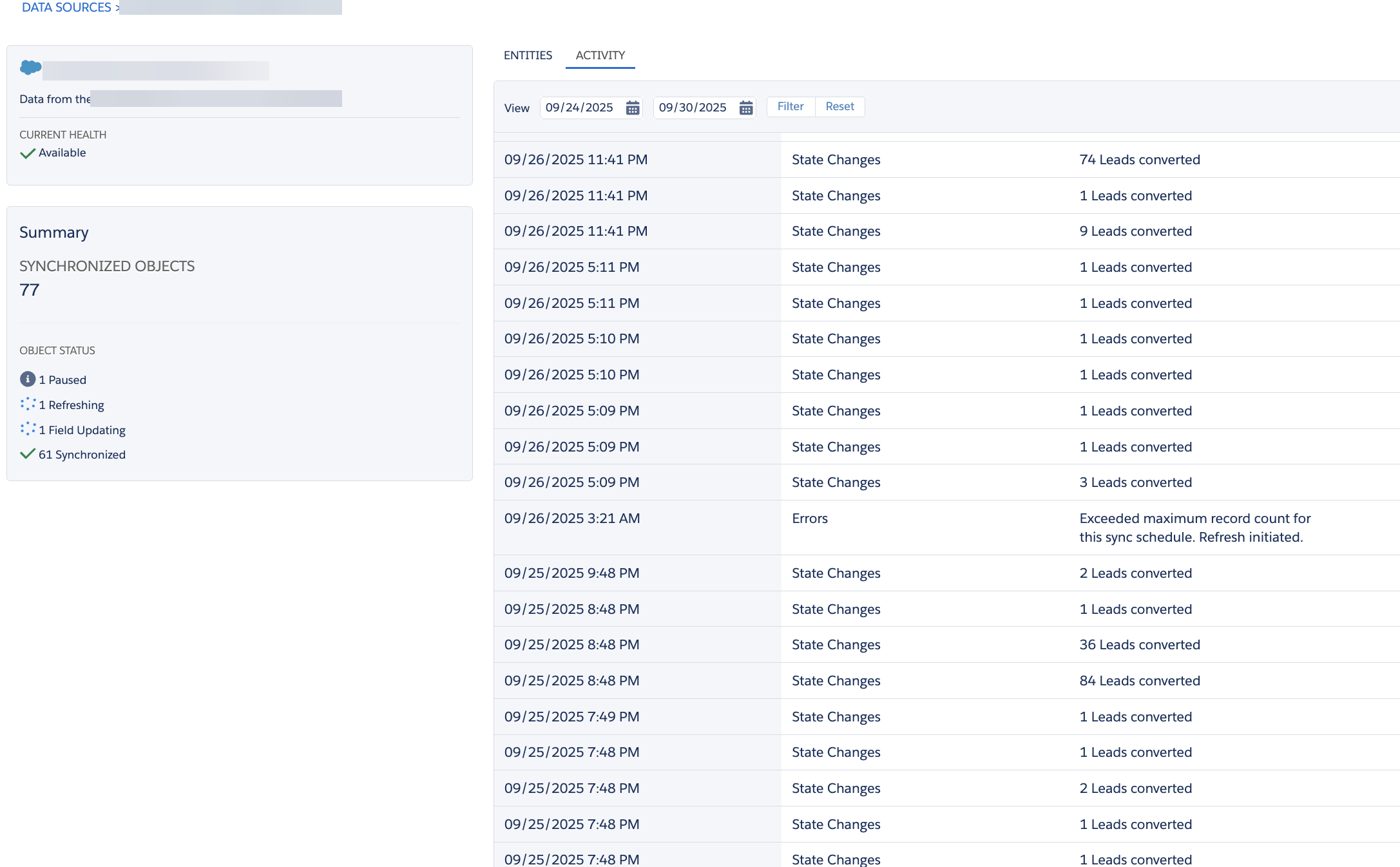
Lösning
What to do when a Full Refresh happens:
Once the refresh begins there is not much we can do but monitor it and ensure that records are steadily populating. If there are questions why a refresh happen, refer to the above reasons. If the user is not the System Admin for Salesforce CRM, reach out to them to regarding recent changes.
Marketing Cloud itself does not initiate the system refresh, it is all done within Salesforce CRM and Marketing Cloud is just the one receiving the changes. If the Salesforce System Admin is not able to identify any changes, a case with Support will need to be opened.
Ytterligare resurser
Synchronized Data Sources Best Practices
Knowledge-artikelnummer
005225287
Löste denna artikel ditt problem?
Berätta för oss vad vi kan förbättra!
