Seleccionar una organización
Display Win Rate % as a Dashboard Widget Using a Summary Formula Field on Opportunity Reports
Fecha de publicación: Apr 2, 2026
Descripción
This article explains how to display a summary formula field (for example, Win Rate %) in a Dashboard Metric component.
The goal is to calculate a percentage (such as Closed Won vs. total Closed Opportunities) in a report and display it as a single, high-level KPI in a dashboard for better visibility of performance.
Solución
To display a summary formula in a dashboard, you must first create a report with a summary formula at the grand total level, and then use that report in a Metric widget.
Step 1: Create or Select a Report
- Go to the Reports tab
- Click New Report (or reuse an existing one)
- Select:
- Category: Opportunities
- Report Type: Opportunities
- Click Start Report
Step 2: Configure Report Filters
Ensure the report includes only relevant records:
- Show All Opportunities
- Filter by Close Date (for example, current fiscal year)
- Include only Closed Opportunities, using one of the following:
- Opportunity Status = Closed
- OR Closed = True
- OR Stage = Closed Won / Closed Lost
Step 3: Add Summary Formula (Win Rate %)
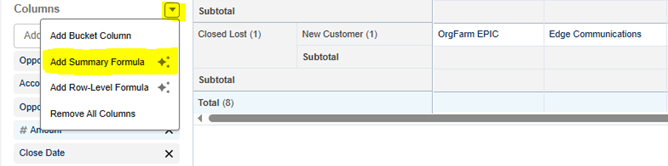
- In the Columns section, click Add Summary Formula
- Configure:
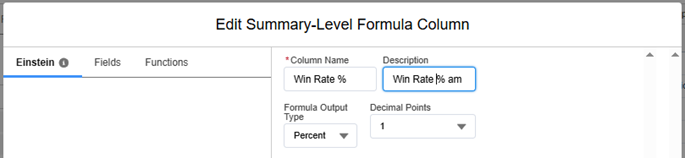
- Column Name: Win Rate %
- Output Type: Percent
- Decimal Places: As needed
-
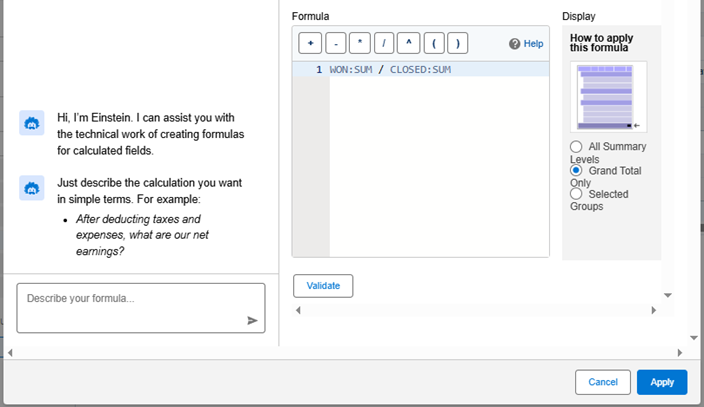
Enter the formula:
WON:SUM / CLOSED:SUM - Set calculation to:
- Grand Total Only
- Apply and validate the formula
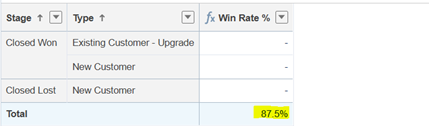
Note: You can group rows (e.g., by Stage or Type), but this does not impact the final percentage when using Grand Total.
Step 4: Finalize the Report
- Enable Grand Total only (optional, for a cleaner view)
- Save the report
- Run it to confirm the formula appears correctly
Step 5: Add the Report to a Dashboard
- Go to the Dashboards tab
- Create a new dashboard or edit an existing one
- Click + Widget
- Select your report
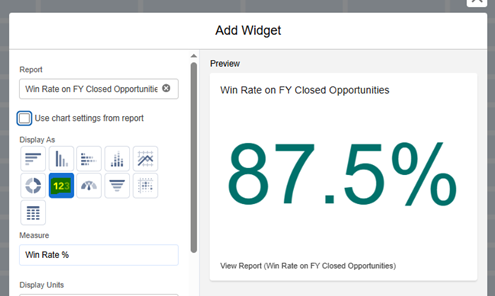
- Choose Metric as the component type
- Select the Win Rate % field as the metric value
- (Optional) Customize label and display settings
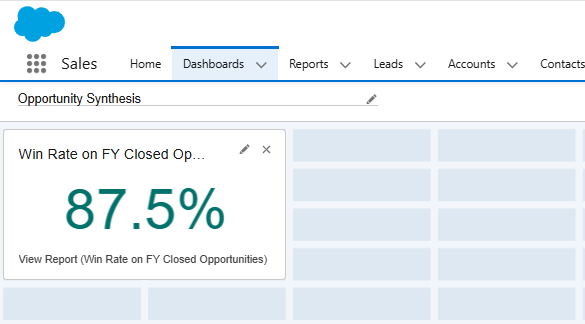
- Save and run the dashboard
Recursos adicionales
Build a Report in Lightning Experience
Número del artículo de conocimiento
005226720
¿Resolvió este artículo su problema?
¡Háganos saber cómo podemos mejorar!
