Выбрать организацию
Infinite Loading in Builder of Experience Cloud Site or Page not available.
Дата публикации: May 31, 2026
Описание
When working with page variations and audience assignments in a Salesforce Experience Cloud site, each page variation is associated with a specific audience.
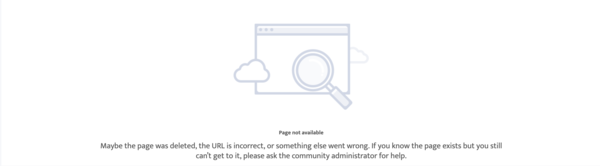
If a logged-in user tries to access a page but does not match any of the audiences assigned to that page's variations, the user sees the following error message:
“Page not available. Maybe the page was deleted, the URL is incorrect, or something else went wrong. If you know the page exists but you still can’t get to it, please ask the community administrator for help.”
In the Experience Builder, when a System Administrator or any other user attempts to preview or navigate to a page where no page variation is assigned to them, the page will load indefinitely. However, administrators can still access the page from the Pages panel within the Builder, manually select a variation, and assign it to the appropriate audience.
This behavior occurs because Experience Builder relies on audience criteria to determine which variation to render. When no matching variation exists, the system fails to load the page content correctly.
Решение
-
Step 1: Set a Default Page Variation
Ensure that at least one page variation is set as the Default page. A default variation acts as a fallback when a user does not meet any audience criteria, preventing both the "Page not available" error and infinite loading.
Step 2: Verify Audience Assignments
Review all page variations and their audience assignments:- Go to Experience Builder > Pages > [Select Page] > Page Variations.
- Review and adjust the assigned audiences as needed.
- Confirm that every page variation has a valid audience assignment.
Step 3: Publish the Site
After making any audience or page variation changes, publish the site for the changes to take effect.
Step 4: If the Page Fails to Load in Builder- Open the Pages panel in Experience Builder.
- Select the target page manually.
- Assign or update the page variation to include your user's audience.
- Save and publish the site.
Recommended Practice
Always create a default page variation for every page that uses audiences. This ensures a seamless user experience and prevents "Page not available" or infinite loading issues in both runtime and builder environments.
Дополнительные ресурсы
Номер статьи базы знаний
005228025
Эта статья решила вашу проблему?
Оставьте свой отзыв, чтобы мы могли стать лучше!
